

.CLIP Extension de fichier
Illustration Clip Studio Paint
| Développeur | CELSYS |
| Popularité |
4,0 | 52 Votes |
Qu'est-ce qu'un fichier CLIP ?
Un fichier CLIP est une illustration créée par CELSYS Clip Studio Paint, une application de dessin 2D. Il se compose d'un ou plusieurs calques matriciels ou vectoriels, qui peuvent contenir des formes, du texte, des filtres, des images ainsi que des traits de stylo, de crayon ou de pinceau. Le format CLIP a remplacé le format .LIP dans Clip Studio Paint 1.5.4.
Plus d'informations
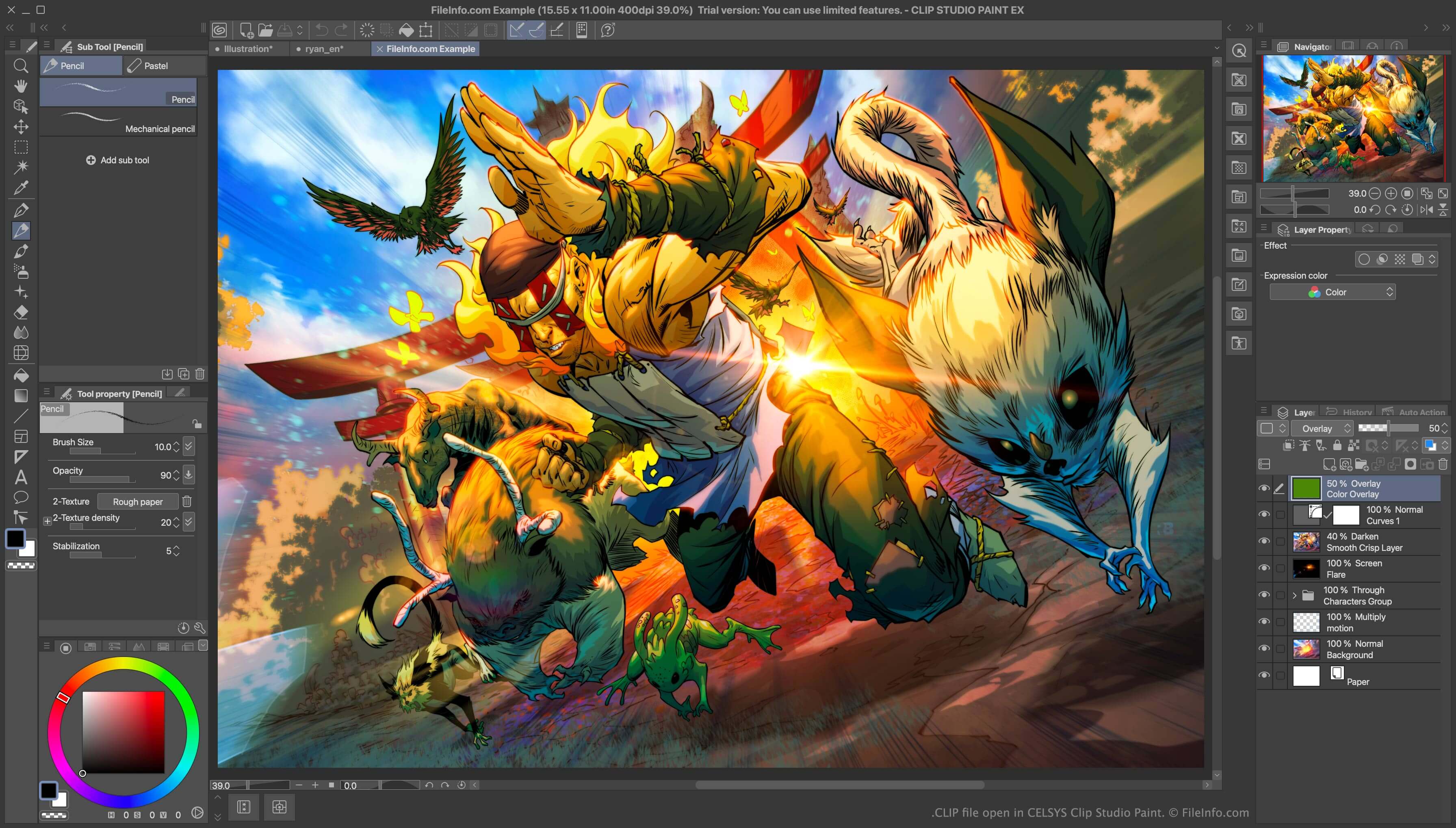
Les illustrateurs utilisent Clip Studio Paint pour créer des bandes dessinées, des illustrations et des animations. Le programme enregistre les images des illustrateurs sous forme de fichiers CLIP. Les fichiers CLIP sont des images constituées de calques, semblables aux fichiers .PSD d'Adobe Photoshop.
Le format CLIP a remplacé le format LIP en mars 2016, avec la sortie de Clip Studio Paint 1.5.4. Il est notamment à noter que les images CLIP sont généralement moins volumineuses et se chargent plus rapidement que les images LIP similaires.
REMARQUE : Les versions 1.5.4 et ultérieures de Clip Studio Paint peuvent toujours ouvrir les fichiers LIP.
Comment ouvrir un fichier CLIP
Vous pouvez ouvrir un fichier CLIP dans CELSYS Clip Studio Paint (Windows, Mac). Pour ce faire :
- Sélectionnez dans la barre de menus du programme.
- Accédez à votre fichier CLIP et ouvrez-le.
Comment convertir un fichier CLIP
Vous pouvez utiliser CELSYS Clip Studio Paint pour convertir les fichiers CLIP dans d'autres formats, notamment :