

.VVV Bestandsextensie
Catalogus van Virtual Volumes View
| Ontwikkelaar | FSoft |
| Populariteit |
3,5 | 28 stemmen |
Wat is een VVV-bestand?
Een VVV-bestand bevat een catalogus die is gemaakt door FSoft VVV (Virtual Volumes View), een programma waarmee je de inhoud van verwisselbare volumes, zoals DVD's en cd's, en bestanden en mappen in een map kunt catalogiseren. Het bevat een index van bestanden en mappen die van een verwisselbare schijf of map zijn gescand. VVV-bestanden bevatten ook metadata over de mappen en bestanden, zodat je erin kunt zoeken.
Meer informatie
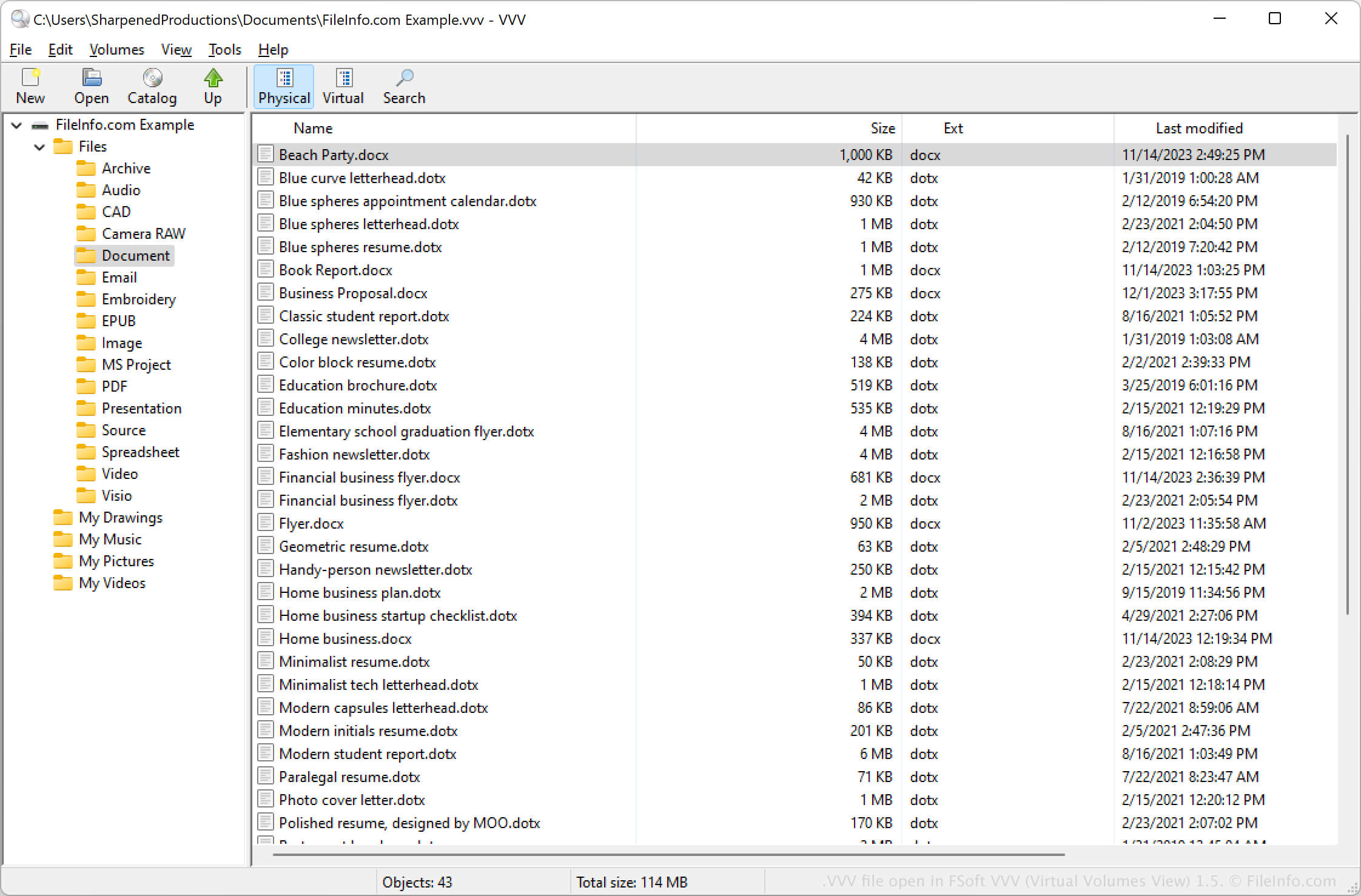
Met VVV (Virtual Volumes View) kun je verwisselbare volumes catalogiseren en bestanden en mappen van een lokale computer archiveren. Wanneer je een volume catalogiseert, maakt het programma het VVV-bestand om de inhoud van het volume op te slaan.
Je kunt VVV (Virtual Volumes View) ook gebruiken om in het VVV-bestand naar de inhoud van het volume te zoeken. Je kunt bijvoorbeeld in de metadata in de map zoeken om items in een specifieke map op een volume te vinden.
Een VVV-bestand openen
Je kunt een VVV-bestand openen met het programma FSoft VVV (Virtual Volumes View) in Windows, macOS en Linux. Als je bijvoorbeeld een VVV-bestand wilt openen, selecteer je of klik je op het mappictogram .