

.VSSX Bestandsextensie
Visio-stencilbestand
| Ontwikkelaar | Microsoft |
| Populariteit |
3,5 | 15 stemmen |
Wat is een VSSX-bestand?
Een VSSX-bestand bevat stencils die zijn gemaakt door Microsoft Visio, een programma voor technische tekeningen. Het bevat een verzameling vormen, verbindingslijnen of andere objecten die in een tekening kunnen worden gebruikt. VSSX-bestanden worden vaak door organisaties gebruikt om logo's en andere standaardontwerpelementen te verspreiden die in technische tekeningen kunnen worden opgenomen.
Meer informatie
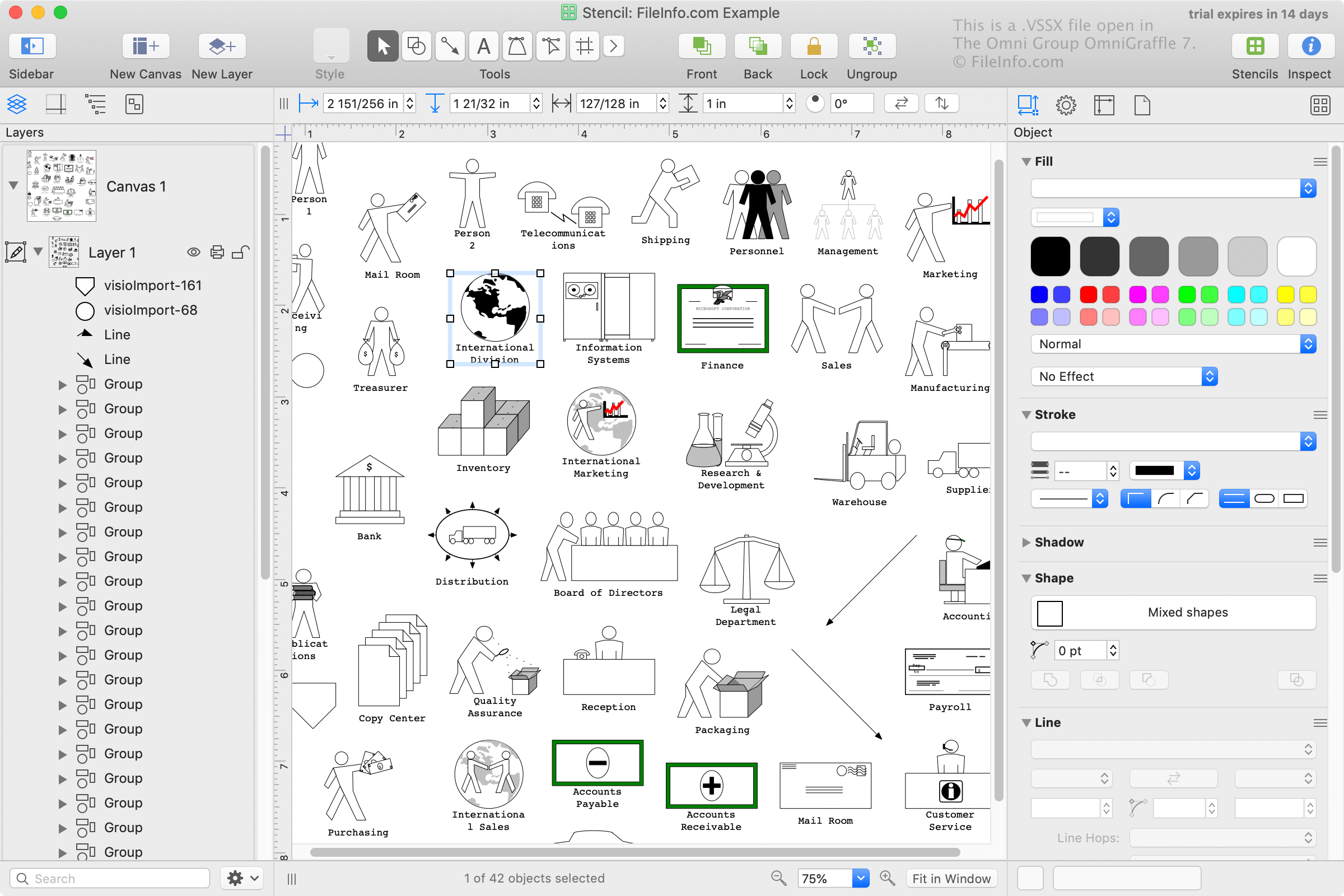
Microsoft Visio wordt vaak gebruikt in zakelijke omgevingen om complexe workflows, zoals organigrammen, databasemodellen, bedrijfsstroomschema's en software- en netwerkdiagrammen, te organiseren, visualiseren en communiceren. Visio wordt geleverd met vooraf geïnstalleerde VSSX-bestanden en gebruikers kunnen deze ook zelf maken.
Microsoft introduceerde de VSSX-indeling bij de release van Visio 2013. VSSX is een op Zip gebaseerde indeling die de op binaire gegevens gebaseerde VSS-indeling verving, die in de jaren 2000 door Visio werd gebruikt.
OPMERKING: Visio 2013 en latere versies ondersteunen nog steeds VSS-bestanden. De VSSX-indeling is echter de standaardindeling die Visio gebruikt om stencils op te slaan.
Een VSSX-bestand openen
Je kunt VSSX-bestanden openen, bewerken en opslaan met Microsoft Visio (Windows). Als je de vormen in een VSSX-bestand aan je Visio-installatie wilt toevoegen, dubbelklik je gewoon op het bestand. Visio importeert de vormen vervolgens in je stencilbibliotheek.
Je kunt VSSX-bestanden ook openen met Nevron Software MyDraw (multiplatform) en The Omni Group OmniGraffle (macOS).