

.PBJ Bestandsextensie
Perfect Backup-taakbestand
| Ontwikkelaar | Perfect Backup Software |
| Populariteit |
3,0 | 1 stem |
Een PBJ-bestand is een bestand met de instellingen van een back-uptaak dat is gemaakt door Perfect Backup, een back-upprogramma voor Windows. Het bevat instellingen die Perfect Backup gebruikt om een back-upproces uit te voeren. Wanneer een gebruiker van Perfect Backup voor het eerst een nieuwe back-uptaak uitvoert, slaat Perfect Backup de instellingen van die taak op in een PBJ-bestand.
Meer informatie
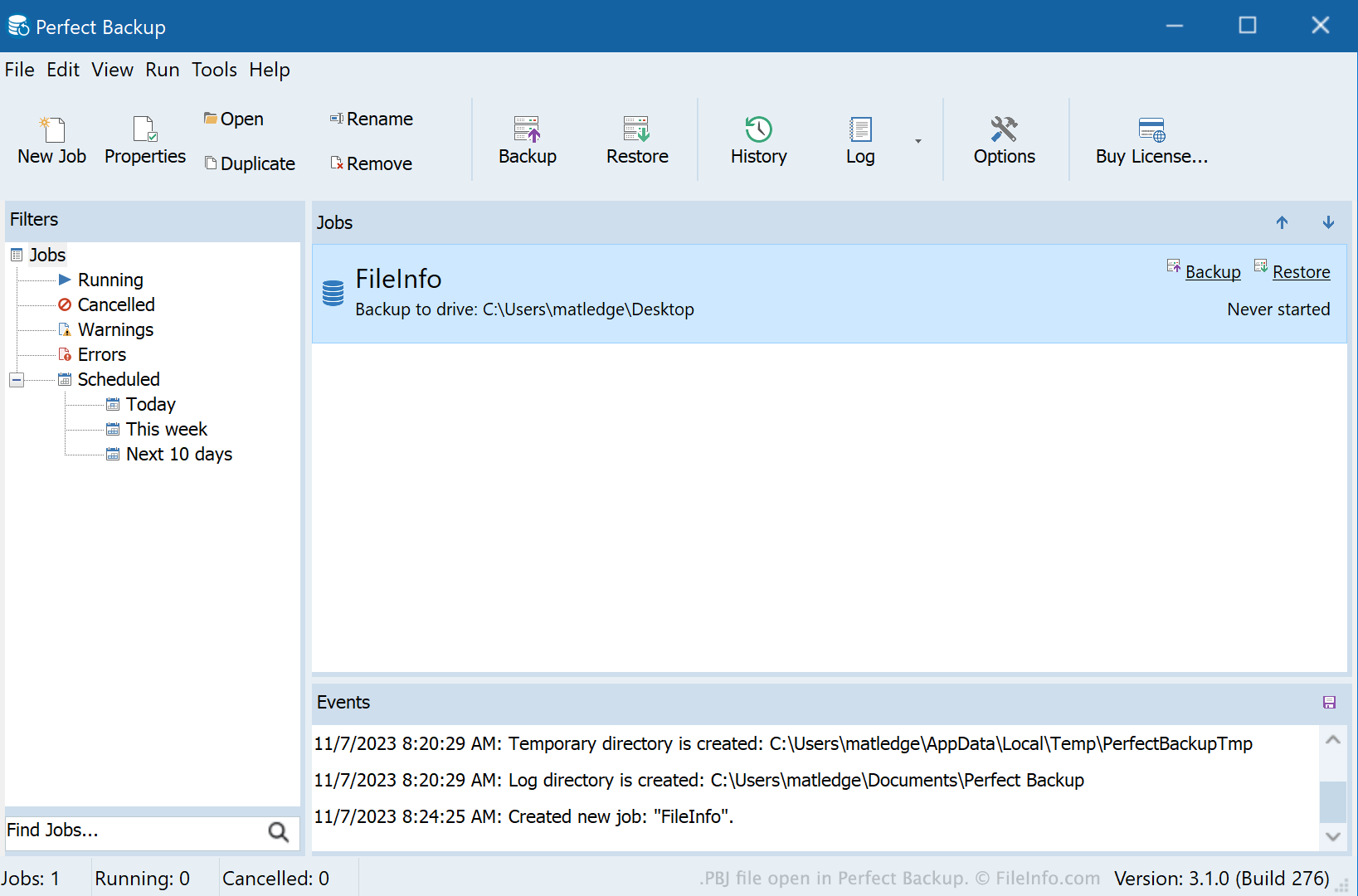
Met Perfect Backup kunnen gebruikers geplande incrementele, differentiële en volledige back-ups van hun Windows-mappen en -bestanden uitvoeren. Om back-ups uit te voeren, maken gebruikers een back-uptaak waarin de instellingen van dat back-upproces worden opgegeven. Deze instellingen omvatten:
- De mappen en bestanden die de back-up bevat
- De locatie waar de back-up wordt opgeslagen
- Het type back-up (incrementeel, differentieel of volledig)
- Of de back-up met Zip wordt gecomprimeerd
- Het schema van de back-up
De eerste keer dat een gebruiker een back-uptaak uitvoert, maakt Perfect Backup een PBJ-bestand met de instellingen van die taak (in dezelfde map als de back-up). Als een gebruiker om de een of andere reden een back-uptaak moet herstellen, kan diegene dit doen door het PBK-bestand van die taak in Perfect Backup te laden.
OPMERKING: In het verleden sloeg Perfect Backup PBJ-bestanden op als PBK-bestanden (.pbk).
Een PBJ-bestand openen
Je kunt een PBJ-bestand openen met Perfect Backup (Windows) om de back-uptaak die erin wordt beschreven te herstellen en uit te voeren. Ga hiervoor als volgt te werk:
- Selecteer in de menubalk van Perfect Backup.
- Blader naar je PBJ-bestand en selecteer het.
- Klik op .
De back-uptaak die in je PBJ-bestand wordt beschreven, verschijnt vervolgens in Perfect Backup.