

.LRCAT Bestandsextensie
Adobe Lightroom Classic-catalogus
| Ontwikkelaar | Adobe Systems |
| Populariteit |
3,9 | 15 stemmen |
Wat is een LRCAT-bestand?
Een LRCAT-bestand is een catalogusbestand dat is gemaakt door Adobe Lightroom Classic, de versie van Adobe Lightroom die alleen voor desktops beschikbaar is. Het bevat informatie die wordt gebruikt om de foto's te laden en te ordenen die je in Lightroom Classic hebt geïmporteerd. Een LRCAT-bestand bevat niet de foto's zelf; in plaats daarvan bevat het verwijzingen naar de locaties van die foto's op je computer.
Meer informatie
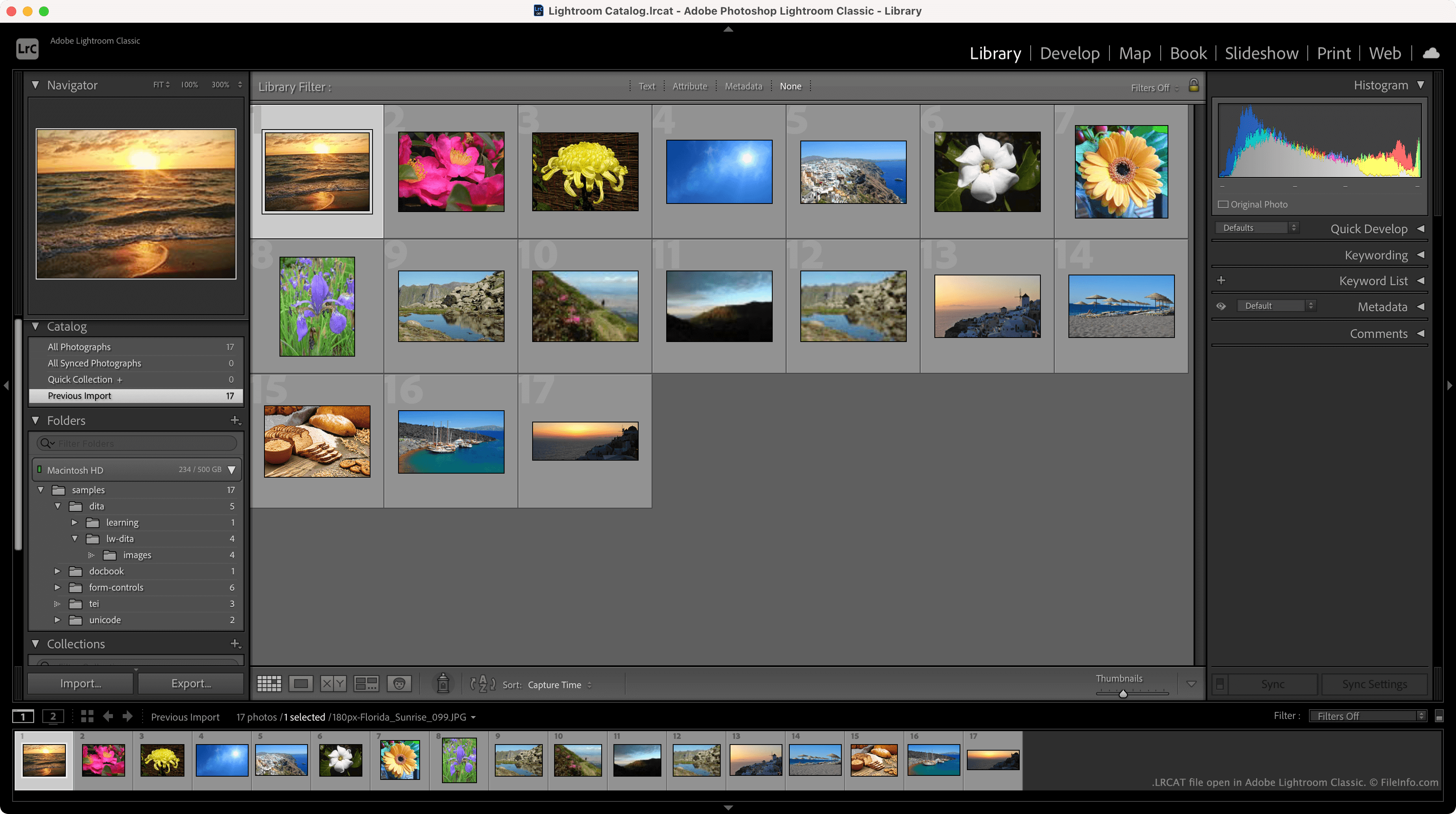
LRCAT-bestanden worden meestal opgeslagen in de map ~/Users/YourUserName/Pictures/Lightroom en krijgen de naam Lightroom Catalog.lrcat. Elk LRCAT-bestand wordt opgeslagen met een of meer .LRDATA-bestanden, die voorbeelden bevatten van de afbeeldingen waarnaar je LRCAT-bestand verwijst.
Naast de locaties waar je foto's zich bevinden, bevatten LRCAT-bestanden informatie over de bewerkingen die je op die foto's hebt toegepast. Hierdoor kan Lightroom de bewerkte versies van je foto's laden, terwijl de oorspronkelijke bestanden op je computer behouden blijven.
Hoe importeer ik een LRCAT-bestand in de nieuwe versie van Adobe Lightroom?
In de nieuwe versie van Lightroom zijn LRCAT-bestanden vervangen door .MCAT-bestanden. Je kunt een LRCAT-bestand en de foto's waarnaar het verwijst migreren naar de nieuwe versie van Lightroom met de functie van het programma.
OPMERKING: Lightroom Classic stond vroeger bekend als Lightroom Classic CC en Photoshop Lightroom.
Een LRCAT-bestand openen
Je kunt een LRCAT-bestand openen in Adobe Lightroom Classic (Mac, Windows). Selecteer hiervoor in de menubalk van het programma. Navigeer vervolgens naar je LRCAT-bestand en open het.