

.LRCAT 파일 확장자
Adobe Lightroom Classic 카탈로그
| 개발사 | Adobe Systems |
| 인기도 |
3.9 | 15 표 |
LRCAT 파일이란 무엇인가요?
LRCAT 파일은 Adobe Lightroom의 데스크톱 전용 버전인 Adobe Lightroom Classic에서 만든 카탈로그 파일입니다. Lightroom Classic으로 가져온 사진을 불러오고 정리하는 데 사용되는 정보가 들어 있습니다. LRCAT 파일에는 사진 자체가 들어 있지 않으며, 대신 컴퓨터에서 해당 사진이 저장된 위치에 대한 참조가 저장됩니다.
추가 정보
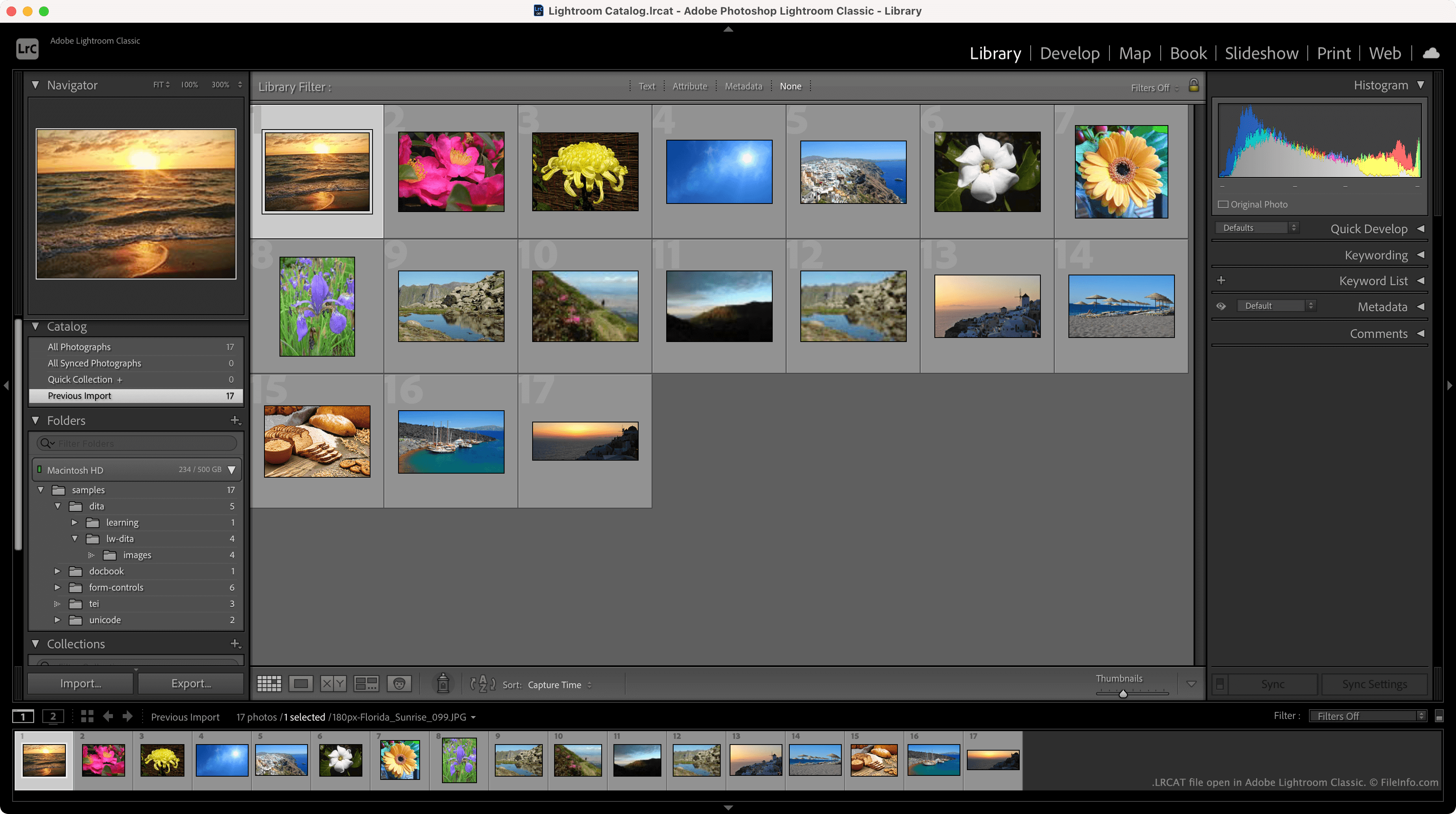
LRCAT 파일은 일반적으로 ~/Users/YourUserName/Pictures/Lightroom 디렉터리에 저장되며, Lightroom Catalog.lrcat이라는 이름이 지정됩니다. 각 LRCAT 파일은 하나 이상의 .LRDATA 파일과 함께 저장되며, 이 파일에는 LRCAT 파일이 참조하는 이미지의 미리 보기가 들어 있습니다.
LRCAT 파일에는 사진이 저장된 위치뿐 아니라 사진에 적용한 편집 내용에 대한 정보도 들어 있습니다. 따라서 Lightroom은 사진의 편집된 버전을 불러오는 동시에 컴퓨터에 원본 파일을 보존할 수 있습니다.
새 버전의 Adobe Lightroom으로 LRCAT 파일을 가져오려면 어떻게 해야 하나요?
새 버전의 Lightroom에서는 LRCAT 파일이 .MCAT 파일로 대체되었습니다. 프로그램의 기능을 사용하면 LRCAT 파일과 해당 파일이 참조하는 사진을 새 버전의 Lightroom으로 마이그레이션할 수 있습니다.
참고: Lightroom Classic은 이전에 Lightroom Classic CC 및 Photoshop Lightroom으로 알려졌습니다.
LRCAT 파일을 여는 방법
Adobe Lightroom Classic(Mac, Windows)에서 LRCAT 파일을 열 수 있습니다. 파일을 열려면 프로그램의 메뉴 모음에서 를 선택합니다. 그런 다음 LRCAT 파일이 있는 위치로 이동하여 파일을 엽니다.