.LRCAT ファイル拡張子

Adobe Lightroom Classic Catalog

開発元 Adobe Systems
人気度
3.9  |  15 
 

LRCATファイルとは?

An LRCAT file is a catalog file created by Adobe Lightroom Classic, the desktop-only version of Adobe Lightroom. It contains information used to load and organize the photos you've imported into Lightroom Classic. An LRCAT file does not contain the photos themselves; instead, it stores references to where those photos are located on your computer.

詳細情報

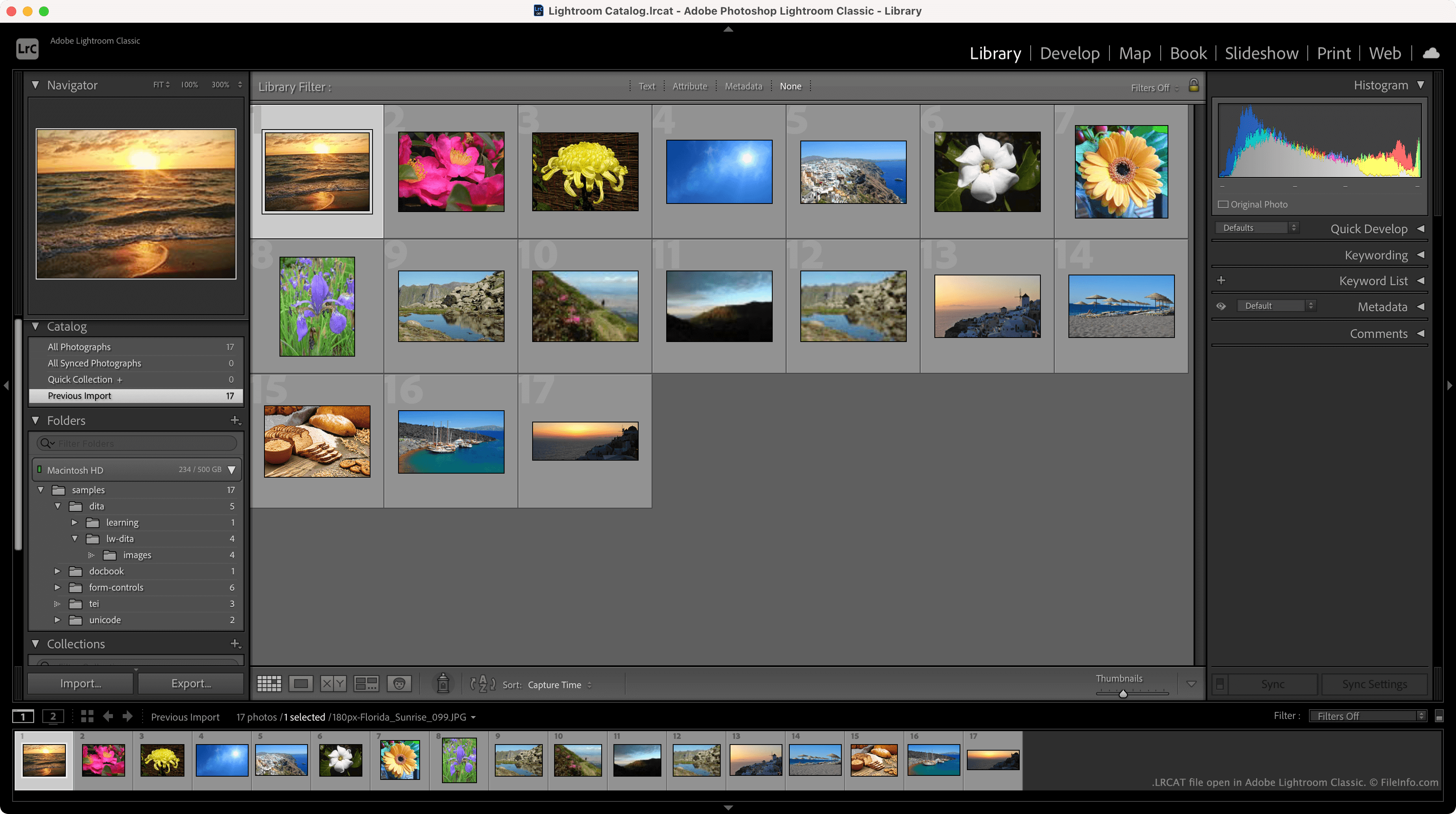
Adobe Lightroom Classicで開いた.lrcatファイルのスクリーンショット
Adobe Lightroom Classicで開いたLRCATファイル

LRCAT files are typically stored in the ~/​Users/​YourUserName/​Pictures/​Lightroom directory and named Lightroom Catalog.lrcat. Each LRCAT file is stored with one or more .LRDATA files, which contain previews of the images your LRCAT file references.

In addition to storing the locations at which your photos reside, LRCAT files contain information about the edits you've applied to those photos. This allows Lightroom to load the edited versions of your photos, while also retaining the original files on your computer.

How do I import an LRCAT file into the new version of Adobe Lightroom?

In the new version of Lightroom, LRCAT files have been replaced by .MCAT files. You can migrate an LRCAT file and the photos it references into the new version of Lightroom using the program's File → Migrate From → Lightroom Classic Catalog feature.

注: Lightroom Classic was formerly known as Lightroom Classic CC and Photoshop Lightroom.

LRCATファイルの開き方

You can open an LRCAT file in Adobe Lightroom Classic (Mac, Windows). To do so, select File → Open Catalog from the program's menu bar. Then, navigate to and open your LRCAT file.

File Viewer Plusで400種類以上のファイル形式を開けます。無料ダウンロード

LRCATファイルを開くプログラム

Windows
無料体験版
Mac
無料体験版
カテゴリ: データ
更新日: 2021-11-19

検証者 FileInfo.com

FileInfo.comチーム は、このページに掲載されているAdobe Lightroom Classic Catalogファイル形式とMac and Windowsアプリについて独自に調査しました。 私たちの目標は100%の正確性であり、検証済みのファイルタイプに関する情報のみを公開しています。

このページへの追加や更新をご提案いただける場合は、お知らせください。