

.IRP Bestandsextensie
InfraRecorder-project
| Ontwikkelaar | Christian Kindahl |
| Populariteit |
3,0 | 1 stem |
Een IRP-bestand is een projectbestand dat is gemaakt door InfraRecorder, een gratis programma voor het branden van cd's en dvd's. Het bevat tekst in XML-indeling met de locaties van bestanden (zoals video-, afbeeldings- en audiobestanden) die een gebruiker op een schijf wil branden. IRP-bestanden bevatten ook de instellingen van een project.
Meer informatie
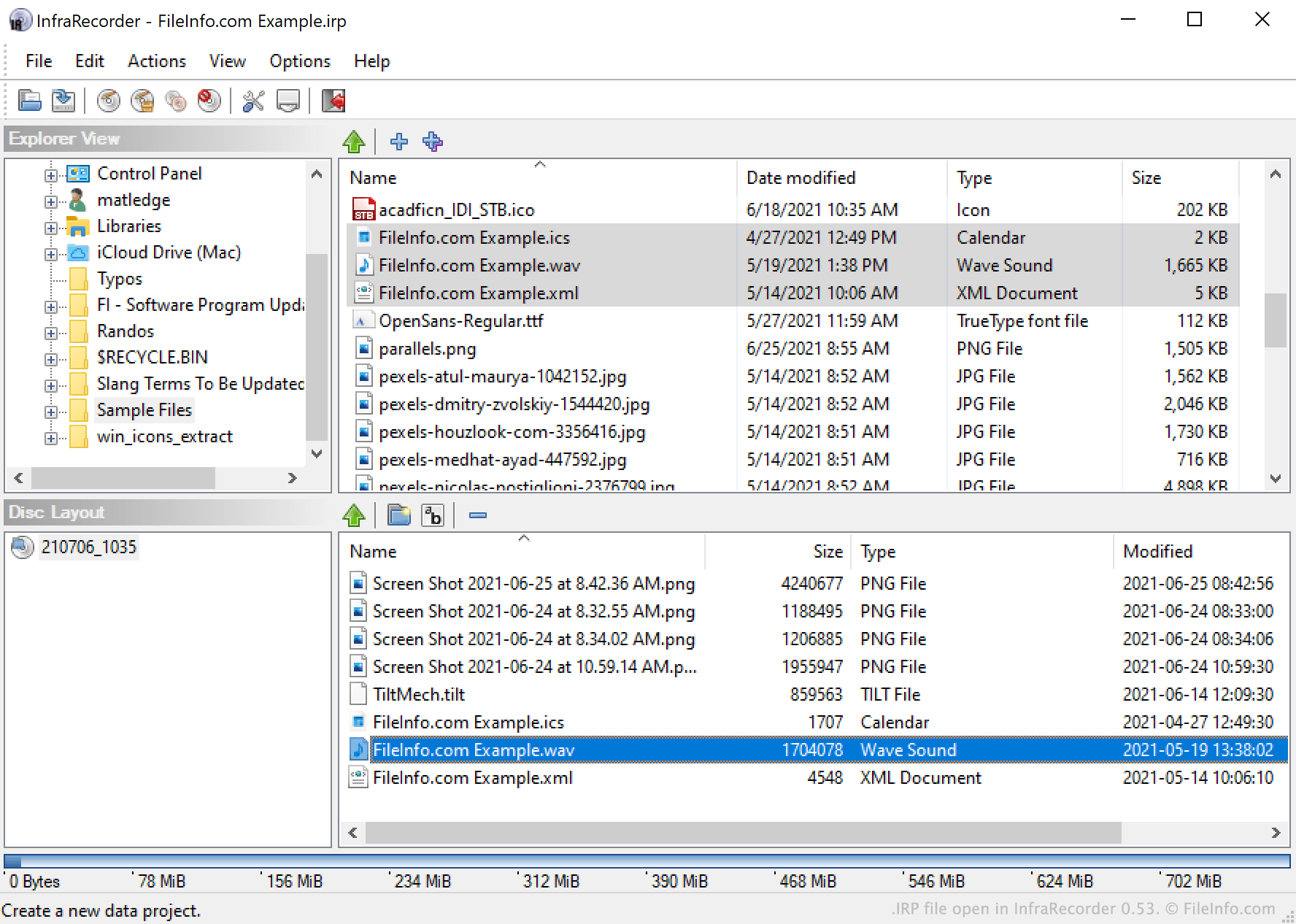
Met InfraRecorder kunnen gebruikers video-, audio-, afbeeldings- en andere bestanden op cd's en dvd's branden. Gebruikers kunnen bestanden ook verpakken in een schijfkopie.
Om een schijf te branden of een schijfkopie te maken, selecteren gebruikers bestanden in de Explorer-weergave van InfraRecorder en voegen ze deze toe aan een InfraRecorder-project. Als een gebruiker een project waaraan nog wordt gewerkt wil opslaan (bijvoorbeeld omdat diegene in de toekomst dezelfde set bestanden op extra schijven wil branden), kan dat door te selecteren in de menubalk van InfraRecorder. Hiermee wordt het project van de gebruiker opgeslagen als IRP-bestand.
IRP-bestanden zijn XML-bestanden die een tekstrecord in platte tekst bevatten van de instellingen van een project, waaronder de bestandslijst van het project. Ze bevatten geen kopie van de bestanden waarnaar ze verwijzen. Als je dus een bestand verplaatst waarnaar in een IRP-bestand wordt verwezen, kan InfraRecorder problemen hebben met het laden van dat IRP-bestand, omdat het niet alle bestanden kan vinden waarnaar je IRP-bestand verwijst.
Een IRP-bestand openen
Je kunt een IRP-bestand openen in InfraRecorder (Windows). Selecteer hiervoor in de menubalk van het programma. Navigeer vervolgens naar je IRP-bestand en selecteer het.