.IRP 파일 확장자
Internet Researcher Project File
| 개발사 | Zylox Software |
| 인기도 |
2.0 | 2 투표 |
IRP 파일이란 무엇인가요?
Project file created by Internet Researcher, a program that allows users to download websites and browse them offline; contains project settings as well as Web page content, such as .HTML, JavaScript (.JS), and image files.
추가 정보
IRP files are stored in a standard Microsoft Access database format (.MDB file), but they use the ".irp" extension. By default, Internet Researcher projects are saved to the My_Documents\IR_Projects folder within the current user directory.
IRP 파일을 여는 프로그램
InfraRecorder Project
| 개발사 | Christian Kindahl |
| 인기도 |
3.0 | 1 투표 |
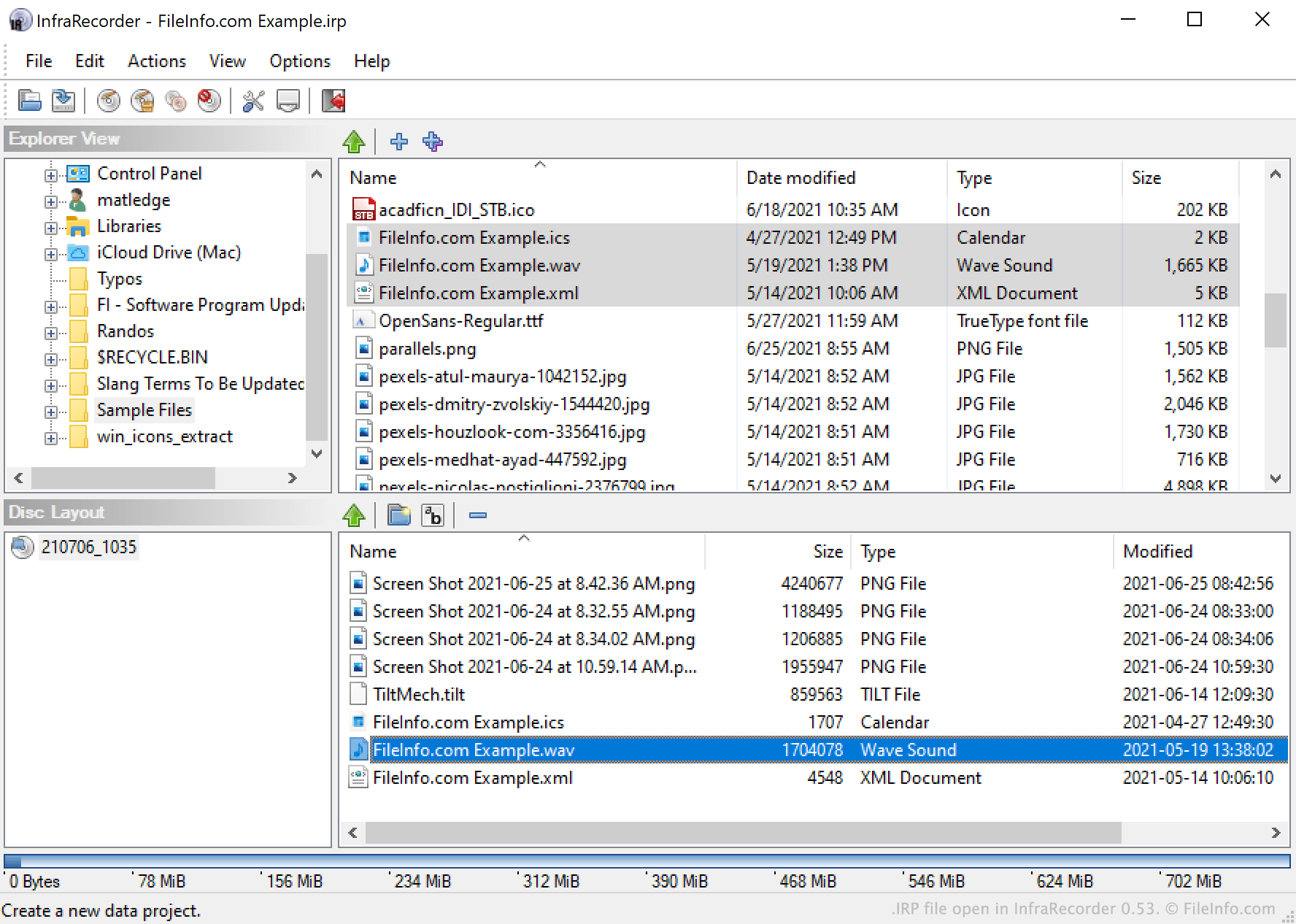
An IRP file is a project file created by InfraRecorder, a free CD and DVD burning program. It contains XML-formatted text that lists the locations of files (such as videos, images, and audio files) a user intends to burn to a disc. IRP files also specify a project's settings.
추가 정보
InfraRecorder allows users to burn video, audio, image, and other files onto CDs and DVDs. It also allows users to package files into a disk image.
To burn a disc or create a disk image, users select files from InfraRecorder's Explorer View and add them to an InfraRecorder project. If a user wants to save an in-progress project (perhaps because they intend to burn the same set of files to additional discs in the future), they can do so by selecting File → Save Project from InfraRecorder's menu bar. This saves the user's project as an IRP file.
IRP files are XML files that contain a plain text record of a project's settings, including the project's file list. They do not contain a copy of the files they reference. So, if you move a file referenced in an IRP file, InfraRecorder may have trouble loading that IRP file, because it cannot find all the files your IRP file references.
IRP 파일을 여는 방법
You can open an IRP file in InfraRecorder (Windows). To do so, select File → Open Project... from the program's menu bar. Then, navigate to and select your IRP file.