

.IRP Dateiendung
InfraRecorder-Projekt
| Entwickler | Christian Kindahl |
| Beliebtheit |
3,0 | 1 Stimme |
Eine IRP-Datei ist eine von InfraRecorder erstellte Projektdatei, einem kostenlosen Programm zum Brennen von CDs und DVDs. Sie enthält XML-formatierten Text, der die Speicherorte von Dateien (z. B. Videos, Bilder und Audiodateien) auflistet, die ein Benutzer auf eine Disc brennen möchte. IRP-Dateien enthalten außerdem die Einstellungen eines Projekts.
Weitere Informationen
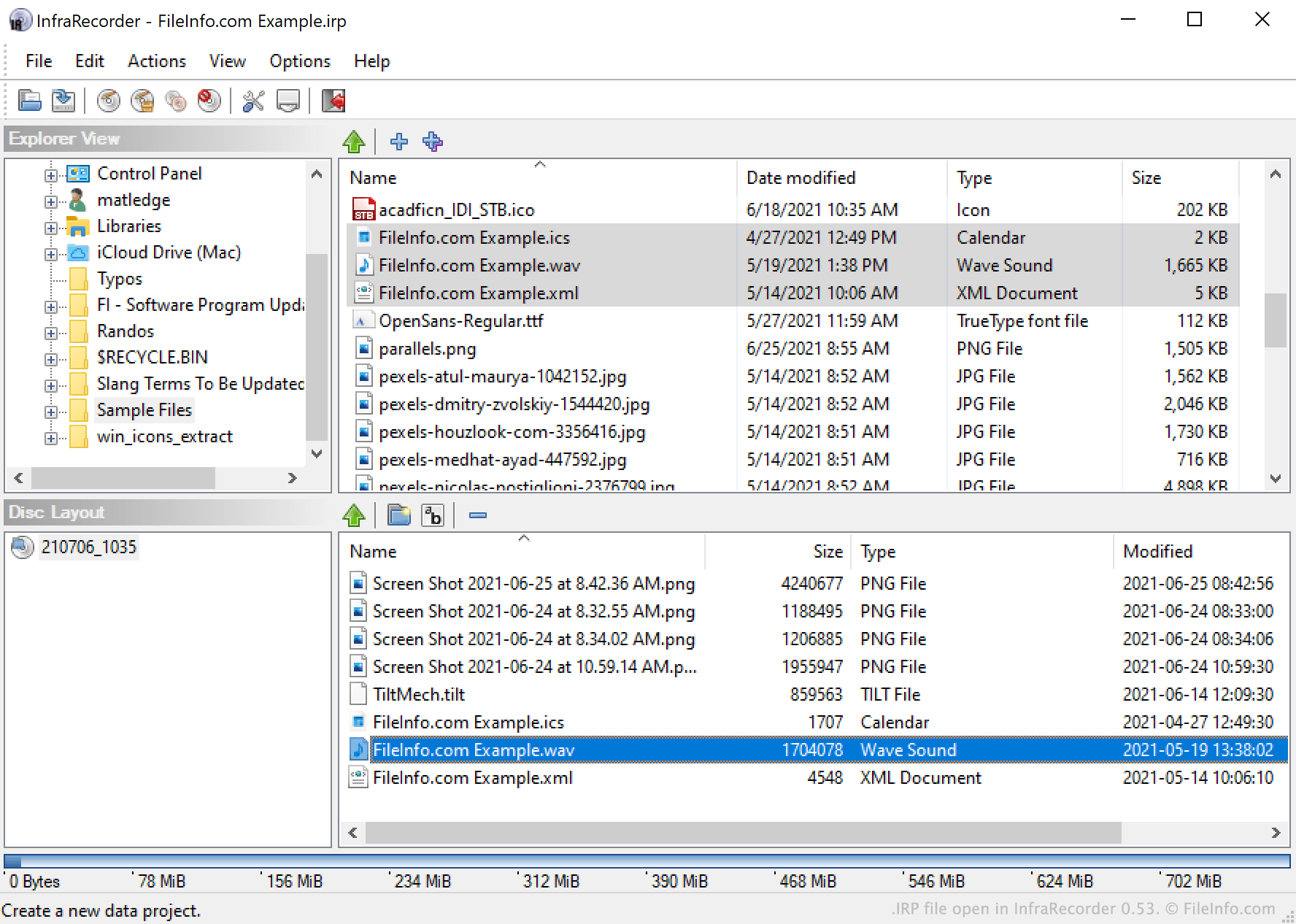
Mit InfraRecorder können Benutzer Video-, Audio-, Bild- und andere Dateien auf CDs und DVDs brennen. Außerdem können Benutzer Dateien in einem Datenträgerabbild zusammenfassen.
Um eine Disc zu brennen oder ein Datenträgerabbild zu erstellen, wählen Benutzer Dateien in der Explorer-Ansicht von InfraRecorder aus und fügen sie einem InfraRecorder-Projekt hinzu. Wenn ein Benutzer ein laufendes Projekt speichern möchte (beispielsweise weil er beabsichtigt, denselben Dateisatz in Zukunft auf weitere Discs zu brennen), kann er dies tun, indem er in der Menüleiste von InfraRecorder auswählt. Dadurch wird das Projekt des Benutzers als IRP-Datei gespeichert.
IRP-Dateien sind XML-Dateien, die eine einfache Textaufzeichnung der Projekteinstellungen einschließlich der Dateiliste des Projekts enthalten. Sie enthalten keine Kopien der Dateien, auf die sie verweisen. Wenn Sie also eine in einer IRP-Datei referenzierte Datei verschieben, kann InfraRecorder möglicherweise Probleme beim Laden dieser IRP-Datei haben, da das Programm nicht alle Dateien finden kann, auf die Ihre IRP-Datei verweist.
So öffnen Sie eine IRP-Datei
Sie können eine IRP-Datei in InfraRecorder (Windows) öffnen. Wählen Sie dazu in der Menüleiste des Programms aus. Navigieren Sie anschließend zu Ihrer IRP-Datei und wählen Sie sie aus.