

.INO Bestandsextensie
Arduino-sketch
| Ontwikkelaar | Arduino |
| Populariteit |
4,2 | 246 stemmen |
Wat is een INO-bestand?
Een INO-bestand is een softwareprogramma dat is gemaakt voor gebruik met Arduino, een opensourceplatform voor het prototypen van elektronica. Het bevat broncode die is geschreven in de programmeertaal Arduino (een variant van C++). INO-bestanden worden gebruikt om Arduino-printplaten aan te sturen.
Meer informatie
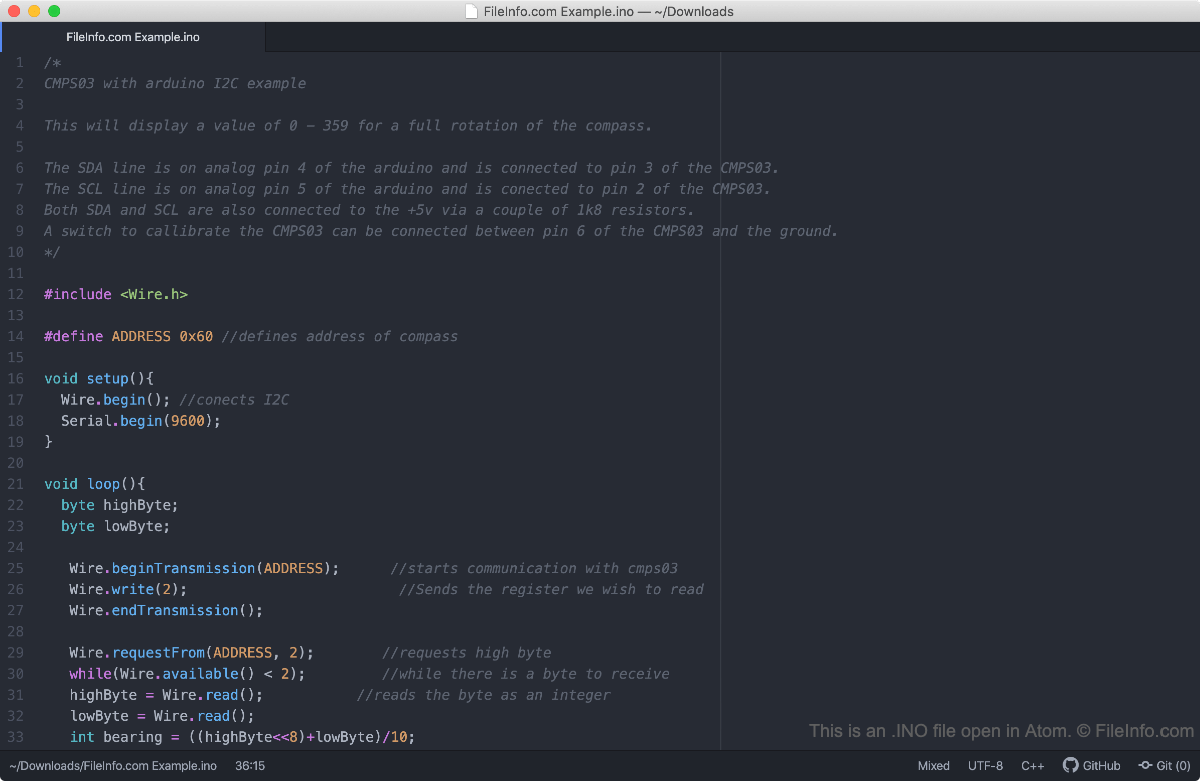
Met het Arduino-platform voor het prototypen van elektronica kunnen ontwikkelaars basisprogramma's maken en installeren op verschillende gespecialiseerde printplaten. Deze programma's, sketches genoemd, kunnen eenvoudige functies uitvoeren, zoals een op een printplaat geïnstalleerde led laten knipperen, of complexe functies, zoals gegevens via internet verzenden. Ontwikkelaars maken Arduino-sketches in de Arduino Integrated Development Environment (IDE), die sketches opslaat als INO-bestanden.
Vóór Arduino 1.0 sloeg de Arduino IDE sketches op als .PDE-bestanden. Hoewel ontwikkelaars PDE-bestanden nog steeds in Arduino kunnen openen, moeten ze sketches (ook sketches die eerder als PDE-bestanden zijn opgeslagen) nu opslaan als INO-bestanden.
Een INO-bestand openen
INO-bestanden zijn bedoeld om te worden geopend en bewerkt in de Arduino Integrated Development Environment (multiplatform). Om een INO-bestand in Arduino te openen, selecteer je in de menubalk van het programma.
Omdat INO-bestanden platte tekstbestanden zijn, kun je ze ook openen in elke teksteditor, waaronder:
- Notepad++ (Windows)
- Apple TextEdit (Mac)
- Microsoft Visual Studio Code (multiplatform)