

.ARCPROJ Bestandsextensie
ARRIRAW Converter-project
| Ontwikkelaar | ARRI Group |
| Populariteit |
1,3 | 3 stemmen |
Wat is een ARCPROJ-bestand?
Een ARCPROJ-bestand is een project dat is gemaakt met ARRIRAW Converter (ARC), een app die wordt gebruikt om ARRIRAW-afbeeldingen te bekijken, verwerken en bewerken. Het bevat een of meer afbeeldingen (paden naar de afbeeldingsbestanden, niet de daadwerkelijke afbeeldingen) die een gebruiker in de app bewerkt, evenals effecten die een gebruiker op de afbeeldingen heeft toegepast, zoals belichting, witbalans en tint. ARCPROJ-bestanden slaan ook metagegevens op over afbeeldingen die in het project zijn geïmporteerd, waaronder het camera-apparaat en de lens waarmee ze zijn vastgelegd.
Meer informatie
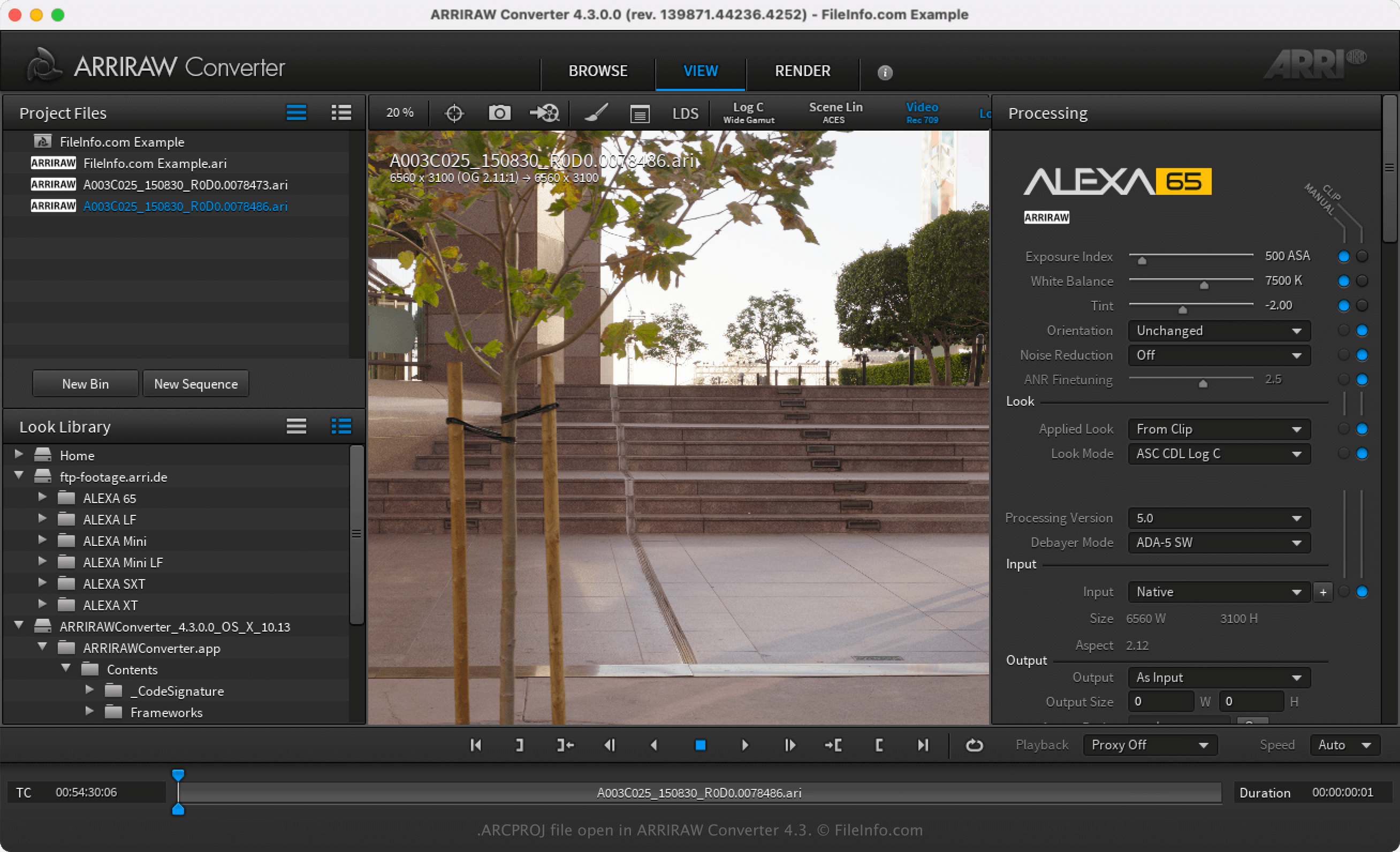
ARRI Group is een Duitse camerafabrikant die professionele camera's en lenzen produceert. Daarnaast ontwikkelt de fabrikant ARRIRAW Converter (ARC) om fotografen een gratis toepassing te bieden waarmee ze ARRIRAW-afbeeldingen (vaak .ARI-bestanden) kunnen bekijken en bewerken die ze met hun ARRI-camera's vastleggen.
Nadat je een ARRIRAW-afbeelding met ARC hebt geopend, kun je deze aanpassen door de eigenschappen ervan te wijzigen, zoals verzadiging, gamma, belichting en witbalans. Vervolgens kun je alle aanpassingen die je aan de afbeelding(en) hebt gemaakt opslaan door of te selecteren. Nadat je het project als een ARCPROJ-bestand hebt opgeslagen, kun je het sluiten en later opnieuw openen om de afbeeldingen verder te bewerken.
Een ARCPROJ-bestand openen
Je kunt een ARCPROJ-bestand alleen openen met ARRIRAW Converter in Windows en macOS. Om het ARCPROJ-bestand te openen, selecteer je .