

.ARCPROJ Estensione file
Progetto ARRIRAW Converter
| Sviluppatore | ARRI Group |
| Popolarità |
1,3 | 3 Voti |
Che cos'è un file ARCPROJ?
Un file ARCPROJ è un progetto creato da ARRIRAW Converter (ARC), un'app utilizzata per visualizzare, elaborare e modificare immagini ARRIRAW. Contiene una o più immagini (percorsi ai file immagine, non le immagini effettive) che un utente sta modificando nell'app e gli effetti applicati alle immagini, come esposizione, bilanciamento del bianco e tonalità. I file ARCPROJ memorizzano anche i metadati sulle immagini importate nel progetto, inclusi la fotocamera e l'obiettivo con cui sono state acquisite.
Maggiori informazioni
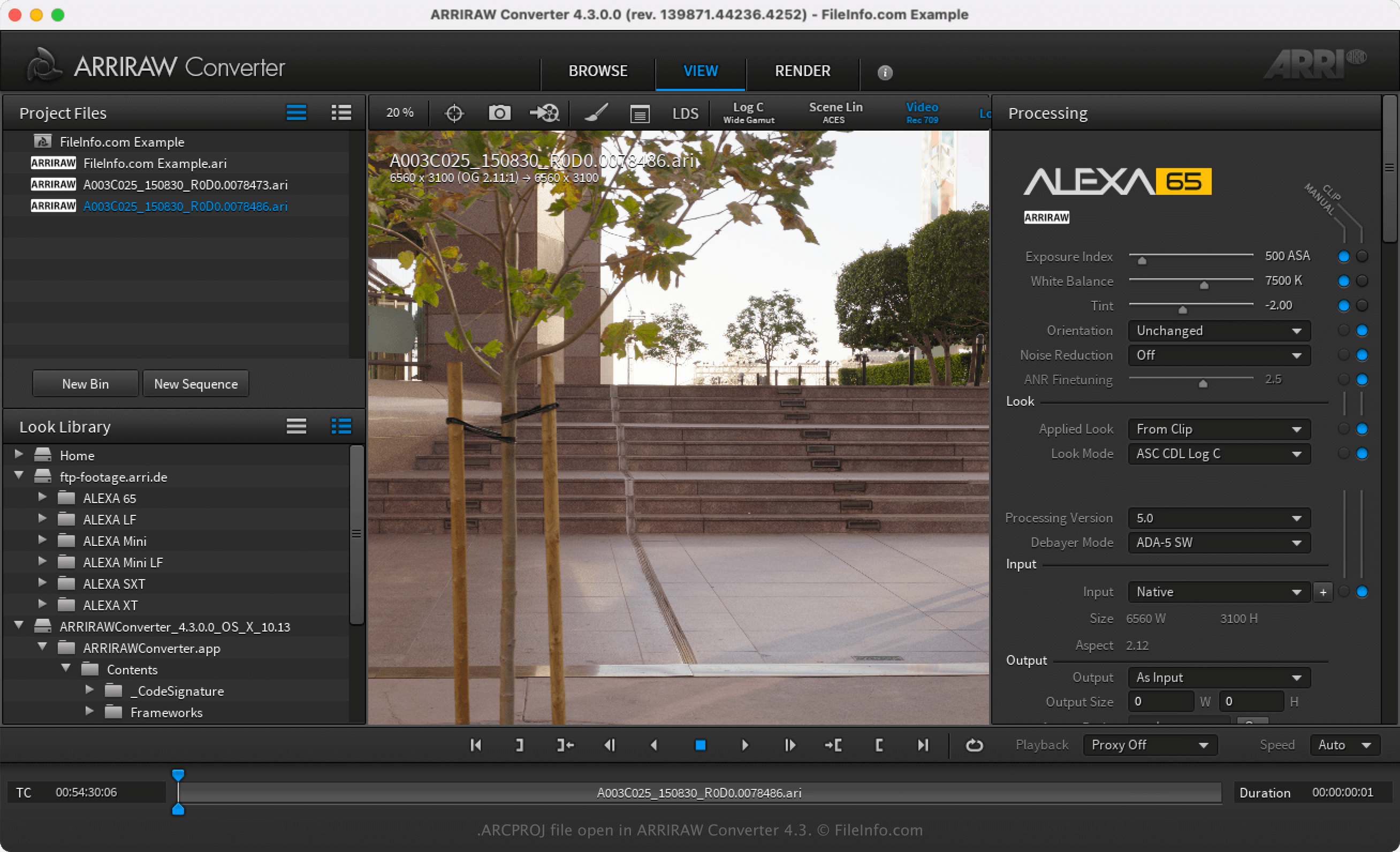
ARRI Group è un produttore tedesco di fotocamere che realizza fotocamere e obiettivi professionali. Inoltre, il produttore sviluppa ARRIRAW Converter (ARC) per offrire ai fotografi un'applicazione gratuita con cui visualizzare e modificare le immagini ARRIRAW (spesso file .ARI) acquisite con le fotocamere ARRI.
Dopo aver aperto un'immagine ARRIRAW con ARC, puoi modificarla regolando alcune proprietà, come saturazione, gamma, esposizione e bilanciamento del bianco. Poi puoi salvare le regolazioni apportate alle immagini mediante la selezione di o . Dopo aver salvato il progetto come file ARCPROJ, puoi chiuderlo e riaprirlo in seguito per modificare ulteriormente le immagini.
Come aprire un file ARCPROJ
Puoi aprire un file ARCPROJ solo con ARRIRAW Converter in Windows e macOS. Per aprire il file ARCPROJ, seleziona .