

.ARCPROJ Dateiendung
ARRIRAW Converter-Projekt
| Entwickler | ARRI Group |
| Beliebtheit |
1,3 | 3 Stimmen |
Was ist eine ARCPROJ-Datei?
Eine ARCPROJ-Datei ist ein von ARRIRAW Converter (ARC) erstelltes Projekt. Dabei handelt es sich um eine App zum Anzeigen, Verarbeiten und Bearbeiten von ARRIRAW-Bildern. Sie enthält ein oder mehrere Bilder (Pfade zu den Bilddateien, nicht die eigentlichen Bilder), die ein Benutzer in der App bearbeitet, sowie Effekte, die ein Benutzer auf die Bilder angewendet hat, z. B. Belichtung, Weißabgleich und Farbton. ARCPROJ-Dateien speichern außerdem Metadaten zu den in das Projekt importierten Bildern, einschließlich des Kamerageräts und Objektivs, mit denen sie aufgenommen wurden.
Weitere Informationen
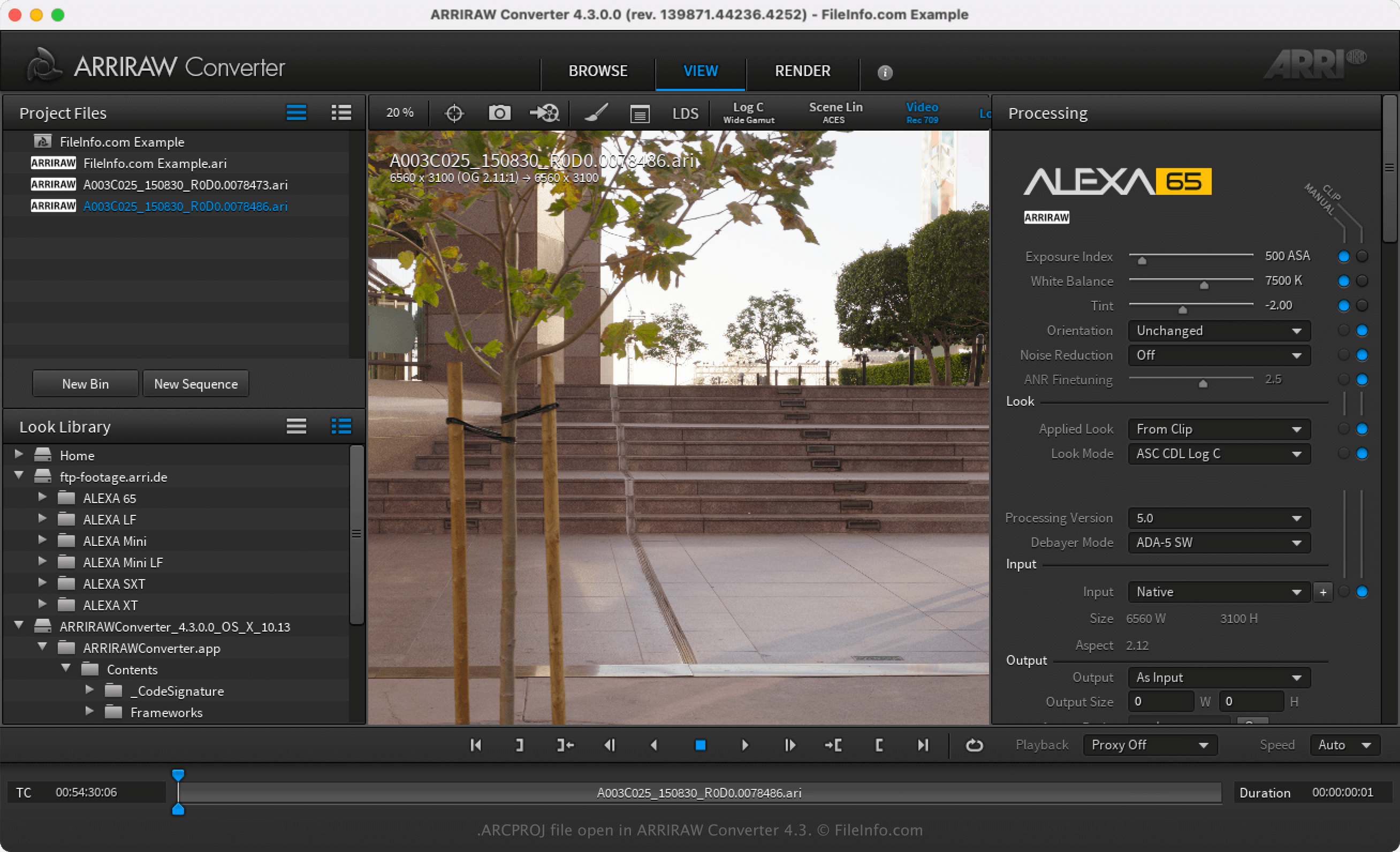
Die ARRI Group ist ein deutscher Kamerahersteller, der professionelle Kameras und Objektive produziert. Darüber hinaus entwickelt der Hersteller ARRIRAW Converter (ARC), um Fotografen eine kostenlose Anwendung zum Anzeigen und Bearbeiten von ARRIRAW-Bildern (häufig .ARI-Dateien) bereitzustellen, die sie mit ihren ARRI-Kameras aufnehmen.
Nachdem Sie ein ARRIRAW-Bild mit ARC geöffnet haben, können Sie es ändern, indem Sie seine Eigenschaften wie Sättigung, Gamma, Belichtung und Weißabgleich anpassen. Anschließend können Sie alle am Bild bzw. an den Bildern vorgenommenen Anpassungen speichern, indem Sie oder auswählen. Nachdem Sie das Projekt als ARCPROJ-Datei gespeichert haben, können Sie es schließen und später erneut öffnen, um die Bilder weiter zu bearbeiten.
So öffnen Sie eine ARCPROJ-Datei
Sie können eine ARCPROJ-Datei nur mit ARRIRAW Converter unter Windows und macOS öffnen. Um die ARCPROJ-Datei zu öffnen, wählen Sie .