.WFM 파일 확장자

Pro Tools Wave Cache File

개발사 Avid Technology
인기도
3.6  |  12 투표
 

WFM 파일이란 무엇인가요?

File generated by Pro Tools, a professional audio recording, editing, and mixing application; saves waveform information that Pro Tools has calculated for audio files; enables Pro Tools to display a preview of the waveform in the software.

추가 정보

WFM files act as a cache so that Pro Tools doesn't have to recalculate the audio form information each time a session is opened. WFM files are stored with Pro Tools session files (.PTX or .PTF).

File Viewer Plus(으)로 400개 이상의 파일 형식을 여세요.무료 다운로드

WFM 파일을 열거나 참조하는 프로그램

Windows
무료 체험판
Mac
무료 체험판
카테고리: 오디오
업데이트: 2015-08-24

Tektronix Waveform Data File

개발사 Tektronix
인기도
2.6  |  9 투표
 

Data file created by Tektronix oscilloscopes and logic analyzers, which are used to test electronic circuits and signal voltages; saves the signal information as well as the display information on the device's display; used for creating time versus voltage graphs.

추가 정보

WFM files can be opened using WaveStar software and can be converted to other standard formats using the Tektronix Windows Oscilloscope WFM Converter. For example, WFM files are sometimes converted to .CSV or tab-delimited text files and then imported into a scientific analysis application such as MATLAB.

WFM 파일을 여는 프로그램

카테고리: 데이터
업데이트: 2011-10-19

dBASE Form

개발사 dBASE
인기도
2.0  |  5 투표
 

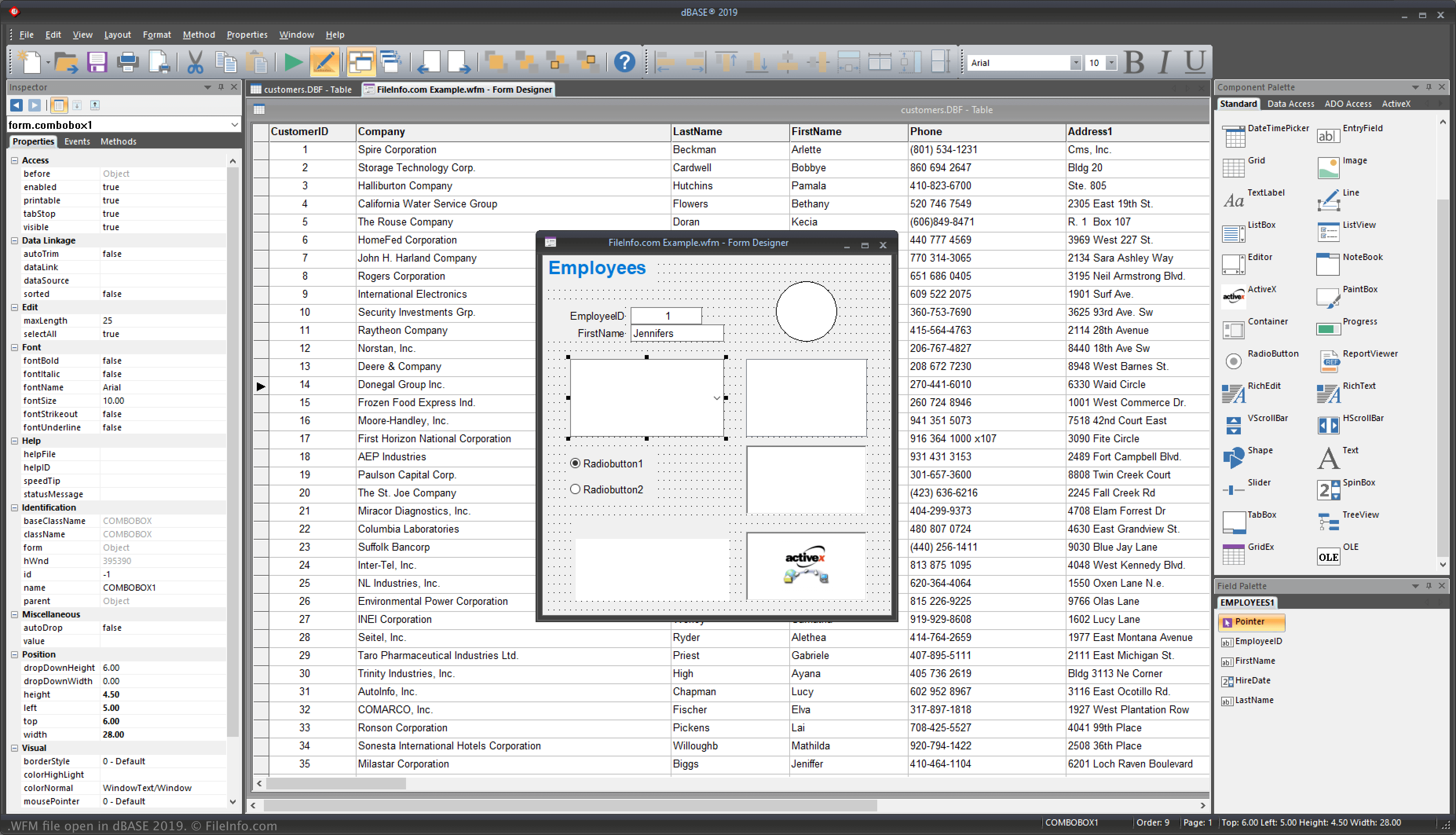
A WFM file is a form that makes up part of the user interface (UI) of an application built with dBASE, a database management program and IDE. It includes the placement of components within the form, such as entry fields, images, list views, buttons, and progress bars that configure how a user interacts with data in an app's dBASE database.

추가 정보

dBase 2019에서 열린 .wfm 파일의 스크린샷
dBase 2019에서 열린 WFM 파일

dBASE is a Windows program that provides various features for managing databases, building programs, and compiling them. When developing an app with the IDE, forms function as the "window" to how users will interact with the application once compiled. Therefore, when you configure forms, you are configuring the UI.

[h]File format of a WFM dBASE Form[/h}

Four primary sections make up the WFM file format:

  1. Optional Header - Typically stores comments describing the file.
  2. Bootstrap code - Instantiates and opens a form when you run the form.
  3. Main CLASS definition - Makes up most of the file; this code represents the form designed in dBASE's Form designing tool.
  4. General - Stores functions and classes other than the MAIN class.

참고: dBASE stands for "dataBased Intelligence."

WFM 파일을 여는 방법

You can open WFM files with dBASE in Windows. For example, you can open a WFM file by selecting File → Open.

Opening a WFM file with a text editor

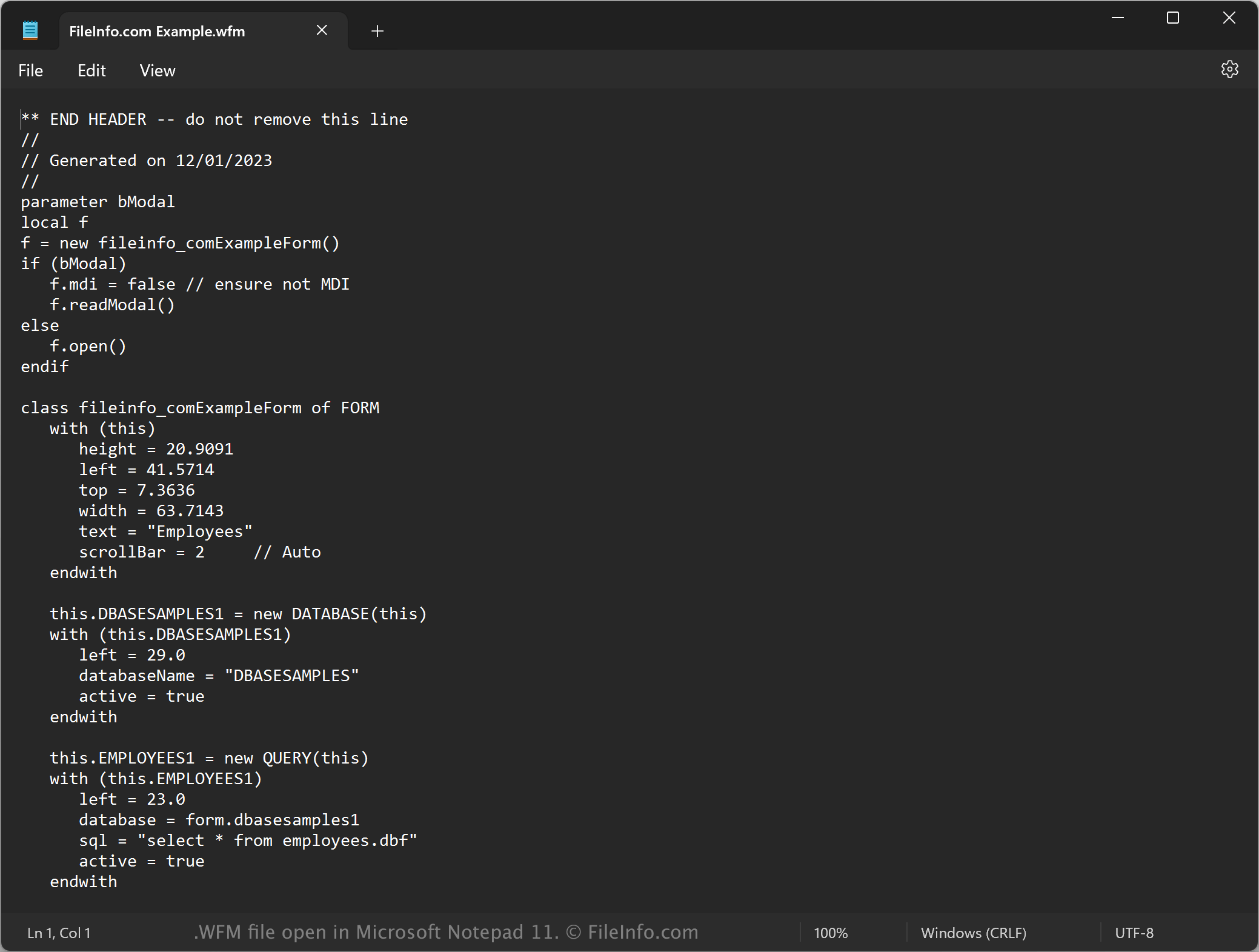
WFM file open in Microsoft Notepad

You can also open WFM files with a text editor, such as Microsoft Notepad (Windows) or Apple TextEdit (Mac), since they are saved in plain text. You may need to rename the .wfm file extension to .txt for the text editor to recognize it.

When opened in a text editor, you can modify the properties of the form. However, if you incorrectly edit the WFM file, you may inadvertently break the form.

WFM 파일을 여는 프로그램

Windows
무료 체험판
카테고리: 개발자
업데이트: 2023-12-01

검증자 FileInfo.com

FileInfo.com 팀 이 페이지에 나열된 모든 파일 형식과 소프트웨어 프로그램을 독자적으로 조사했습니다. 저희의 목표는 100% 정확성이며, 검증한 파일 유형에 대한 정보만 게시합니다.

이 페이지에 추가하거나 업데이트할 내용을 제안하고 싶으시면 알려 주세요.