

.TM 파일 확장자
Teachable Machine 프로젝트
| 개발사 | |
| 인기도 |
4.3 | 3 표 |
TM 파일이란 무엇인가요?
TM 파일은 Google Teachable Machine에서 만든 프로젝트 파일로, 머신 러닝 모델을 만드는 데 사용하는 온라인 앱입니다. 이 파일에는 프로젝트의 학습 샘플 사본과 JSON 매니페스트 파일이 포함되어 있습니다. TM 파일은 이름이 변경된 .ZIP 파일이므로, 모든 ZIP 파일과 마찬가지로 열고 파일을 추출할 수 있습니다.
추가 정보
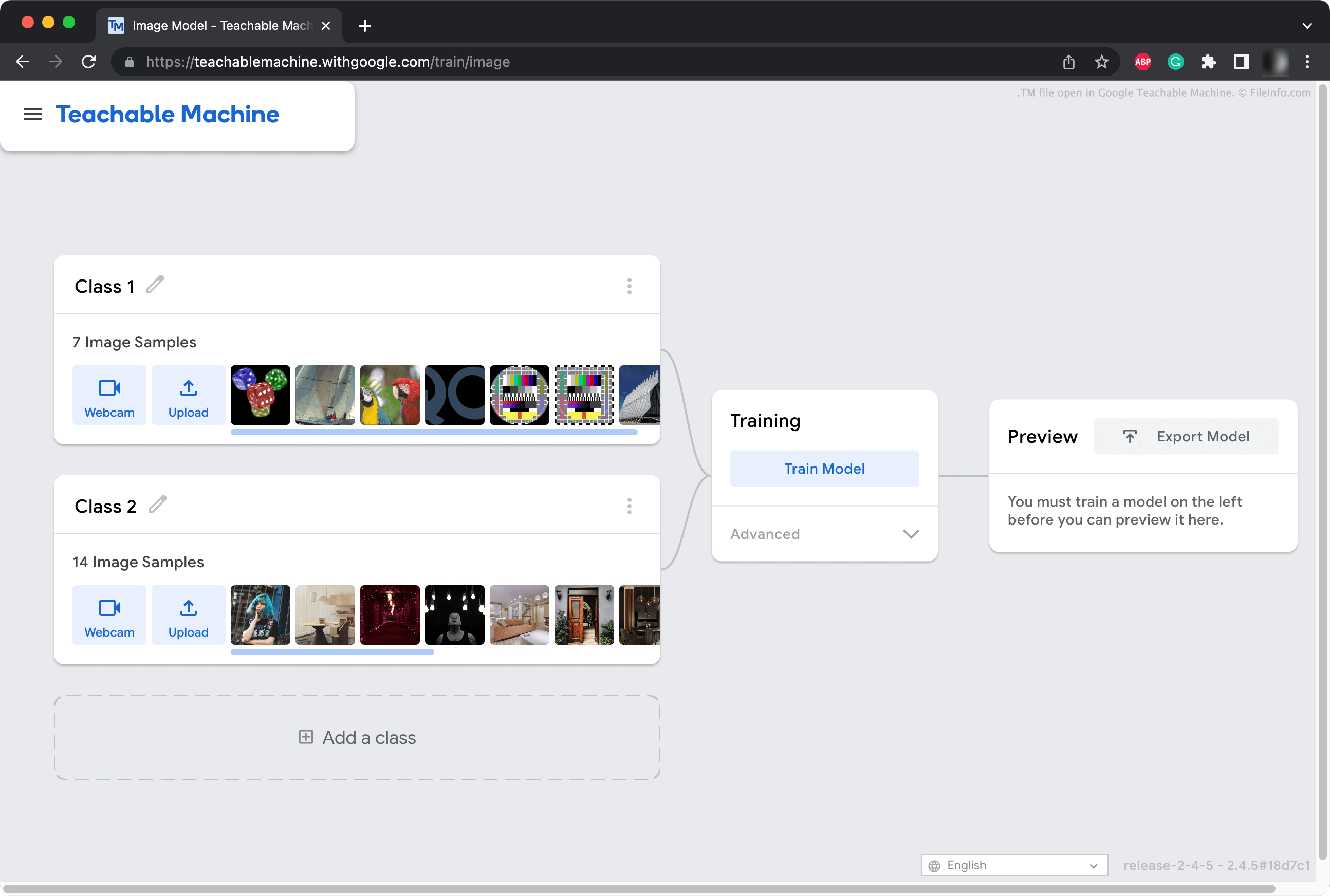
개발자는 Teachable Machine을 사용하여 다양한 이미지, 오디오 클립, 포즈를 인식하고 분류할 수 있는 머신 러닝 모델(MLM)을 만듭니다. 예를 들어 개발자는 Teachable Machine을 사용하여 다양한 종류의 과일 이미지를 인식하고 분류할 수 있는 모델을 만들 수 있습니다.
Teachable Machine 사용자는 MLM 프로젝트를 Google Drive에 저장하거나 로컬 파일로 저장할 수 있습니다. .tm 확장자를 사용하는 이러한 프로젝트 파일에는 개발자가 프로젝트에 추가한 각 이미지 또는 오디오 자산의 사본이 포함되어 있습니다. 또한 프로젝트 유형(이미지, 오디오, 포즈), 프로젝트를 만든 Teachable Machine의 버전 및 기타 메타데이터를 정의하는 manifest.json 파일도 포함되어 있습니다.
TM 파일을 여는 방법
Google Teachable Machine(Web)으로 TM 파일을 열 수 있습니다. 그러려면 웹 브라우저에서 Teachable Machine을 열고 앱의 햄버거 메뉴를 선택한 다음 을 클릭합니다. 그런 다음 TM 파일이 있는 위치로 이동하여 파일을 엽니다.
또한 TM 파일을 모든 ZIP 파일과 같은 방식으로 열어 파일에 포함된 프로젝트 자산과 매니페스트 파일을 가져올 수 있습니다. 그러려면 먼저 파일의 확장자를 .zip으로 변경해야 할 수도 있습니다.