

.SLDDRT 파일 확장자
SolidWorks 도면 시트
| 개발사 | Dassault Systemes |
| 인기도 |
3.8 | 9 표 |
SLDDRT 파일이란 무엇인가요?
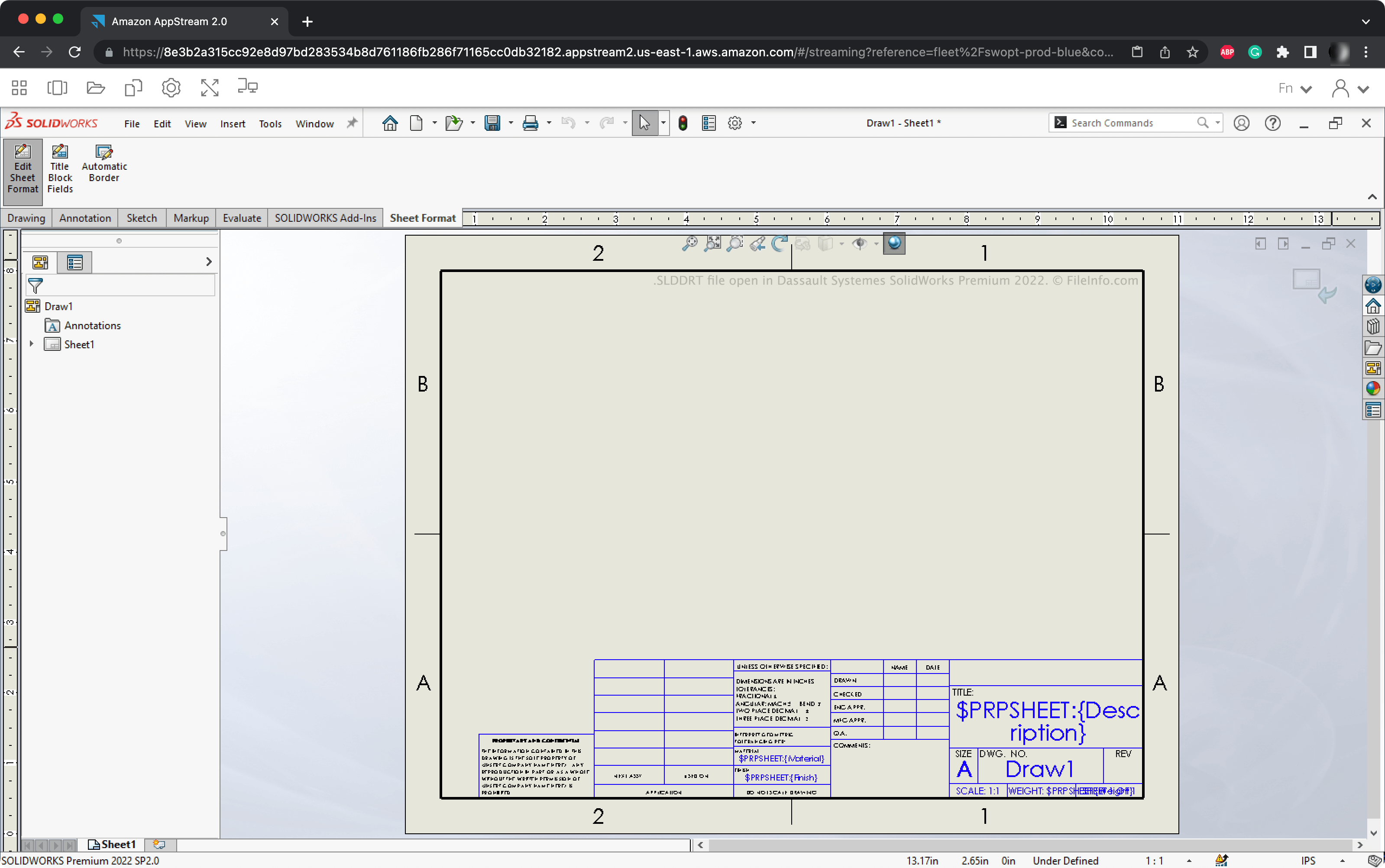
SLDDRT 파일은 인기 있는 CAD 프로그램인 Dassault Systemes SolidWorks에서 만든 도면 시트입니다. 이 파일에는 SolidWorks에서 시트를 불러오는 데 사용되는 치수가 포함되어 있어 사용자가 적절한 크기의 도면(.SLDDRW 파일)을 만들 수 있습니다. SLDDRT 파일에는 로고, 안내선, 도면 속성을 표시하는 데 사용되는 필드도 포함될 수 있습니다.
추가 정보
엔지니어와 제품 디자이너는 SolidWorks를 사용하여 기계 부품, 도구 및 기타 제조 품목을 나타내는 3D 어셈블리를 만듭니다. 어셈블리를 만든 후 사용자는 이를 구성 요소와 함께 2D 도면으로 변환할 수 있습니다.
사용자가 도면을 만들 때 도면 시트 형식을 선택하라는 메시지가 표시됩니다. 이 형식은 도면의 너비와 높이뿐만 아니라 도면에 포함되는 안내선, 로고 및 주석도 결정합니다. SolidWorks에는 다양한 기본 도면 시트 형식이 포함되어 있으며, 대부분은 엔지니어링 업계에서 사용하는 표준 형식을 나타냅니다. 이러한 도면 시트 형식은 SLDDRT 파일로 저장됩니다.
SLDDRT 파일을 여는 방법
Dassault Systemes SolidWorks에서 SLDDRT 파일을 열 수 있습니다. 다음 단계를 따르세요:
- 파일을 SolidWorks의 sheetformat 디렉터리에 넣습니다.
- 새 SolidWorks 도면을 만듭니다.
- 시트 형식/크기 창이 나타나면 SLDDRT 파일에 포함된 형식을 선택합니다.
그러면 SolidWorks가 SLDDRT 파일의 서식을 사용하여 새 도면을 만듭니다.
SLDDRT 파일을 만들거나 편집하는 방법
SLDDRT 파일을 만들거나 편집하려면:
- 새 SolidWorks 도면을 만들고 기존 시트 형식을 엽니다.
- 을 선택하고 필요에 따라 시트 서식을 편집합니다.
- 을 선택합니다.
- SLDDRT 파일의 이름을 지정하고 저장합니다.
SLDDRT 파일을 여는 프로그램
Windows
Mac
Web