.SLDDRT ファイル拡張子

SolidWorks Drawing Sheet

開発元 Dassault Systemes
人気度
3.8  |  9 
 

SLDDRTファイルとは?

An SLDDRT file is a drawing sheet created by Dassault Systemes SolidWorks, a popular CAD program. It contains dimensions used to load the sheet in SolidWorks, so a user can create an appropriately-sized drawing (.SLDDRW file). SLDDRT files may also contain logos, guidelines, and fields used to show drawing properties.

詳細情報

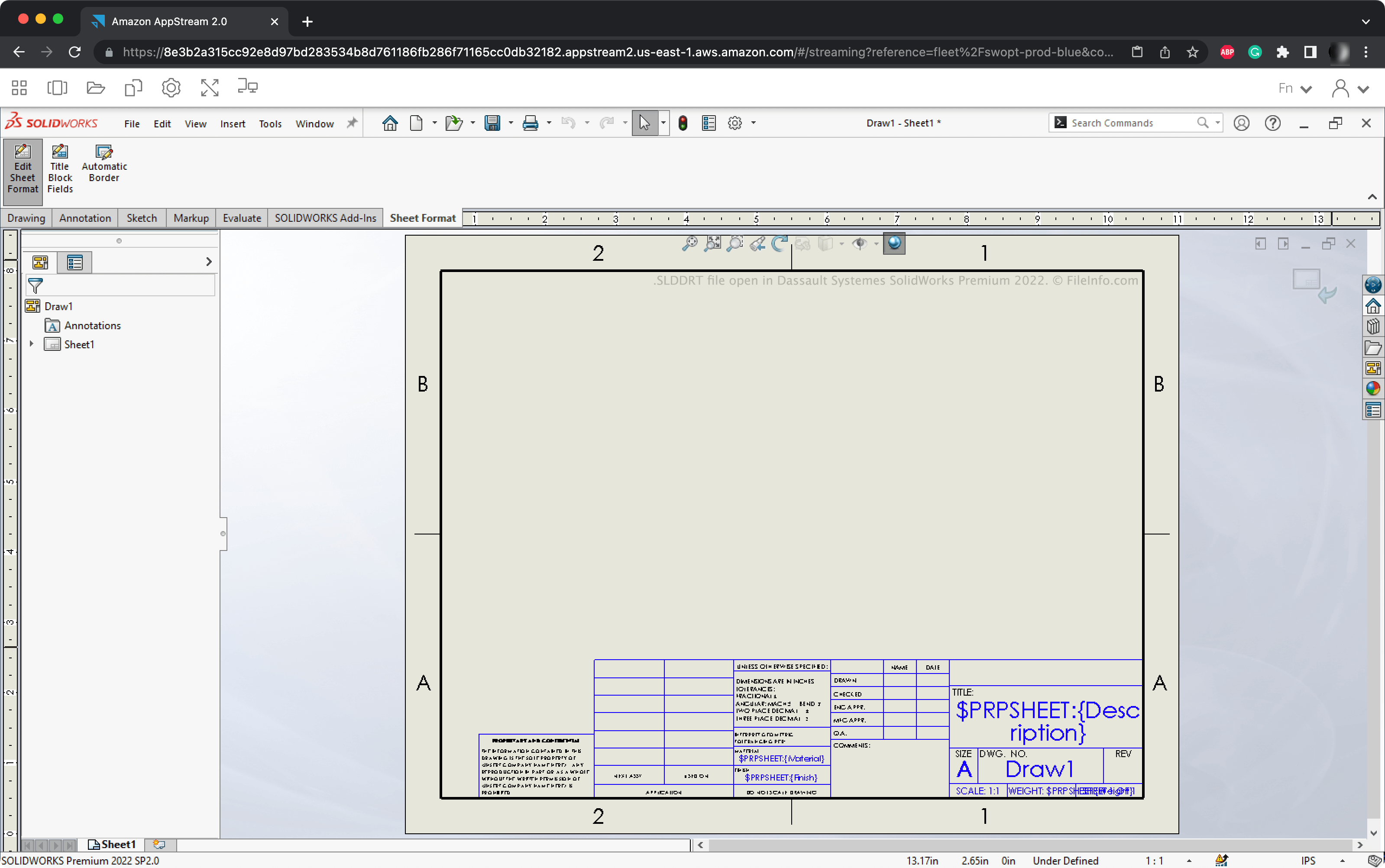
Dassault Systemes SolidWorks Premium 2022で開いた.slddrtファイルのスクリーンショット
Dassault Systemes SolidWorks Premium 2022で開いたSLDDRTファイル

Engineers and product designers use SolidWorks to create 3D assemblies, which are representations of mechanical parts, tools, and other manufactured items. After creating an assembly, users can translate it (or its components) into a 2D drawing.

When a user creates a drawing, they are asked to choose a drawing sheet format. This format determines the drawing's width and height, as well as what guidelines, logos, and notation the drawing includes. SolidWorks contains many default drawing sheet formats, most of which represent a standard format used in the engineering industry. These drawing sheet formats are saved as SLDDRT files.

SLDDRTファイルの開き方

You can open an SLDDRT file in Dassault Systemes SolidWorks. To do so:

  1. Place the file in SolidWorks' sheetformat directory.
  2. Create a new SolidWorks drawing.
  3. When the Sheet Format/Size window appears, select the format your SLDDRT file contains.

SolidWorks will then create a new drawing using your SLDDRT file's formatting.

How to create or edit an SLDDRT file

To create or edit an SLDDRT file:

  1. Create a new SolidWorks drawing and open an existing sheet format.
  2. Select Edit Sheet Format and edit the sheet's formatting as needed.
  3. Select File → Save Sheet Format....
  4. Name and save your SLDDRT file.

File Viewer Plusで400種類以上のファイル形式を開けます。無料ダウンロード

SLDDRTファイルを開くプログラム

Windows
Mac
Web

検証者 FileInfo.com

FileInfo.comチーム は、このページに掲載されているSolidWorks Drawing Sheetファイル形式とMac and Windowsアプリについて独自に調査しました。 私たちの目標は100%の正確性であり、検証済みのファイルタイプに関する情報のみを公開しています。

このページへの追加や更新をご提案いただける場合は、お知らせください。