

.QRT 파일 확장자
QuickRoute 지도
| 개발사 | Mats Troeng and Jörgen Ohlin |
| 인기도 |
2.5 | 2 표 |
QRT 파일이란 무엇인가요?
QRT 파일은 GPS 경로를 가져오고, 지도에 표시하고, 분석하고, 내보낼 수 있는 Windows 프로그램인 QuickRoute를 사용하여 만든 지도입니다. 지도에 겹쳐 표시된 GPS 경로와 경로에 대한 메타데이터가 포함되어 있습니다. 사용자는 지도 파일을 .JPG 또는 .PNG 형식으로 저장하고 GPS 데이터를 .GPX, .FIT 또는 .TCX 파일에 저장한 후, 두 데이터를 결합하여 QRT 파일을 만듭니다.
추가 정보
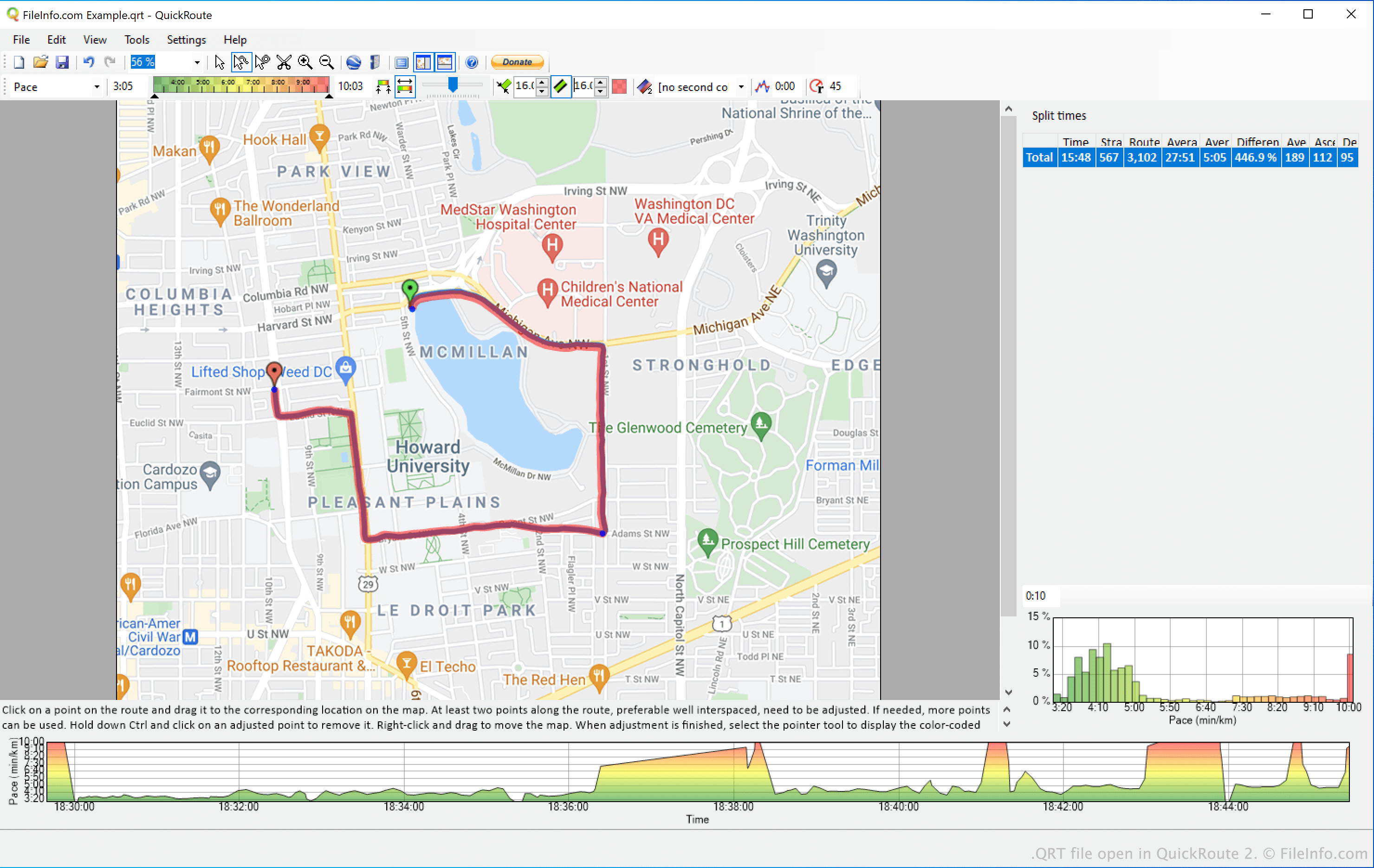
QuickRoute는 하이커, 러너, 자전거 이용자, 여행 애호가 등이 Garmin, Fitbit 또는 다른 GPS 장치를 사용하여 기록한 데이터를 지도 이미지에 표시할 수 있는 무료 프로그램입니다. 예를 들어 러너는 달리는 동안 기록한 데이터를 QuickRoute로 가져온 다음, 해당 데이터를 지도 이미지 위에 겹쳐 표시할 수 있습니다. 또한 러너는 장치가 기록한 구간 시간과 페이스 정보도 검토할 수 있습니다.
GPS 데이터를 지도 이미지에 맞춘 후, QuickRoute 사용자는 완성된 지도를 QRT 파일로 저장할 수 있습니다. QRT 파일은 QuickRoute에서만 열 수 있지만, QuickRoute 사용자는 QRT 파일을 사용하여 Google Earth에서 경로 정보를 표시하거나(QuickRoute의 메뉴 모음에서 선택), 웹 서비스에 지도를 게시하거나( 선택), 지도를 이미지로 내보낼 수 있습니다( 선택).
QRT 파일을 여는 방법
QuickRoute(Windows)에서 QRT 파일을 열 수 있습니다. 프로그램의 메뉴 모음에서 을 선택하세요. 그런 다음 QRT 파일이 있는 위치로 이동하여 파일을 여세요.