.MIM 파일 확장자

Multi-Purpose Internet Mail Message File

개발사 Internet Engineering Task Force
인기도
3.3  |  34 투표
 

MIM 파일이란 무엇인가요?

A MIM file is an encoded file used by email programs that contain 8-bit data or other characters besides the US ASCII character set. It supports 8-bit content, such as file attachments, instead of standard 7-bit messages typically sent over email. MIM files also include metadata, such as the MIME version, content type, and encoding method.

추가 정보

MIM files may appear as part of an email message or included as a separate attachment. Email applications often decode the files automatically, but you may also decode the files with utilities.

File Viewer Plus(으)로 400개 이상의 파일 형식을 여세요.무료 다운로드

MIM 파일을 여는 프로그램

카테고리: 인코딩
업데이트: 2016-08-24

Keyboard Layout Definition File

개발사 해당 없음
인기도
2.8  |  4 투표
 

A MIM file is a keyboard layout definition file used by IBus (Intelligent Input Bus), which enables multilingual keyboard strokes to be input in Unix operating systems. It stores a configuration of a keyboard in plain text that is used to define the mapping between keyboard strokes and functions performed in Linux. MIM files may include letters, numbers, special characters, typographical symbols, and unusual diacritics.

추가 정보

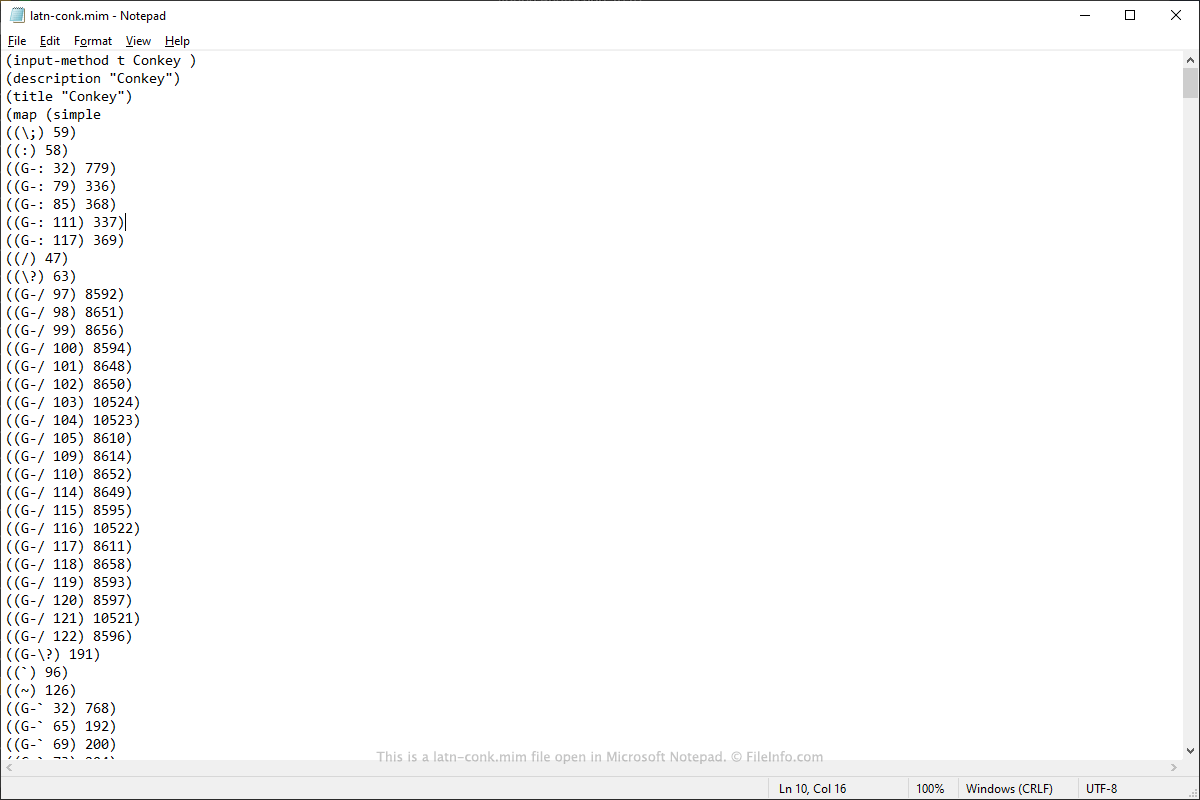
Microsoft Notepad에서 열린 .mim 파일의 스크린샷
Microsoft Notepad에서 열린 MIM 파일

You will most likely only encounter a MIM file if you are a Linux user and modifying or adding a keyboard layout with IBus. For example, if you enjoy constructing languages that utilize special characters not available on a typical keyboard, you may create or download a MIM keyboard layout for use on your Linux machine.

You may also convert .KLC files created with Microsoft Keyboard Layout Creator to MIM, since Linux does not support KLC keyboard layout files. You can use the "ms2mim" program to convert KLC files to MIM files, which can be used with the M17 library in Linux.

If you are a Linux Ubuntu user, you can add a MIM keyboard layout by following these steps:

  1. Download IBus and the M17N library, then run sudo apt install ibus-m17n to install them.
  2. If it does not already exist, create a new directory ~/​.m17n.d with mkdir ~/.m17n.d.
  3. Copy and paste the MIM file to the ~/​.m17n.d directory.
  4. Run ibus restart.

You should now be able to access the keyboard from the "Settings" page under the "Other" language.

일반적인 .MIM 파일 이름

latn-conk.mim - A MIM file that contains a keyboard layout created for users that enjoy constructing languages.

MIM 파일을 여는 프로그램

Windows
Mac
Linux
무료
카테고리: 설정
업데이트: 2020-03-16

검증자 FileInfo.com

FileInfo.com 팀 이 페이지에 나열된 모든 파일 형식과 소프트웨어 프로그램을 독자적으로 조사했습니다. 저희의 목표는 100% 정확성이며, 검증한 파일 유형에 대한 정보만 게시합니다.

이 페이지에 추가하거나 업데이트할 내용을 제안하고 싶으시면 알려 주세요.