.MB 파일 확장자

Maya Binary Scene

개발사 Autodesk
인기도
3.8  |  52 투표
 

MB 파일이란 무엇인가요?

An MB file is an animation project created by Autodesk Maya, a 3D modeling and animation program. It contains binary data that defines a 3D scene's geometry, lighting, animation, and rendering. Maya projects can be saved as either MB or .MA files. MA files save a project's information in an ASCII text format.

추가 정보

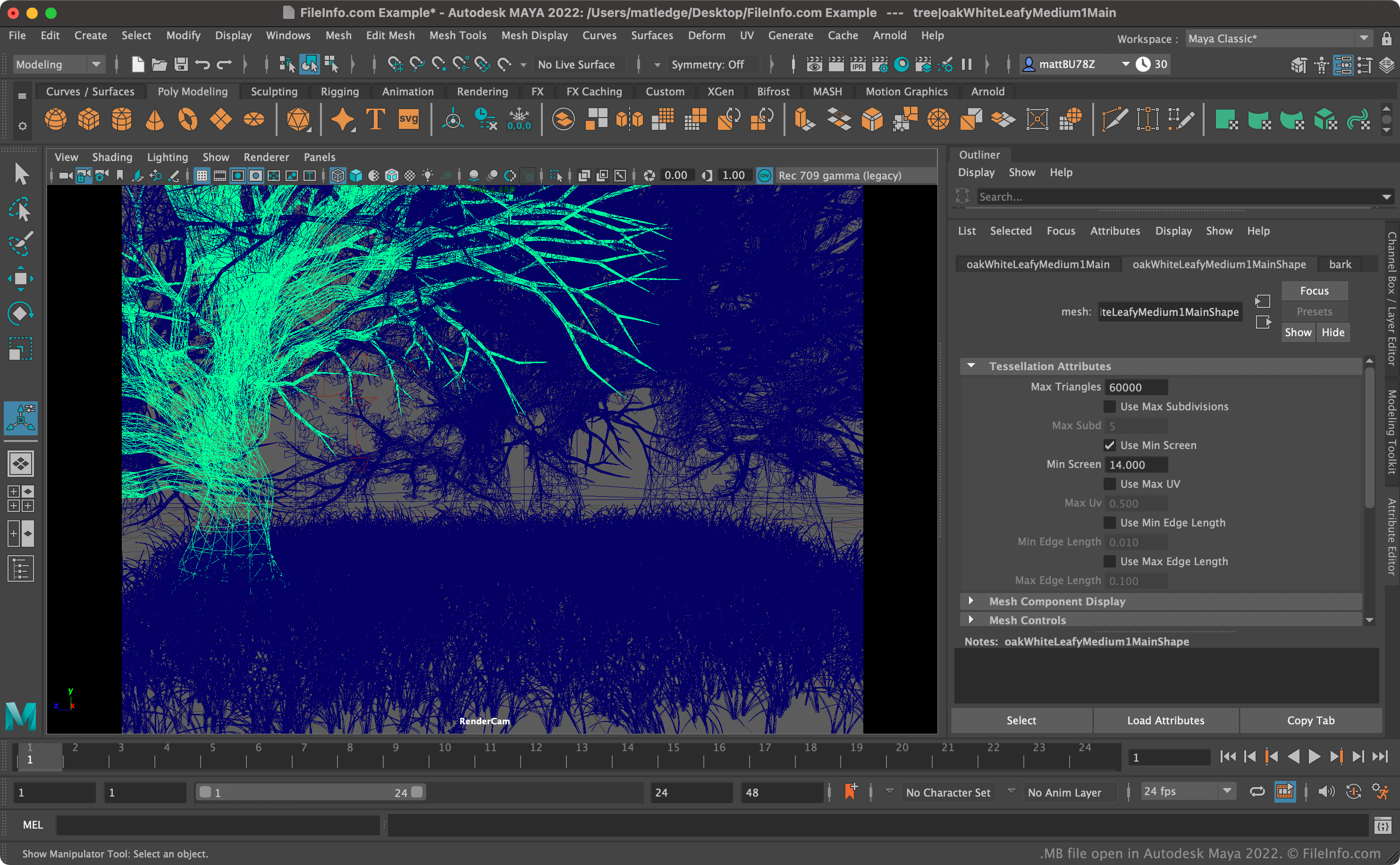
Autodesk Maya 2022에서 열린 .mb 파일의 스크린샷
Autodesk Maya 2022에서 열린 MB 파일

Autodesk Maya is a program that animators use to create animated 3D scenes for use in films, television shows, and video games. Maya scenes are saved as MB or MA files. MB files are saved in Maya's mayaBinary format. In contrast, MA files are saved in the mayaASCII format.

The primary advantage MB files have over MA files is that they are much smaller files. For example, a scene saved as an MB file may take up only half as much disk space as the same scene saved as an MA file. However, users cannot open, review, and edit MB files in text editors, as they can MA files.

참고: Maya was originally developed by Alias Wavefront. Autodesk acquired Alias Wavefront in 2006.

MB 파일을 여는 방법

You can open an MB file in Autodesk Maya (cross-platform). To do so, select File → Open scene... from Maya's toolbar. Then, navigate to and open your MB file.

File Viewer Plus(으)로 400개 이상의 파일 형식을 여세요.무료 다운로드

MB 파일을 여는 프로그램

Windows
무료 체험판
Mac
무료 체험판
Linux
무료 체험판

Kodak EasyShare Data File

개발사 Kodak
인기도
2.7  |  6 투표
 

File generated by Kodak EasyShare digital photo management and sharing software; used in the process of creating a picture catalog; always uses the name ebsk.mb and is saved with a related .MBB file named ebsk.mb.

추가 정보

If you are having trouble loading the EasyShare software, sometimes you can fix the problem by rebuilding the picture catalog, which requires manual deletion of both ebsk.mbb and ebsk.mb files.

참고: Kodak discontinued the development of the EasyShare program.

MB 파일을 열거나 참조하는 프로그램

Windows
Kodak EasyShare
Mac
Kodak EasyShare
카테고리: 기타
업데이트: 2020-07-22

Malbolge Source Code File

개발사 Ben Olmstead
인기도
2.0  |  1 투표
 

An MB file is a source code file written in Malbolge, an esoteric programming language created by Ben Olmstead in 1998. It stores code in plain text that may be small examples, test programs, or demonstrations used to explore how the language behaves.

추가 정보

Microsoft Visual Studio Code 1.1에서 열린 .mb 파일의 스크린샷
Microsoft Visual Studio Code 1.1에서 열린 MB 파일

Olmstead designed Malbolge to be challenging to write and understand, making it primarily a language used for experimentation and challenge rather than practical software development. The language does not serve business, web, or application development purposes.

Instead, enthusiasts who enjoy working with complex or unconventional coding systems, such as developers and hobbyists, are the primary users of MB files. Because of the language's intentionally complex structure, creating even simple programs in Malbolge is a time-consuming task.

참고: Malbolge source code may also be saved as .MAL files.

MB 파일을 여는 방법

You can open MB files with source code editors, such as Microsoft Visual Studio Code and Brackets.io Brackets. Plain text editors also support MB files, including Microsoft Notepad and Apple TextEdit.

MB 파일을 여는 프로그램

All Platforms
Windows
OS에 포함됨
Mac
OS에 포함됨
Linux
무료
카테고리: 개발자
업데이트: 2025-08-25

검증자 FileInfo.com

FileInfo.com 팀 이 페이지에 나열된 모든 파일 형식과 소프트웨어 프로그램을 독자적으로 조사했습니다. 저희의 목표는 100% 정확성이며, 검증한 파일 유형에 대한 정보만 게시합니다.

이 페이지에 추가하거나 업데이트할 내용을 제안하고 싶으시면 알려 주세요.