

.LOOKLIBRARY 파일 확장자
Painter 룩 라이브러리
| 개발사 | Corel |
| 인기도 |
2.0 | 2 표 |
LOOKLIBRARY 파일이란 무엇인가요?
LOOKLIBRARY 파일에는 디지털 드로잉 애플리케이션인 Corel Painter에서 사용하는 룩 모음이 들어 있습니다. 이 파일은 사용자가 캔버스에 추가할 수 있는 네온 줄무늬, 덩굴, 꽃, 나뭇가지 같은 이미지인 여러 미디어 룩을 저장합니다. LOOKLIBRARY 파일은 .ABR Photoshop 브러시와 비슷합니다.
추가 정보
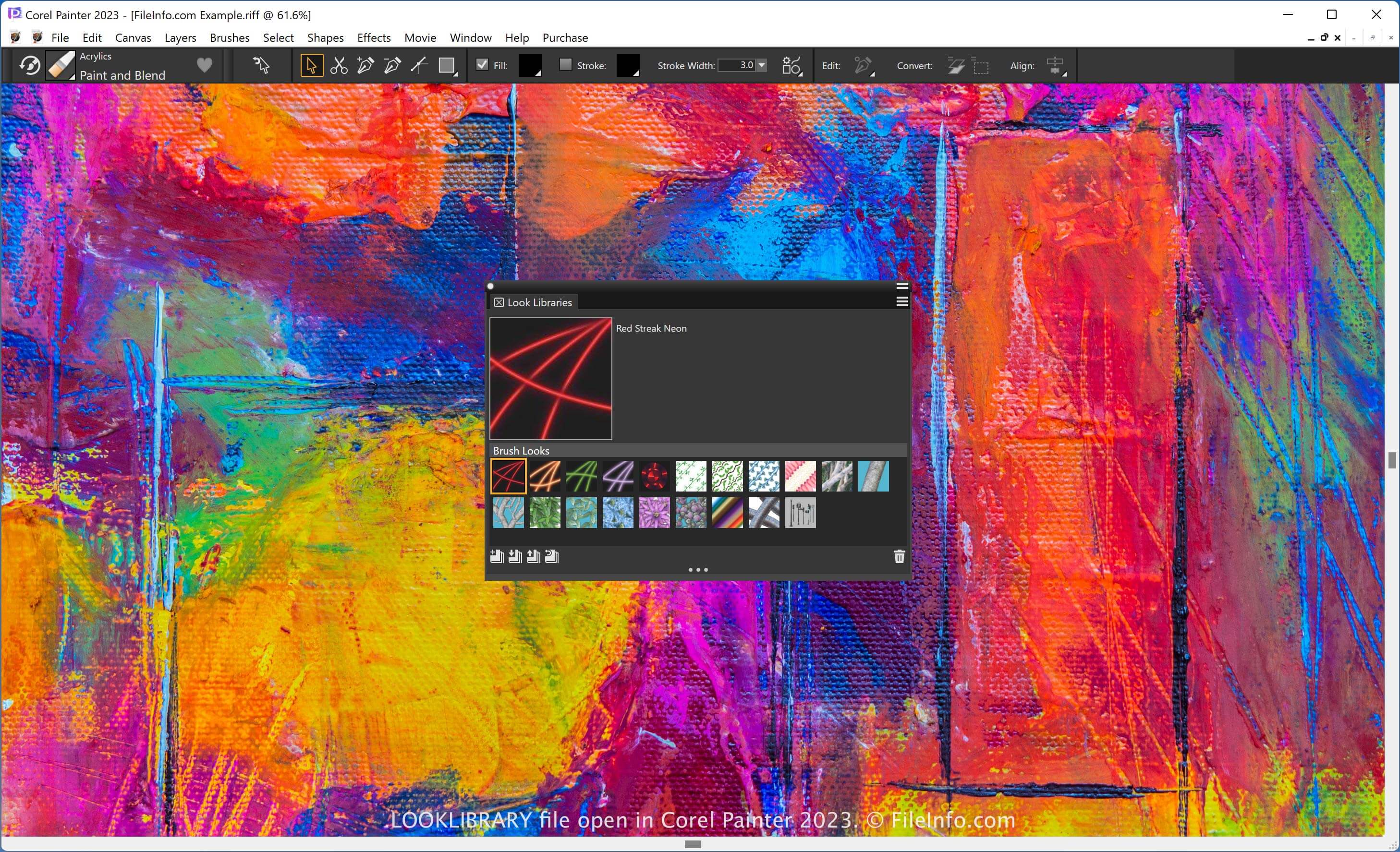
Painter는 디지털 페인트 느낌의 아트워크를 만드는 데 특화된 앱입니다. 그레이디언트와 플로 맵을 비롯해 브러시의 모양을 결정하는 다양한 효과를 제공합니다. Painter의 룩 라이브러리는 한곳에서 액세스할 수 있도록 룩을 정리합니다.
참고: 미디어 라이브러리 패널에서 라이브러리의 룩을 추가하거나 제거할 수 있습니다. 이 패널을 열려면 를 선택합니다.
LOOKLIBRARY 파일을 여는 방법
Corel Painter로 LOOKLIBRARY 파일을 열 수 있습니다. 예를 들어 LOOKLIBRARY 파일을 열려면 를 선택하고 "Import Look Library" 아이콘을 클릭합니다.
LOOKLIBRARY 파일을 여는 프로그램
Windows
무료 체험판
Mac
무료 체험판