

.LOOKLIBRARY Estensione file
Libreria di aspetti di Painter
| Sviluppatore | Corel |
| Popolarità |
2,0 | 2 Voti |
Che cos'è un file LOOKLIBRARY?
Un file LOOKLIBRARY contiene una raccolta di aspetti utilizzati da Corel Painter, un'applicazione per il disegno digitale. Memorizza più aspetti multimediali, ovvero immagini come strisce al neon, rampicanti, fiori e rami, che puoi aggiungere alla tela. I file LOOKLIBRARY sono simili ai pennelli di Photoshop .ABR.
Maggiori informazioni
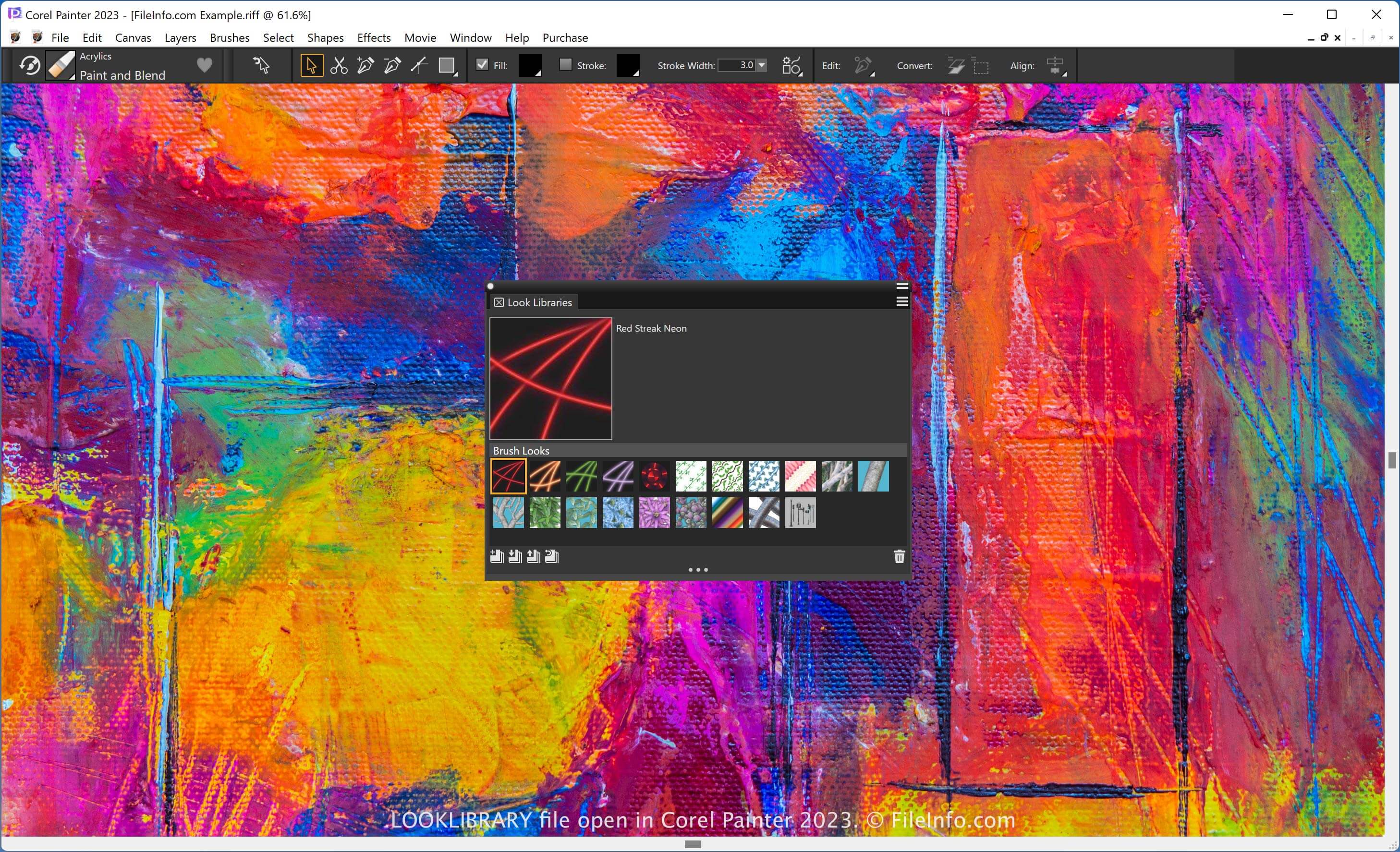
Painter è un'app specializzata nella composizione di opere d'arte digitali simili a dipinti. Offre vari effetti per definire l'aspetto dei pennelli, inclusi sfumature e mappe di flusso. La libreria degli aspetti in Painter organizza gli aspetti in un unico posto a cui puoi accedere.
NOTA: Puoi aggiungere o rimuovere aspetti in una libreria tramite il pannello Libreria multimediale. Per aprire questo pannello, seleziona .
Come aprire un file LOOKLIBRARY
Puoi aprire un file LOOKLIBRARY con Corel Painter. Ad esempio, per aprire un file LOOKLIBRARY, seleziona e fai clic sull'icona "Import Look Library".