.INF 파일 확장자

2개의 파일 유형.inf 확장자를 사용합니다.

Setup Information File

개발사 해당 없음
인기도
3.9  |  71 투표
 
🔍File Helper(으)로 .INF 파일을 웹 브라우저에서 바로 여세요.온라인으로 보기

INF 파일이란 무엇인가요?

An INF file is a plain text configuration file that defines what files are installed with a certain software program or update. It may also list the location of the files and the directories where the files are to be installed. INF files are used by the Windows operating system, or by the program or installer that includes the INF file.

추가 정보

INF files are similar to .INI files and are commonly used to install device drivers. They contain the driver name and location, driver version information, and registry information.

Unfortunately, INF files can become infected by viruses since they may autorun without any prompting. To be safe, you should not attempt to open them manually.

INF 파일을 열거나 참조하는 프로그램

Windows
Web
카테고리: 설정
업데이트: 2019-02-25

Inform Source Code File

개발사 Graham Nelson
인기도
4.0  |  5 투표
 

An INF file contains Inform source code that can be compiled into an Interactive Fiction (IF) program by Inform, an IDE used to create IF programs. It stores plain text Inform source code (most often in the Inform 6 (I6) syntax), which includes rules and behaviors for how the program can be played as well as playable game objects. INF files were replaced by .NI files with the release of Inform 7.

추가 정보

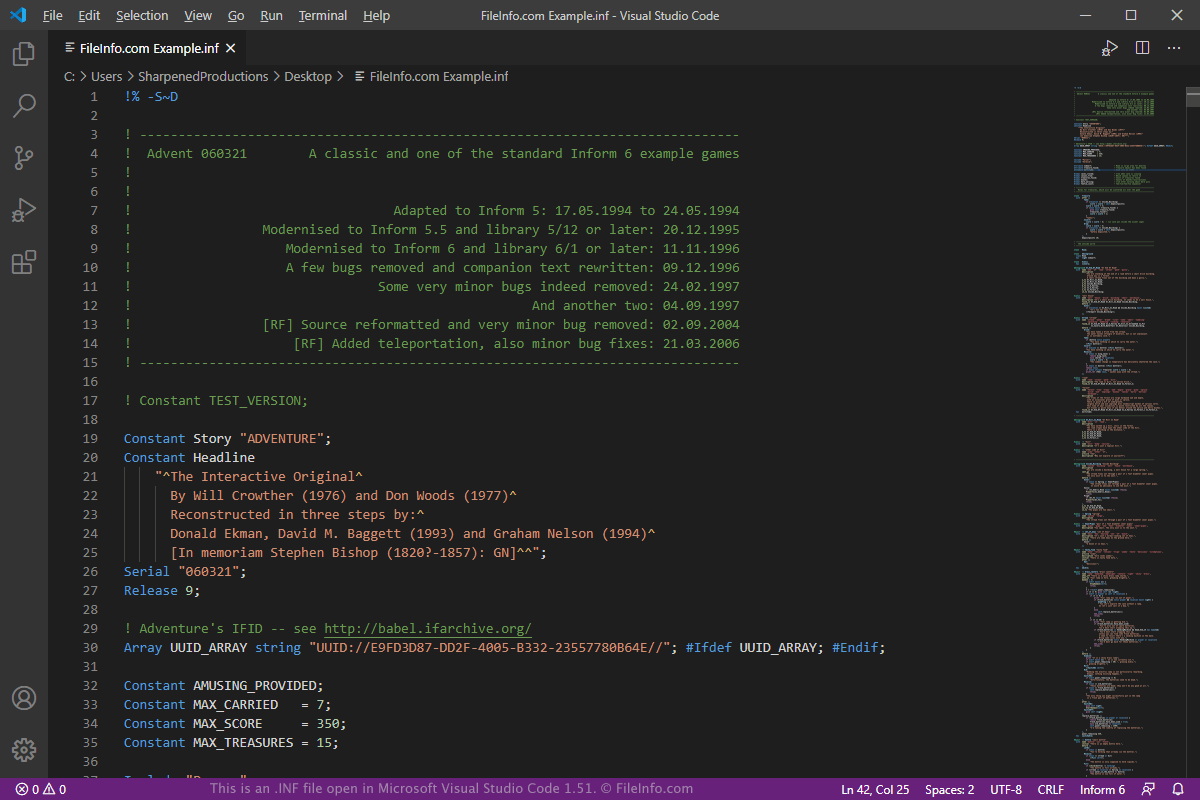
Microsoft Visual Studio Code 1.51에서 열린 .inf 파일의 스크린샷
Microsoft Visual Studio Code 1.51에서 열린 INF 파일

IF is like a literary video game. You can play through a narrative created by the author and can control characters with text commands and interact with the environment in the story. Inform is a free application that allows you to create and share custom IF stories that other users can experience.

INF files have been utilized through all of the versions of Inform to store source code that is compiled into a playable IF program. It is most notably used to contain I6 source code.

When compiling an INF file with Inform 6, the code will compile to a Z-machine .Z5 or .Z8 output file. If the program is less than 256 kilobytes, it compiles to the Z5 file and if the program is larger than 256 kilobytes, it compiles to the Z8 file.

How to create an INF file

You can create an INF file with any text editor. When you save the file, save it with the .inf file extension. You may need to instead save the file as a .TXT file, then manually change the .txt file extension to .inf.

INF 파일을 여는 방법

You can open INF files with Inform 6 and Inform 7, then compile them to the appropriate output file to play the IF program.

Since INF files are saved in plain text, you can also open them with a plain text editor, such as Microsoft Notepad (Windows) or Apple TextEdit (macOS), and edit them. Also, Microsoft Visual Studio Code (multiplatform) is a useful source code editor that includes helpful syntax editing capabilities for viewing and editing INF files.

INF 파일을 여는 프로그램

카테고리: 개발자
업데이트: 2020-11-20

검증자 FileInfo.com

FileInfo.com 팀 이 페이지에 나열된 모든 파일 형식과 소프트웨어 프로그램을 독자적으로 조사했습니다. 저희의 목표는 100% 정확성이며, 검증한 파일 유형에 대한 정보만 게시합니다.

이 페이지에 추가하거나 업데이트할 내용을 제안하고 싶으시면 알려 주세요.