

.EOP 파일 확장자
Everyone Piano 악보
| 개발사 | Everyone Piano |
| 인기도 |
4.0 | 23 표 |
EOP 파일이란 무엇인가요?
EOP 파일은 Windows용 무료 피아노 시뮬레이터인 Everyone Piano에서 사용하기 위해 만든 악보입니다. Everyone Piano가 노래를 재생하는 데 사용하는 이진 데이터가 포함되어 있습니다. Everyone Piano 사용자는 직접 EOP 파일을 만들거나 인터넷에서 EOP 파일을 다운로드할 수 있습니다.
추가 정보
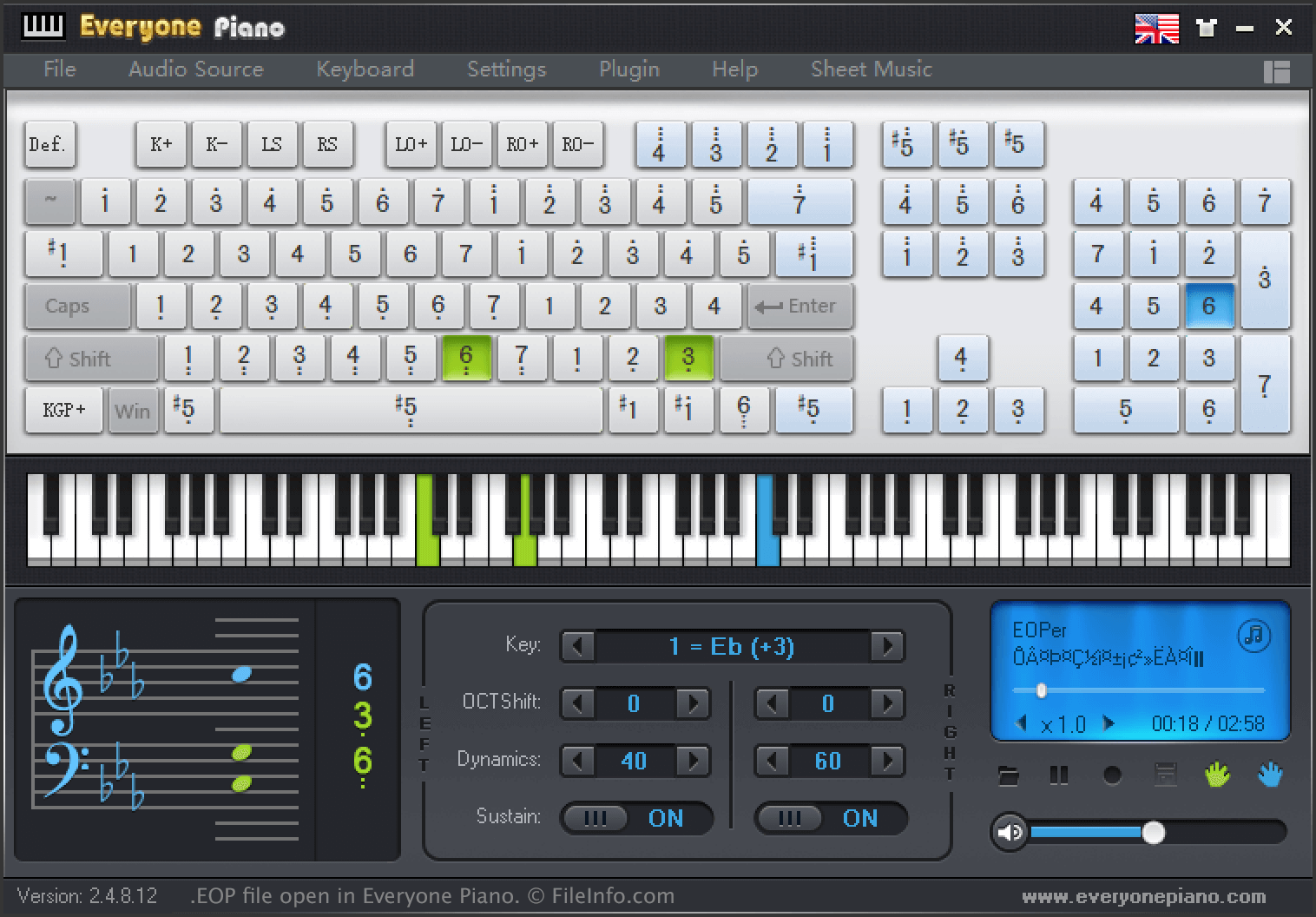
음악가와 작곡가는 Everyone Piano를 사용하여 음악을 녹음하고 재생할 수 있습니다. Everyone Piano를 사용하여 녹음한 노래는 EOP 파일로 저장되며, 여기에는 노래의 음표, 쉼표, 조성 및 기타 정보가 이진 형식으로 포함되어 있습니다.
노래를 EOP 파일로 저장하려면:
- 를 선택하고 노래를 녹음합니다.
- 녹음을 중지하려면 을 선택합니다.
- 녹음한 내용을 저장하려면 를 선택합니다.
노래를 EOP 파일로 저장한 후 음악가는 EOP Sheet Music과 같은 다른 Everyone Piano 관련 소프트웨어에서 파일을 열거나 다른 사용자와 공유할 수 있습니다. 예를 들어 사용자는 EveryonePiano.com에 EOP 파일을 업로드하여 다른 사용자가 파일을 다운로드하고 자신의 컴퓨터에서 파일에 포함된 노래를 재생하도록 할 수 있습니다.
Everyone Piano는 다음 디렉터리에 여러 예제 EOP 파일을 저장합니다.
C:/Program Files (x86)/EveryonePiano/Music
EOP 파일을 여는 방법
Everyone Piano(Windows) 및 EOP Sheet Music과 같은 관련 소프트웨어에서 EOP 파일을 열 수 있습니다. Everyone Piano에서 EOP 파일을 열려면 프로그램의 메뉴 모음에서 을 선택합니다. 그런 다음 EOP 파일이 있는 위치로 이동하여 파일을 엽니다.