

.EOP ファイル拡張子
Everyone Piano譜面
| 開発元 | Everyone Piano |
| 人気度 |
4.0 | 23 票 |
EOPファイルとは?
EOPファイルは、Windows向けの無料ピアノシミュレーターEveryone Pianoで使用するために作成された楽譜です。Everyone Pianoが曲を再生するために使用するバイナリデータが含まれています。Everyone Pianoのユーザーは、自分でEOPファイルを作成したり、インターネットからEOPファイルをダウンロードしたりできます。
詳細情報
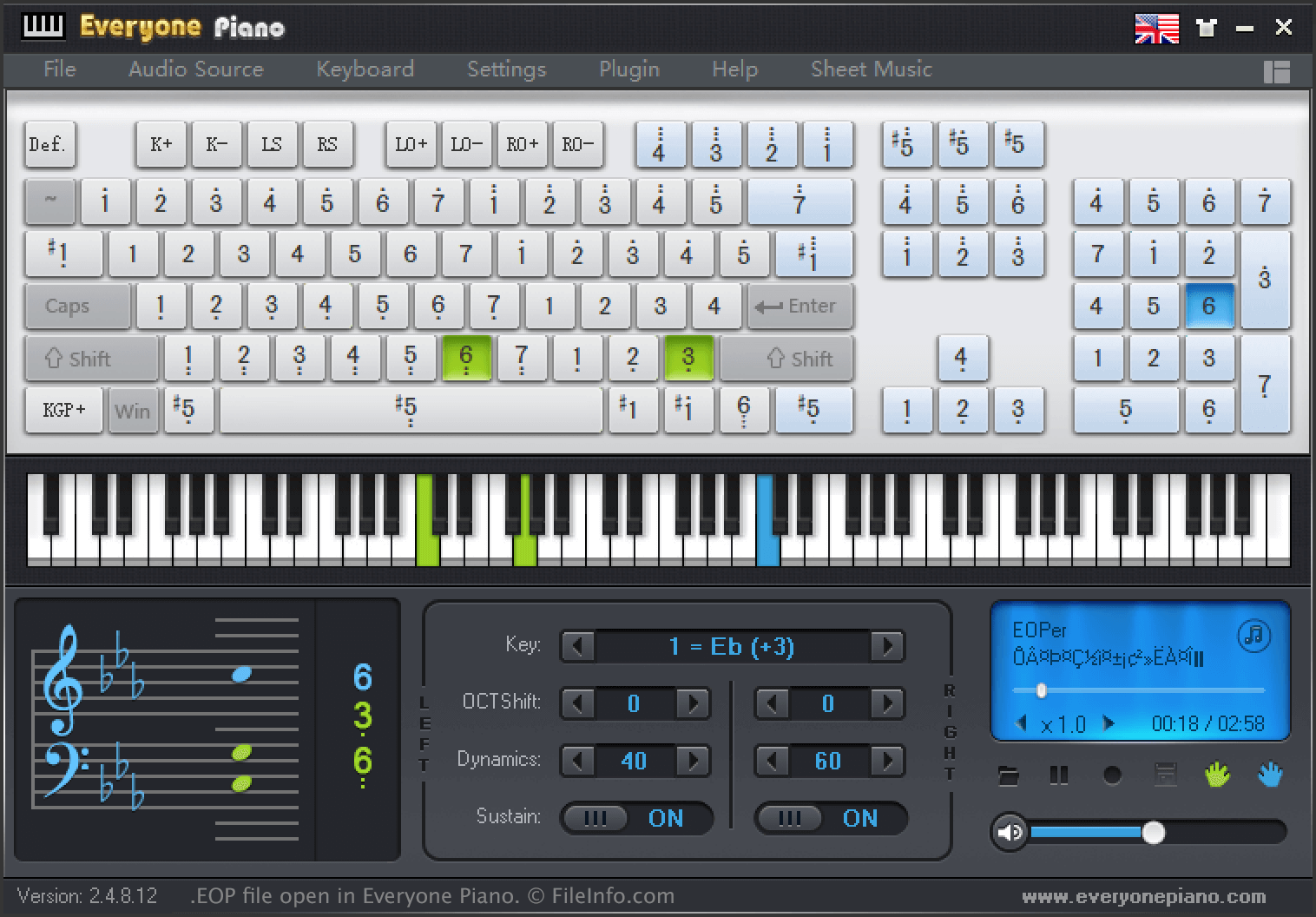
ミュージシャンや作曲家は、Everyone Pianoを使って音楽を録音・再生できます。Everyone Pianoを使って録音した曲はEOPファイルとして保存され、曲の音符、休符、調、その他の情報をバイナリ形式で表したデータが含まれています。
曲をEOPファイルとして保存するには:
- を選択して、曲を録音します。
- を選択して、録音を停止します。
- を選択して、録音を保存します。
曲をEOPファイルとして保存した後、ミュージシャンはEOP Sheet Musicなど、Everyone Piano関連の他のソフトウェアで開いたり、他のユーザーと共有したりできます。たとえば、EOPファイルをEveryonePiano.comにアップロードすると、他のユーザーがそのファイルをダウンロードし、コンピューターでファイルに含まれる曲を再生できるようになります。
Everyone Pianoは、次のディレクトリに多数のサンプルEOPファイルを保存します:
C:/Program Files (x86)/EveryonePiano/Music
EOPファイルの開き方
EOPファイルは、Everyone Piano(Windows)やEOP Sheet Musicなどの関連ソフトウェアで開くことができます。Everyone PianoでEOPファイルを開くには、プログラムのメニューバーからを選択します。次に、EOPファイルがある場所へ移動して開きます。
EOPファイルを開くプログラム
Windows