

.CUSTOMTANK 파일 확장자
Wee Tanks! 사용자 지정 전차
| 개발사 | Studio Kit |
| 인기도 |
4.7 | 6 표 |
CUSTOMTANK 파일이란 무엇인가요?
CUSTOMTANK 파일에는 Wee Tanks!의 Studio Kit에서 사용할 수 있는 사용자 지정 전차가 들어 있습니다. 플레이어는 사용자 지정 Wee Tanks! 캠페인(.CAMPAIGN 파일)을 만들 때 CUSTOMTANK 파일을 생성하고 불러옵니다.
추가 정보
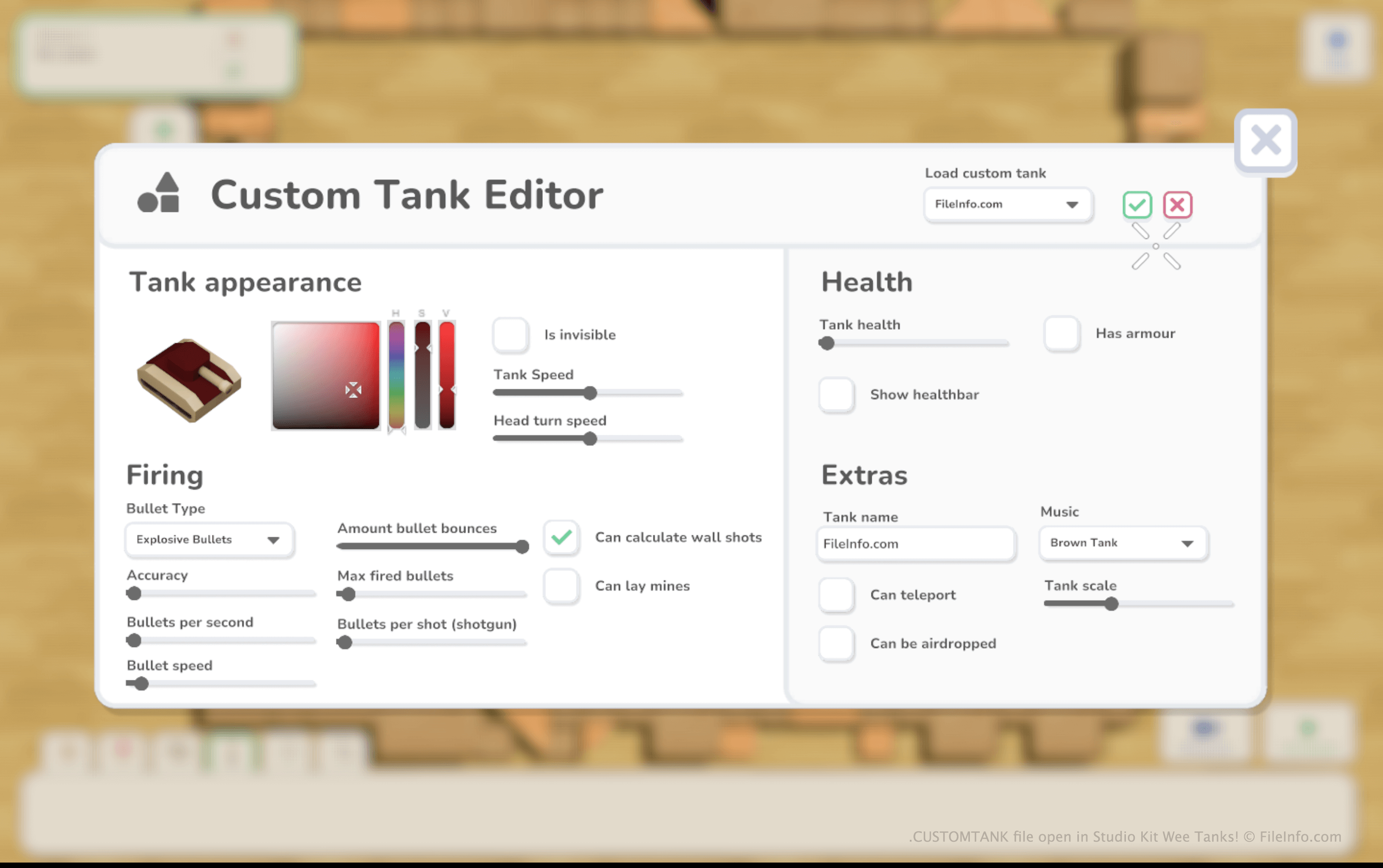
Wee Tanks!에서 플레이어는 장난감 전차를 조종하며 일련의 적 장난감 전차를 파괴해야 합니다. 플레이어는 Wee Tanks!의 기본 캠페인을 플레이하거나 게임의 맵 편집기를 사용해 자신만의 맵과 캠페인을 만들 수 있습니다.
사용자 지정 캠페인을 만드는 동안 플레이어는 해당 캠페인에 사용할 사용자 지정 적 전차를 만들고 추가할 수 있습니다. 이렇게 하려면 사용자 지정 전차 생성 탭을 선택한 다음 를 클릭합니다.
사용자 지정 전차를 만든 후 플레이어는 다른 레벨에서 사용할 수 있도록 해당 전차를 CUSTOMTANK 파일로 저장할 수 있습니다. Wee Tanks!는 CUSTOMTANK 파일을 Documents/My Games/Wee Tanks/custom_tanks디렉터리에 저장합니다.
CUSTOMTANK 파일을 여는 방법
Wee Tanks!(Windows, Mac)에서 CUSTOMTANK 파일을 열 수 있습니다. 방법은 다음과 같습니다:
- 파일을 Documents/My Games/Wee Tanks/custom_tanks 디렉터리에 넣습니다.
- Wee Tanks!를 열고 사용자 지정 캠페인 생성을 시작하거나 기존 캠페인을 편집합니다.
- 캠페인이 로드되면 사용자 지정 전차 생성 탭을 선택합니다. 그런 다음 를 선택합니다.
- Custom Tank Editor가 나타나면 를 선택하여 CUSTOMTANK 파일에 들어 있는 전차를 불러옵니다.
CUSTOMTANK 파일을 여는 프로그램
Windows
무료 체험판
Mac
무료 체험판