

.CAMPAIGN 파일 확장자
Wee Tanks! 캠페인
| 개발사 | Studio Kit |
| 인기도 |
3.8 | 5 표 |
CAMPAIGN 파일이란 무엇인가요?
CAMPAIGN 파일에는 사용자 지정 Wee Tanks! 캠페인이 들어 있습니다. 각 CAMPAIGN 파일에는 해당 캠페인에 포함된 사용자 지정 맵의 기록이 들어 있습니다. 플레이어는 Wee Tanks! 맵 편집기를 사용하여 CAMPAIGN 파일을 만들고 불러옵니다.
추가 정보
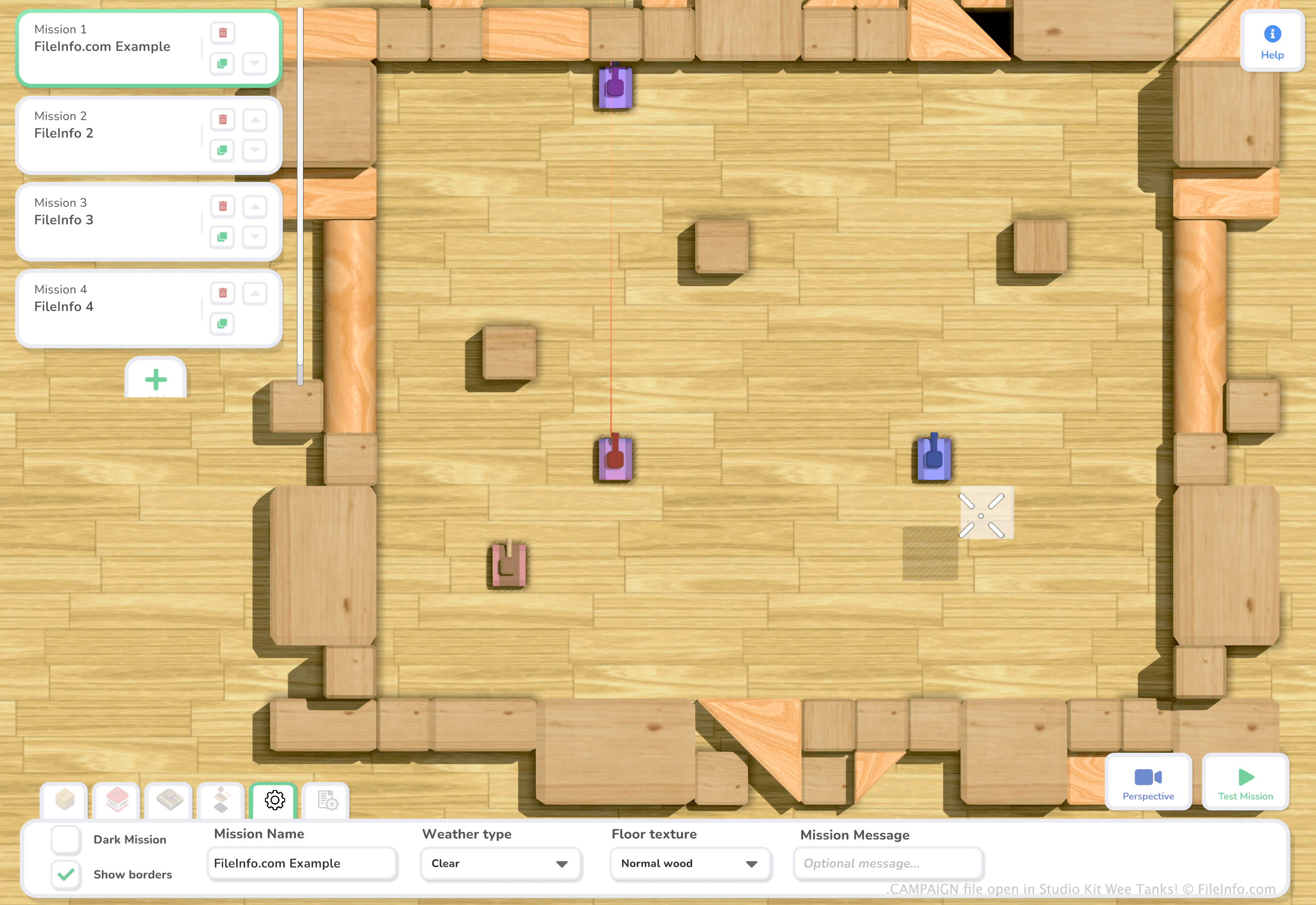
Studio Kit Wee Tanks!는 어린이용 장난감으로 만든 것처럼 보이는 전장을 장난감 탱크로 돌아다니는 3D 슈팅 게임입니다. Windows와 macOS에서 사용할 수 있습니다.
플레이어는 게임의 맵 편집기를 사용하여 사용자 지정 Wee Tanks! 맵과 캠페인(여러 맵과 레벨로 구성됨)을 만들 수 있습니다. 그러려면 을 선택합니다. 캠페인 만들기를 마치면 Esc 키를 누른 다음 을 선택하여 저장할 수 있습니다. 그러면 플레이어의 Documents/My Games/Wee Tanks 디렉터리에 캠페인이 CAMPAIGN 파일로 저장됩니다.
참고: CAMPAIGN 파일은 .WTCAMP 파일로 대체되었습니다.
CAMPAIGN 파일을 여는 방법
Wee Tanks! (Windows, Mac)에서 CAMPAIGN 파일을 열 수 있습니다. 그러려면 먼저 파일을 Documents/My Games/Wee Tanks 디렉터리에 넣습니다. 그런 다음 Wee Tanks!를 열고 을 선택합니다. CAMPAIGN 파일에 들어 있는 캠페인이 사용자 지정 캠페인 목록에 나타납니다.
CAMPAIGN 파일을 여는 프로그램
Windows
무료 체험판
Mac
무료 체험판