

.CUSTOMTANK ファイル拡張子
Wee Tanks!カスタムタンク
| 開発元 | Studio Kit |
| 人気度 |
4.7 | 6 票 |
CUSTOMTANKファイルとは?
CUSTOMTANKファイルには、Wee Tanks!で使用できるカスタムタンクが含まれています。プレイヤーは、カスタムWee Tanks!キャンペーン(.CAMPAIGNファイル)を作成するときに、CUSTOMTANKファイルを作成して読み込みます。
詳細情報
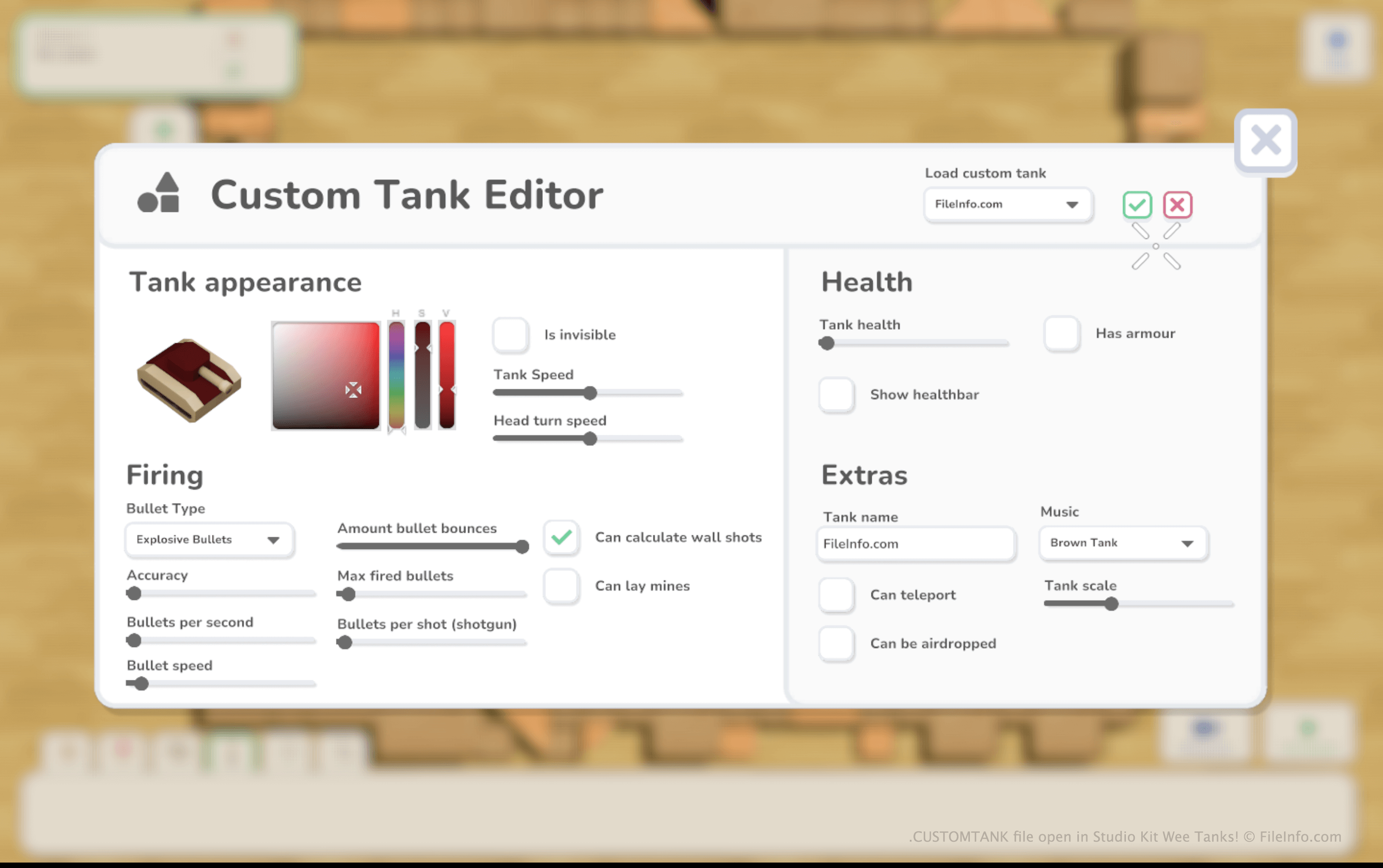
Wee Tanks!では、プレイヤーはおもちゃの戦車を操縦し、敵のおもちゃの戦車を次々に破壊します。プレイヤーはWee Tanks!のデフォルトキャンペーンをプレイしたり、ゲームのマップエディターを使って独自のマップやキャンペーンを作成したりできます。
カスタムキャンペーンの作成中に、プレイヤーはそのキャンペーンに追加するカスタム敵戦車を作成できます。これを行うには、カスタムタンク作成タブを選択し、をクリックします。
カスタムタンクを作成した後、プレイヤーは他のレベルで使用するために、そのタンクをCUSTOMTANKファイルとして保存できます。Wee Tanks!はCUSTOMTANKファイルをDocuments/My Games/Wee Tanks/custom_tanksディレクトリに保存します。
CUSTOMTANKファイルの開き方
Wee Tanks!(Windows、Mac)でCUSTOMTANKファイルを開くことができます。手順は次のとおりです。
- ファイルをDocuments/My Games/Wee Tanks/custom_tanksディレクトリに配置します。
- Wee Tanks!を開き、カスタムキャンペーンの作成または編集を開始します。
- キャンペーンが読み込まれたら、カスタムタンク作成タブを選択します。次に、を選択します。
- カスタムタンクエディターが表示されたら、を選択して、CUSTOMTANKファイルに含まれるタンクを読み込みます。
CUSTOMTANKファイルを開くプログラム
Windows
Mac