

.BRUSHLIBRARY 파일 확장자
Painter 브러시 라이브러리
| 개발사 | Corel |
| 인기도 |
2.7 | 3 표 |
BRUSHLIBRARY 파일이란 무엇인가요?
BRUSHLIBRARY 파일은 Windows 및 macOS용 디지털 아트 프로그램인 Corel Painter로 만든 브러시 라이브러리입니다. 이 파일에는 브러시 유형에 따라 Chalk, Crayons, Felt Pens와 같은 여러 범주로 그룹화된 브러시 모음이 저장됩니다.
추가 정보
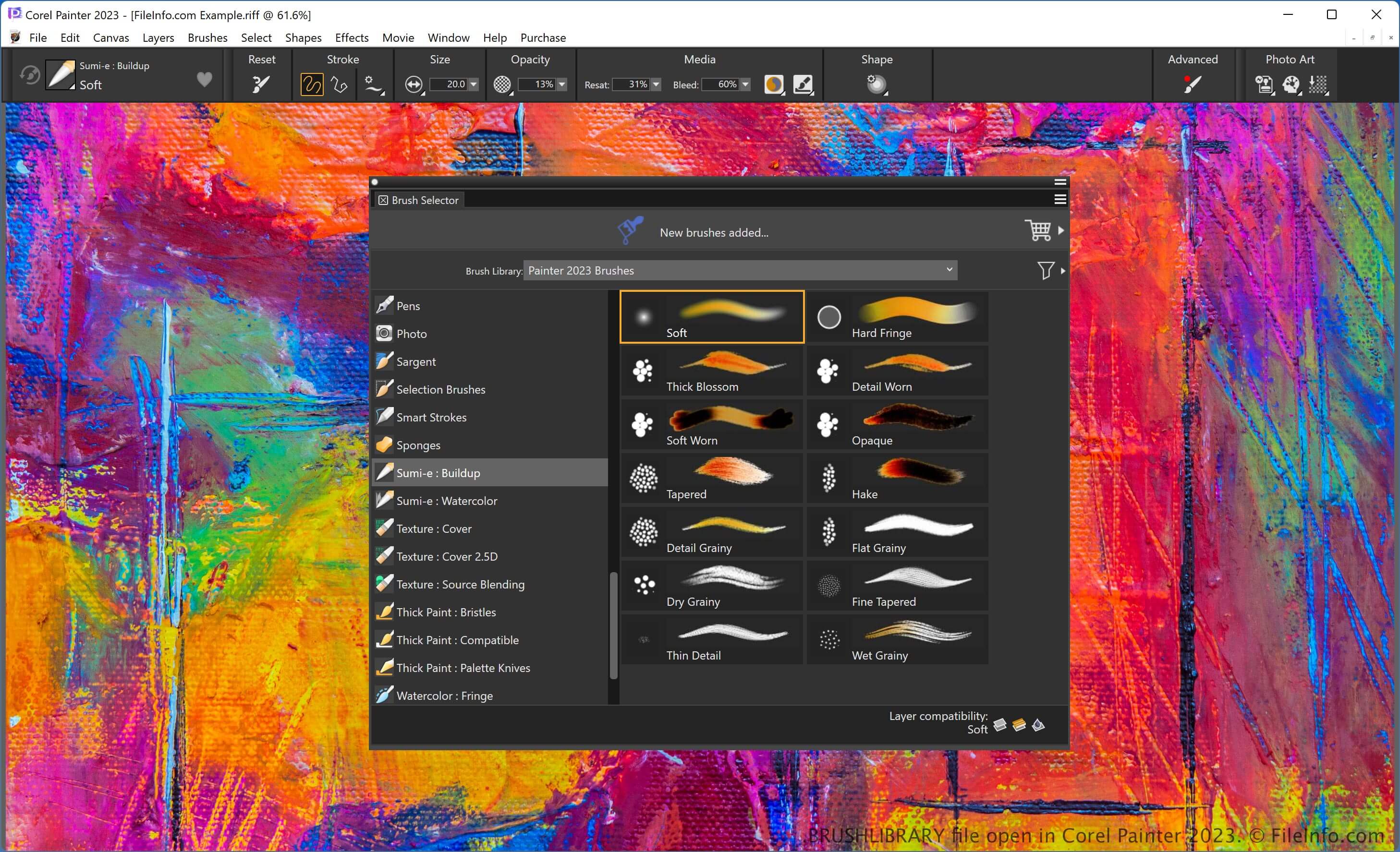
Painter는 다양한 유형의 브러시를 비롯해 디지털 아트 작품을 만들기 위한 여러 기능을 제공합니다. 각 브러시는 고유한 효과를 적용합니다. 사용할 브러시 유형을 선택하여 유화나 크레용을 사용한 어린이 그림과 같은 특정한 느낌을 작품에 더할 수 있습니다.
이 소프트웨어는 브러시를 범주별로 구성하므로 브러시를 더 쉽게 찾을 수 있습니다. 브러시 범주를 .BRUSHCATEGORY 파일로 내보낼 수도 있습니다. 또한 범주는 라이브러리에 저장되며, 라이브러리를 BRUSHLIBRARY 파일로 내보낼 수 있습니다.
BRUSHLIBRARY 파일을 내보내려면 를 선택하고, 드롭다운 메뉴에서 라이브러리를 선택한 다음 "OK"를 클릭합니다. 그런 다음 파일 이름을 지정하고 저장 위치를 선택한 후 를 클릭합니다.
BRUSHLIBRARY 파일을 여는 방법
Corel Painter로 BRUSHLIBRARY 파일을 열 수 있습니다. 예를 들어 BRUSHLIBRARY 파일을 가져오려면 를 선택하고, 라이브러리를 선택한 다음 을 클릭합니다.
BRUSHLIBRARY 파일을 여는 프로그램
Windows
무료 체험판
Mac
무료 체험판