

.AWT 파일 확장자
AbiWord 템플릿
| 개발사 | AbiSource |
| 인기도 |
2.6 | 7 표 |
AWT 파일이란 무엇인가요?
AWT 파일은 무료 워드 프로세서인 AbiSource AbiWord로 만든 문서 템플릿입니다. 여기에는 사용자가 동일한 서식으로 여러 .ABW 문서를 작성할 수 있도록 문서에 미리 설정된 페이지 레이아웃 및 스타일 설정이 포함되어 있습니다. AbiWord 사용자는 편지, 메모, 보고서 및 복제하려는 기타 문서를 AWT 파일로 저장하는 경우가 많습니다.
추가 정보
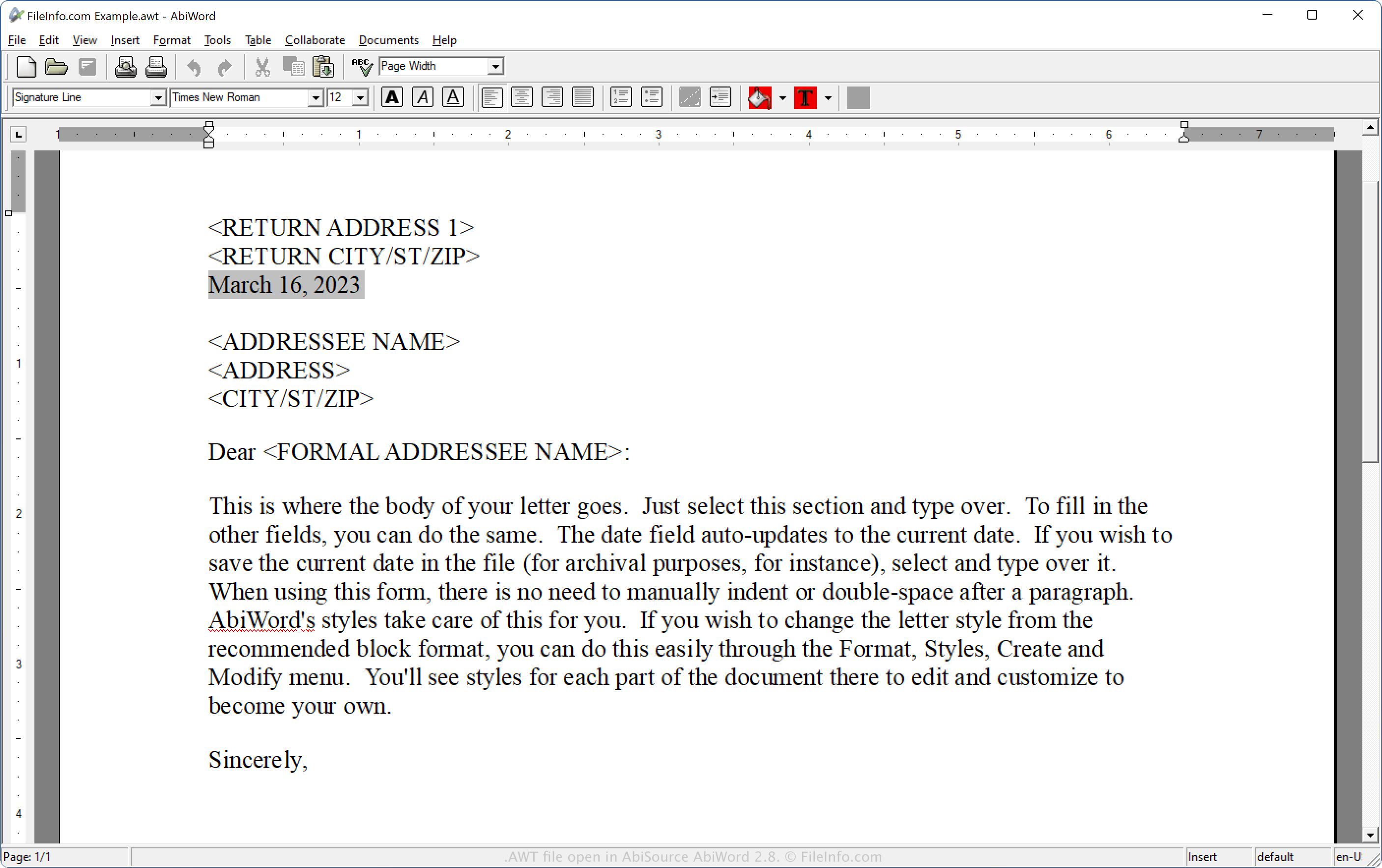
AbiWord는 AbiSource 커뮤니티에서 개발한 오픈 소스 워드 프로세서입니다. 여기에는 다양한 문서 형식( .DOCX 및 .ODT 포함)을 지원하는 여러 표준 기능이 포함되어 있습니다. 이전 버전의 애플리케이션은 Windows, macOS 및 Linux에서 사용할 수 있지만, AbiSource는 버전 3부터 Linux용 소프트웨어만 적극적으로 개발하고 있습니다.
AWT 파일을 만드는 방법
AWT는 AbiWord에서 템플릿을 저장할 때 사용하는 기본 형식입니다. AbiWord로 AWT 파일을 만들려면 다음 단계를 따르세요.
- AbiWord에서 문서를 엽니다.
- 를 선택합니다.
- "Save as type" 드롭다운 메뉴에서 "AbiWord Template"를 선택합니다.
- 파일 이름을 지정하고 를 클릭합니다.
AWT 파일을 여는 방법
AbiSource AbiWord(다중 플랫폼)으로 AWT 파일을 열 수 있습니다. AWT 파일을 열려면 을 선택하거나 을 선택합니다.
AWT 형식은 XML 표준을 기반으로 하므로 XML, 소스 코드 및 일반 텍스트 편집기로도 AWT 파일을 열 수 있습니다. 하지만 이러한 프로그램으로 AWT 파일을 열면 AbiWord에서처럼 문서가 표시되지 않습니다. 따라서 AbiWord에 액세스할 수 없고 문서에서 텍스트를 복구해야 하는 경우에만 XML, 소스 코드 또는 일반 텍스트 편집기로 AWT 파일을 여는 것이 좋습니다.