

Audacity
主な機能
- MP3、WAVE、AIFF、FLAC、Ogg Vorbisなど、一般的な音声形式に対応
- マイク、ライン入力、ミキサー、USBオーディオデバイスなど、複数の音源から音声を録音
- 音声クリップの切り取り、コピー、貼り付け、トリミング、並べ替え
- 編集操作を取り消すための、回数制限のない連続した元に戻す操作とやり直す操作を提供
- ノイズ低減、イコライゼーション、コンプレッション、リバーブ、ディストーションなどの音声エフェクトを適用
- 編集した音声を他のアプリケーションで使用したり、対応するオンラインサービスを通じて共有したりするために書き出し
ソフトウェア概要
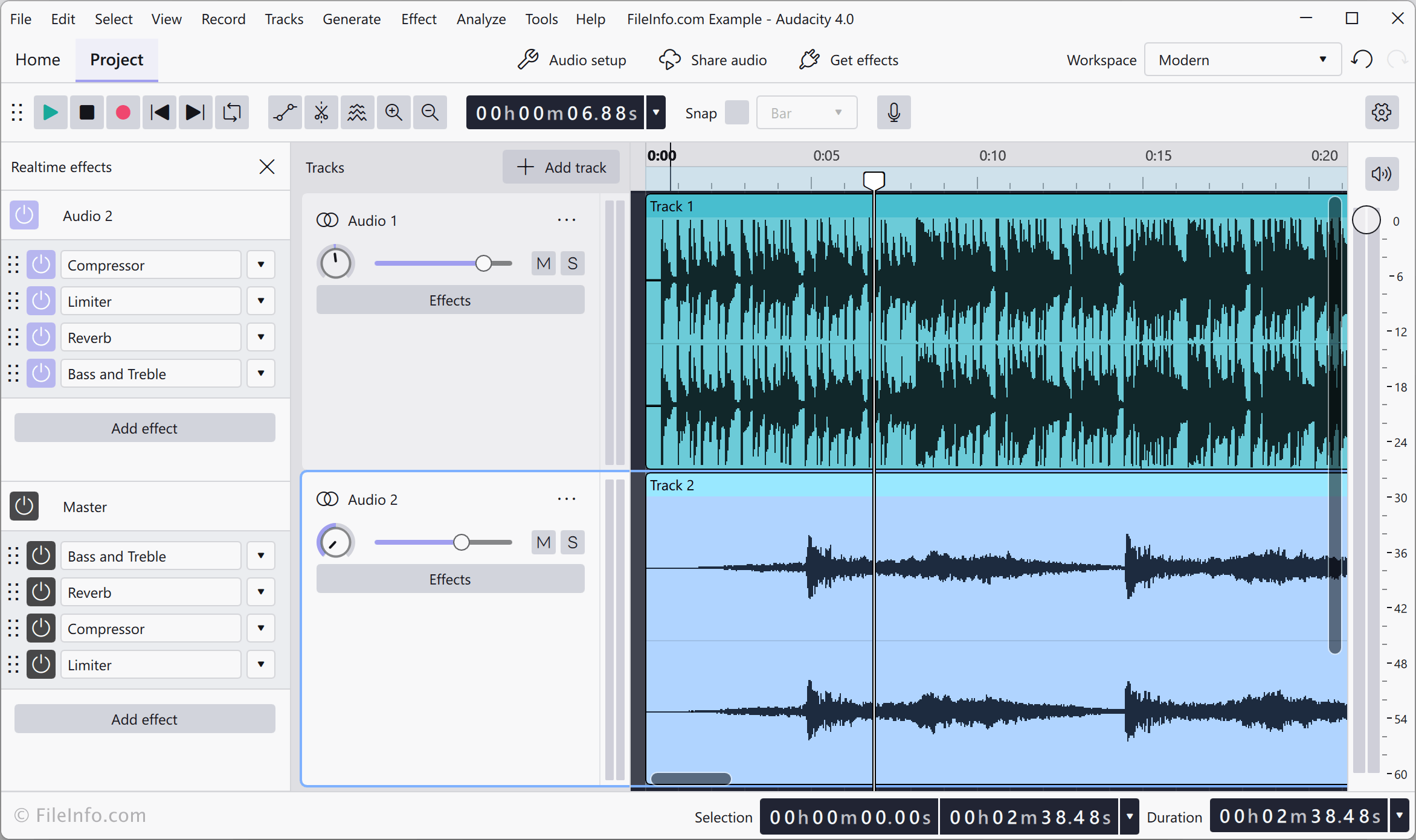
Audacityは、Windows、macOS、Linuxで音声を録音・編集できる無料のオープンソースプログラムです。音声の録音、既存の録音の読み込み、複数トラックの編集、エフェクトの適用、完成したプロジェクトのさまざまな音声形式への書き出しができます。
Audacityは、マイク、ミキサー、その他の入力デバイス(USB接続機器を含む)から音声を録音できます。.MP3、.M4A、.AIFF、.FLAC、.WAVなど、多くの一般的な音声形式の読み込みと書き出しに対応しています。サードパーティ製のエフェクトプラグインや、その他の対応プラグインを使ってAudacityの機能を拡張することもできます。
このアプリケーションには、音声の切り取り、コピー、貼り付け、トリミング、分割を行う標準的な編集ツールのほか、音量、速度、ピッチを調整する機能もあります。ノイズ低減、イコライゼーション、コンプレッション、リバーブ、ディストーションなどのエフェクトを適用できます。Audacityはプロジェクトを開いている間、元に戻す操作とやり直す操作の履歴を保持するため、複数の編集手順を取り消せます。バージョン4では、クラウドへのプロジェクト保存とAudio.comによる直接公開にも対応しています。
Summary
Audacityは、音楽制作、ポッドキャスト制作、音声修復など、さまざまな用途で音声を録音、編集、ミックス、書き出しするためのツールを提供します。プロジェクトを保存して編集を続けたり、完成した音声ファイルを他のアプリケーションで使用するために書き出したり、対応するオンラインサービスを通じて音声を共有・公開したりできます。Audacityは、録音と音声編集に使える多用途なプログラムを必要とするユーザーにとって、十分な機能を備えた無料の選択肢です。
主なファイル形式
 .AUP4Audacity 4プロジェクト
サポートされているファイル形式
| 拡張子 | ファイル形式 |
|---|---|
| .AUP4 | Audacity 4プロジェクト |
| .AIF | Audio Interchange File Format |
| .AU | Audacityオーディオファイル |
| .AUP | Audacityプロジェクトファイル |
| .AUP3 | Audacity 3プロジェクト |
| .CAF | Core Audioファイル |
| .FLAC | Free Lossless Audio Codecファイル |
| .LOF | Audacityファイルリスト |
| .M4A | MPEG-4オーディオ |
| .MP3 | MP3オーディオ |
| .MP4 | MPEG-4動画 |
| .OGG | Ogg Vorbisオーディオ |
| .PCM | パルス符号変調ファイル |
| .RAW | RAWオーディオデータ |
| .WAV | WAVEオーディオ |
その他の関連ファイル形式
| 拡張子 | ファイル形式 |
|---|---|
| .AIFF | Audio Interchange File Format |
| .CAFF | Core Audioファイル |
| .GRO | Allegro MIDIファイル |
| .MP2 | MPEG Layer II圧縮オーディオファイル |
| .MUZ | MUZオーディオファイル |
| .NY | Audacity Nyquistプラグイン |
| .VST | VSTオーディオプラグイン |