.AUP3 ファイル拡張子

Audacity 3 Project

開発元 Audacity
人気度
3.6  |  30 
 

AUP3ファイルとは?

An AUP3 file is an audio project created by Audacity, a free audio recording and editing program. It contains project information saved in an SQLite 3 database, including project settings, metadata, and all audio files used by the project. AUP3 files are created by Audacity 3 and later.

詳細情報

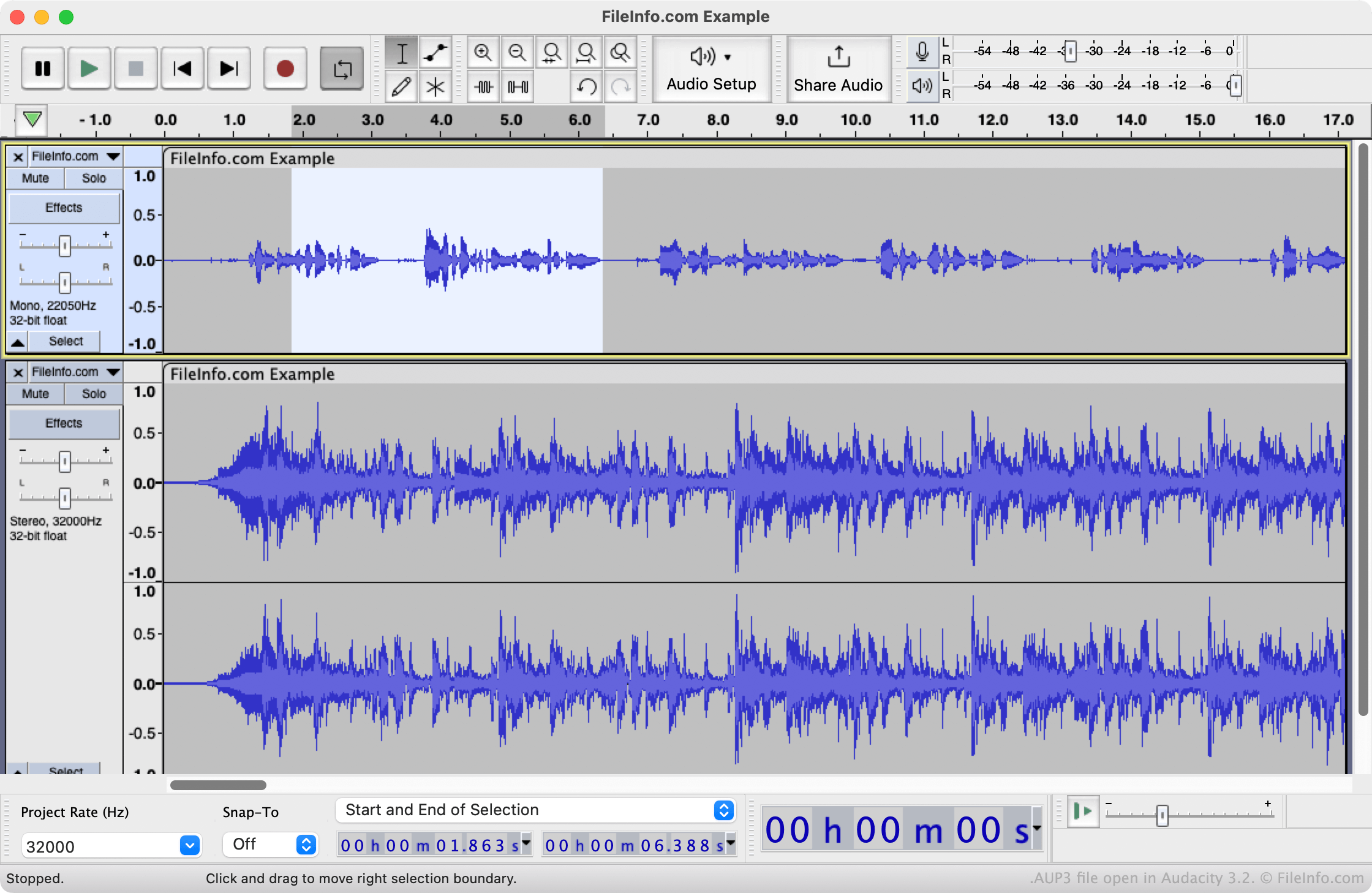
Audacity 3.2で開いた.aup3ファイルのスクリーンショット
Audacity 3.2で開いたAUP3ファイル

In March 2021, Audacity released Audacity 3, which uses the new AUP3 file format to save audio editing projects. AUP3 replaces the .AUP format, used by previous versions of Audacity. You can still open AUP files in Audacity 3, but the program saves all projects, even those previously saved as AUP files, as AUP3 files.

Unlike AUP files, which are XML files that contain references to audio files and other data, AUP3 files are database files that contain the audio and other data a project uses. Because AUP3 files include all of a project's data, you can no longer "break" a project by moving audio files or other data referenced by the project. However, because AUP3 files contain audio tracks, they can be very large (several gigabytes) and may load more slowly than AUP files.

注: Version 4 of Audacity replaced AUP3 files with .AUP4 files.

AUP3ファイルの開き方

You can open an AUP3 file in Audacity 3 and later versions. To do so, select File → Open... from the program's menu bar, then locate and select your AUP3 file.

Note that you cannot open an AUP3 file with Audacity 2.4 or earlier versions. You can open an AUP3 file with Audacity 4 or later, but the app converts a copy of the project to an AUP4 file while leaving the original AUP3 file unchanged. You can't save the converted project back to AUP3 format.

File Viewer Plusで400種類以上のファイル形式を開けます。無料ダウンロード

AUP3ファイルを開くプログラム

Windows
無料
Mac
無料
Linux
無料
Web
無料

検証者 FileInfo.com

FileInfo.comチーム は、このページに掲載されているAudacity 3 Projectファイル形式とMac, Windows, and Linuxアプリについて独自に調査しました。 私たちの目標は100%の正確性であり、検証済みのファイルタイプに関する情報のみを公開しています。

このページへの追加や更新をご提案いただける場合は、お知らせください。