.ZIPX ファイル拡張子

Extended Zip Archive

開発元 Corel
人気度
3.4  |  75 
 

ZIPXファイルとは?

A ZIPX file is a .ZIP archive that has been compressed with an advanced compression method developed by CorelWinZip. It contains one or more files compressed in the extended Zip format (Zipx), which creates smaller files than previous versions of the Zip format.

詳細情報

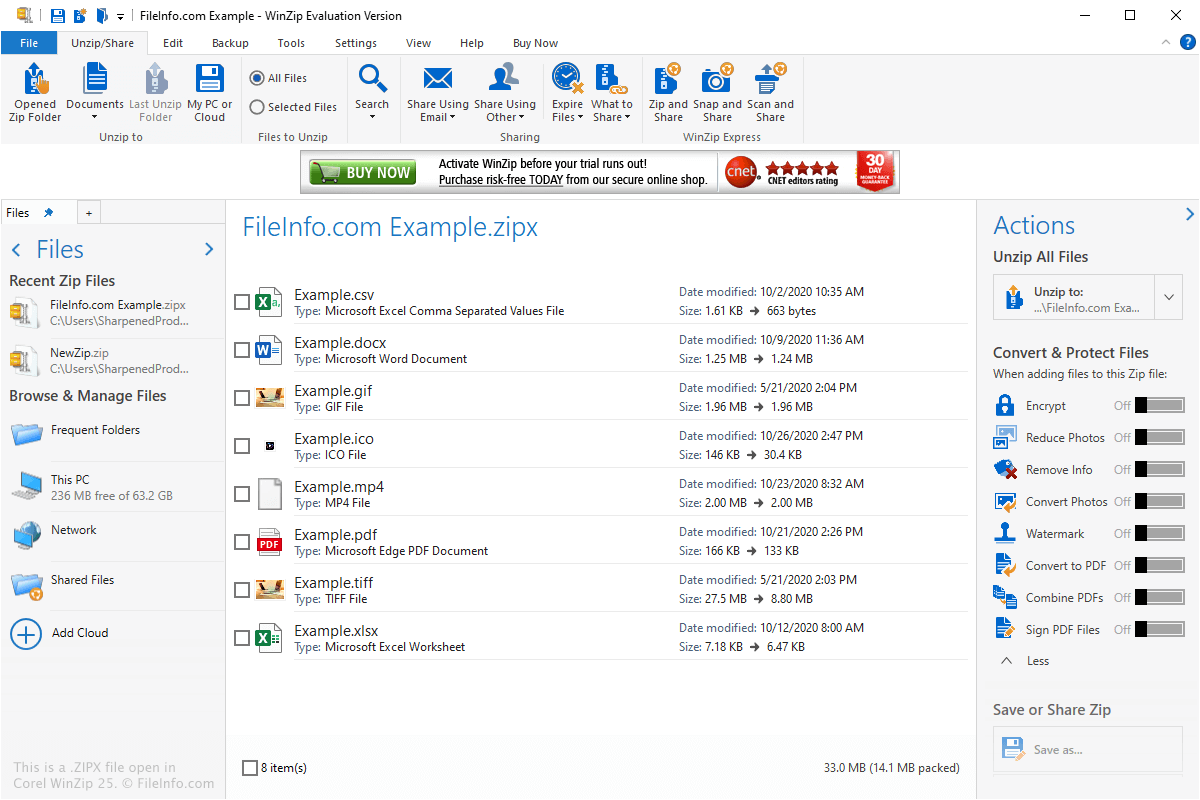
Corel WinZip 25で開いた.zipxファイルのスクリーンショット
Corel WinZip 25で開いたZIPXファイル

The ZIPX format was introduced with WinZip 12.1 in May 2009 and includes metadata that indicates the file was created using an advanced compression method. This lets users know that the file must be decompressed with WinZip 12.1 or another compatible file compression utility, such as PeaZip or The Unarchiver.

You may encounter ZIPX files in a variety of ways, such as when receiving compressed files via email or downloading compressed files from a website. You may also find ZIPX files when exploring backup files that have been compressed with ZIPX compression.

How do I create a ZIPX file?

You can create ZIPX archives with WinZip by selecting .zipx in the "Create/Share" ribbon, adding the file(s) you want to compress, then clicking the floppy disk "Save" icon or selecting File → Save.

ZIPXファイルの開き方

You can open a ZIPX file with various file compression utilities, which include Corel WinZip (Windows), PeaZip (Windows), Corel WinZip Mac (macOS), The Unarchiver (macOS), and B1 Free Archivera (multiplatform).

注: ZIPX files cannot be opened with versions of WinZip earlier than 12.1.

File Viewer Plusで.zipxファイルを開いて表示。無料ダウンロード

ZIPXファイルを開くプログラム

Windows
無料体験版
無料
Mac
無料体験版
無料
Linux
Android
カテゴリ: 圧縮
更新日: 2020-11-12

検証者 FileInfo.com

FileInfo.comチーム は、このページに掲載されているExtended Zip Archiveファイル形式とMac, Windows, Linux, and Androidアプリについて独自に調査しました。 私たちの目標は100%の正確性であり、検証済みのファイルタイプに関する情報のみを公開しています。

このページへの追加や更新をご提案いただける場合は、お知らせください。