.ZIPX 파일 확장자

Extended Zip Archive

개발사 Corel
인기도
3.4  |  75 투표
 

ZIPX 파일이란 무엇인가요?

A ZIPX file is a .ZIP archive that has been compressed with an advanced compression method developed by CorelWinZip. It contains one or more files compressed in the extended Zip format (Zipx), which creates smaller files than previous versions of the Zip format.

추가 정보

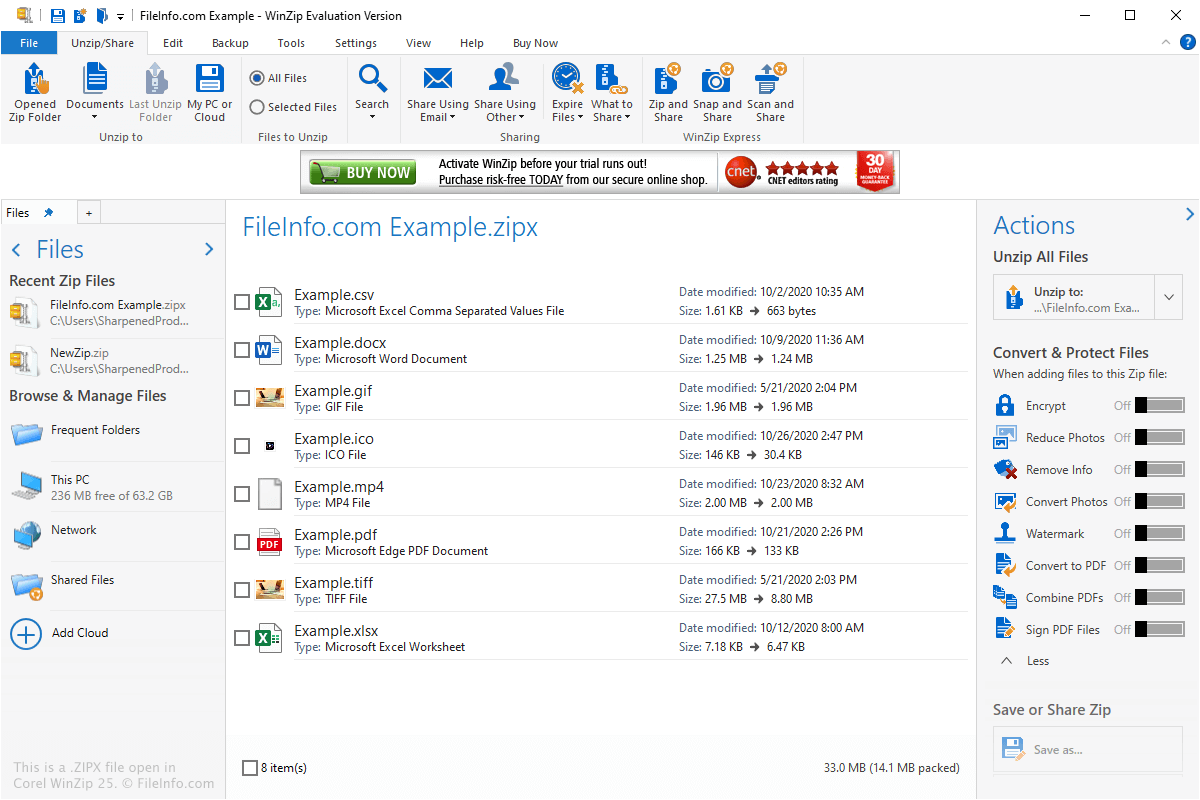
Corel WinZip 25에서 열린 .zipx 파일의 스크린샷
Corel WinZip 25에서 열린 ZIPX 파일

The ZIPX format was introduced with WinZip 12.1 in May 2009 and includes metadata that indicates the file was created using an advanced compression method. This lets users know that the file must be decompressed with WinZip 12.1 or another compatible file compression utility, such as PeaZip or The Unarchiver.

You may encounter ZIPX files in a variety of ways, such as when receiving compressed files via email or downloading compressed files from a website. You may also find ZIPX files when exploring backup files that have been compressed with ZIPX compression.

How do I create a ZIPX file?

You can create ZIPX archives with WinZip by selecting .zipx in the "Create/Share" ribbon, adding the file(s) you want to compress, then clicking the floppy disk "Save" icon or selecting File → Save.

ZIPX 파일을 여는 방법

You can open a ZIPX file with various file compression utilities, which include Corel WinZip (Windows), PeaZip (Windows), Corel WinZip Mac (macOS), The Unarchiver (macOS), and B1 Free Archivera (multiplatform).

참고: ZIPX files cannot be opened with versions of WinZip earlier than 12.1.

File Viewer Plus(으)로 .zipx 파일을 열고 볼 수 있습니다.무료 다운로드

ZIPX 파일을 여는 프로그램

Windows
무료 체험판
무료
무료 체험판
Mac
무료 체험판
무료
Linux
Android
카테고리: 압축
업데이트: 2020-11-12

검증자 FileInfo.com

FileInfo.com 팀 이 페이지에 나열된 Extended Zip Archive 파일 형식과 Mac, Windows, Linux, and Android 앱을 독자적으로 조사했습니다. 저희의 목표는 100% 정확성이며, 검증한 파일 유형에 대한 정보만 게시합니다.

이 페이지에 추가하거나 업데이트할 내용을 제안하고 싶으시면 알려 주세요.