

.ZIPX Bestandsextensie
Uitgebreid Zip-archief
| Ontwikkelaar | Corel |
| Populariteit |
3,4 | 76 stemmen |
Wat is een ZIPX-bestand?
Een ZIPX-bestand is een .ZIP-archief dat is gecomprimeerd met een geavanceerde compressiemethode die is ontwikkeld door CorelWinZip. Het bevat een of meer bestanden die zijn gecomprimeerd in de uitgebreide Zip-indeling (Zipx), waarmee kleinere bestanden worden gemaakt dan met eerdere versies van de Zip-indeling.
Meer informatie
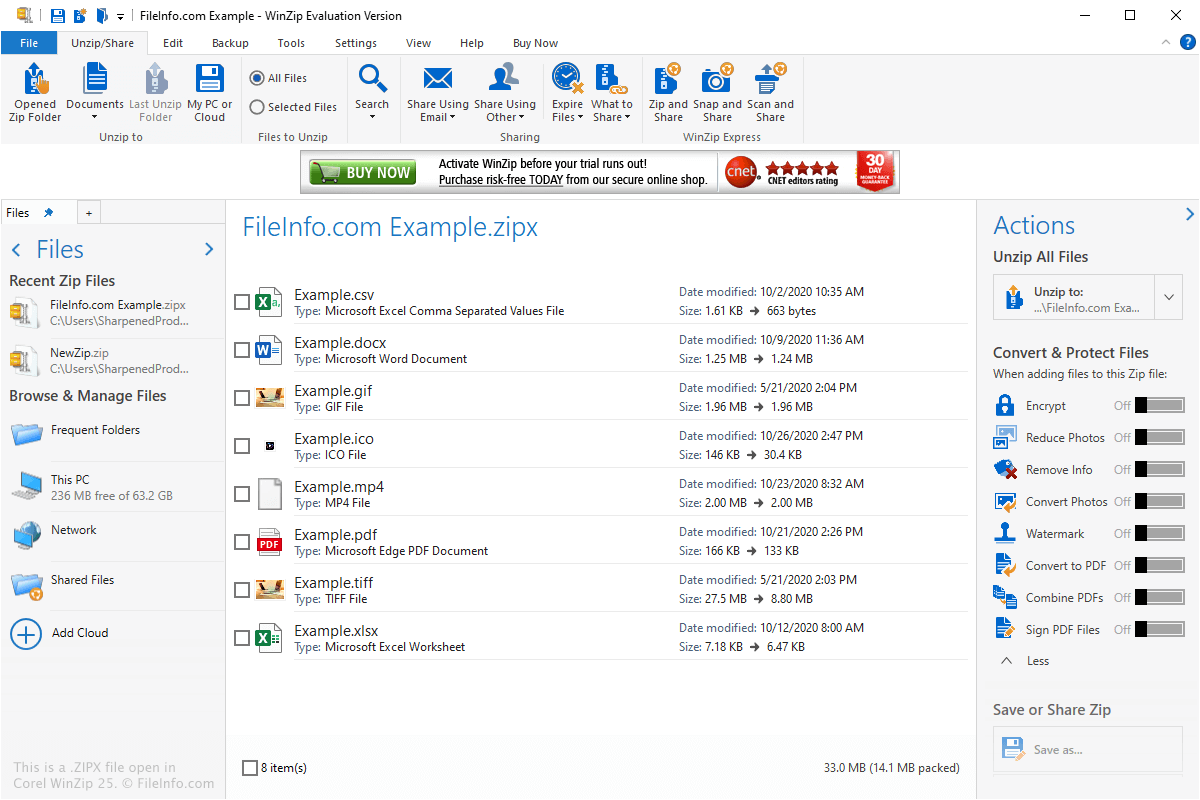
De ZIPX-indeling werd geïntroduceerd met WinZip 12.1 in mei 2009 en bevat metagegevens die aangeven dat het bestand is gemaakt met een geavanceerde compressiemethode. Hierdoor weten gebruikers dat het bestand moet worden gedecomprimeerd met WinZip 12.1 of een ander compatibel programma voor bestandscompressie, zoals PeaZip of The Unarchiver.
Je kunt ZIPX-bestanden op verschillende manieren tegenkomen, bijvoorbeeld wanneer je gecomprimeerde bestanden via e-mail ontvangt of gecomprimeerde bestanden van een website downloadt. Je kunt ZIPX-bestanden ook vinden wanneer je back-upbestanden bekijkt die zijn gecomprimeerd met ZIPX-compressie.
Hoe maak ik een ZIPX-bestand?
Je kunt ZIPX-archieven maken met WinZip door te selecteren in het lint "Create/Share", de bestand(en) die je wilt comprimeren toe te voegen en vervolgens op het pictogram met de diskette "Save" te klikken of te selecteren.
Een ZIPX-bestand openen
Je kunt een ZIPX-bestand openen met verschillende programma's voor bestandscompressie, waaronder Corel WinZip (Windows), PeaZip (Windows), Corel WinZip Mac (macOS), The Unarchiver (macOS) en B1 Free Archivera (multiplatform).
OPMERKING: ZIPX-bestanden kunnen niet worden geopend met versies van WinZip ouder dan 12.1.