

.WXB ファイル拡張子
watchX Blocks開発プロジェクト
| 開発元 | argeX |
| 人気度 |
4.3 | 4 票 |
WXBファイルとは?
WXBファイルは、watchXスマートウォッチ向けのブロックベース開発プラットフォームであるwatchX Blocksを使用して作成された開発プロジェクトです。watchXにインストールできるプログラムが含まれています。WXBファイルはXMLファイルなので、テキストエディターで開くこともできます。
詳細情報
watchXは、ユーザーが独自のプログラムを作成できるスマートウォッチです。例えば、watchXユーザーは、時計自体の動きを検知して測定できるプログラムを作成し、インストールできます。
通常、ユーザーはブロックベースのコードエディターであるwatchX Blocksを使用してwatchXプログラムを作成します。WatchX Blocksは、watchXプログラムをWXBファイルとして保存します。
WXBファイルをwatchXにアップロードする方法
WXBファイルに含まれるプログラムをwatchXにアップロードするには、次の操作を行います。
- watchXをPCに接続します。
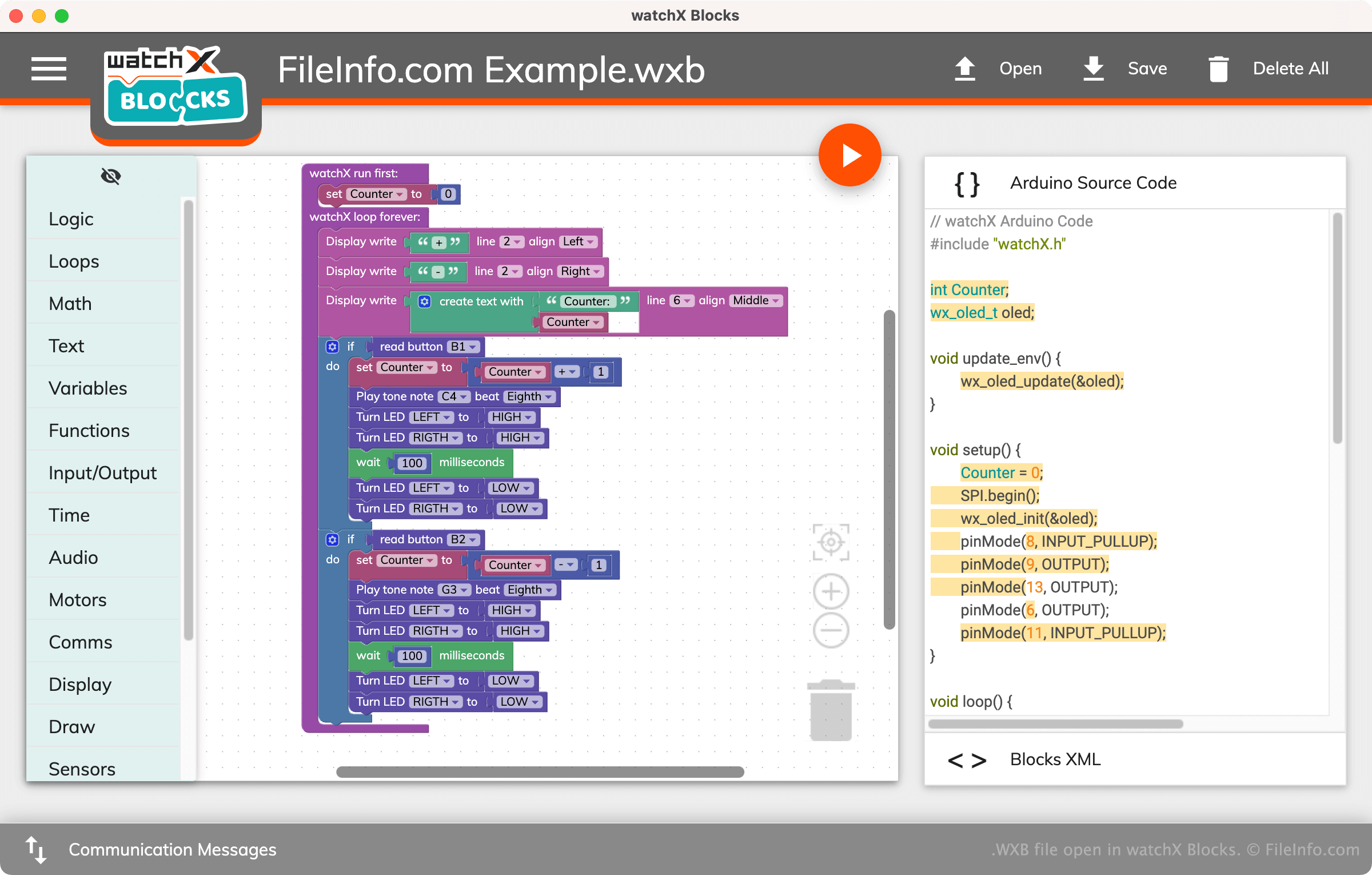
- watchX BlocksでWXBファイルを開きます。
- を選択します。
プログラムがユーザーのwatchXに表示されます。
注: watchX Blocksのデフォルトのブロックベース表示に加えて、このプログラムではWXBファイルに含まれるコードをArduinoソースコードとして表示します。これは.INOファイルに含まれるコードに似ており、XMLとしても表示されます。
WXBファイルの開き方
WXBファイルはwatchX Blocks(Windows、Mac)で開くように設計されています。watchX BlocksでWXBファイルを開くには、プログラムのメニューバーからを選択します。次に、WXBファイルを探して開きます。
watchX Blocksを利用できない場合や、WXBファイルに含まれるXMLを確認したいだけの場合は、Microsoft Visual Studio Code(クロスプラットフォーム)、GitHub Atom(クロスプラットフォーム)、またはその他のテキストエディターでファイルを開くこともできます。