.MENU ファイル拡張子

2個のファイルタイプ.menu拡張子を使用しています。

Quake 3 Engine Menu File

開発元 id Software
人気度
4.3  |  8 
 

MENUファイルとは?

Menu file used by id Tech 3 (Quake III engine) games; specifies the layout and properties for the game menus and the HUD (Head-Up Display) interface; saved in a plain-text format; commonly stored within .PK3 game packages.

詳細情報

MENU files can be used for customizing buttons, backgrounds, and mouse over behaviors, and the first-person perspective display features, including menus, text styles, colors, textures, gun crosshairs, and the locations of interface elements.

File Viewer Plusで400種類以上のファイル形式を開けます。無料ダウンロード

MENUファイルを開く、または参照するプログラム

カテゴリ: ゲーム
更新日: 2010-05-24

macOS Menu Extra

開発元 Apple
人気度
4.0  |  2 
 

A MENU file is a Menu Extra used by Mac operating systems starting with Mac OS X 10.1. It contains a small program, sometimes referred to as a "menulet," that allows Mac OS X / macOS users to monitor and adjust settings on their computers. Examples include AirPort, Time Machine, and network preferences. MENU files replaced .DOCK files, which had previously been used to install Dock Extras.

詳細情報

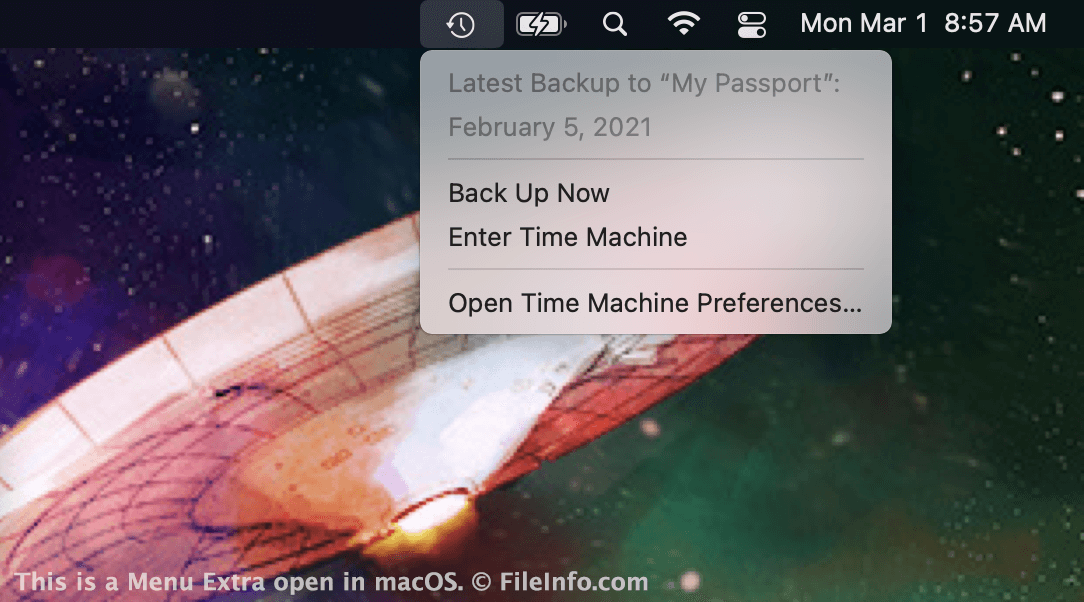
macOSで開いた.menuファイルのスクリーンショット
macOSで開いたMENUファイル

Apple introduced Menu Extras with the release of Mac OS X 10.1. Menu Extras are small icons that appear in the right side of the macOS menu bar. They provide quick access to system and app settings. For example, the Time Machine Menu Extra allows you to quickly view your backup status or access your Time Machine backup.

MENU files are located in the following directory:

Macintosh HD/​System/​Library/​CoreServices/​Menu Extras

For example, TimeMachine.menu resides in this folder. The Battery, Wi-Fi, Spotlight Search, Control Center, and Notification Center icons that appear in Macs' Menu Bars are also Menu Extras. However, in recent versions of macOS, these Extras' MENU files no longer reside in the Menu Extras directory.

MENUファイルの開き方

MENU files allow you to add Menu Extras to your Mac's menu bar. In most cases, they are installed automatically along with the corresponding program. However, you may also be able to install a Menu Extra by double-clicking a MENU file. When installed correctly, the Menu Extra will appear on the right side of your Mac's menu bar.

MENUファイルを開く、または参照するプログラム

Mac
OSに同梱

検証者 FileInfo.com

FileInfo.comチーム は、このページに掲載されているすべてのファイル形式とソフトウェアについて独自に調査しました。 私たちの目標は100%の正確性であり、検証済みのファイルタイプに関する情報のみを公開しています。

このページへの追加や更新をご提案いただける場合は、お知らせください。