

.GJAM ファイル拡張子
Google Jamboardショートカット
| 開発元 | |
| 人気度 |
3.2 | 9 票 |
GJAMファイルとは?
GJAMファイルは、Google Jamboardで作成され、Google Driveに保存されたホワイトボードの描画を開くために使用されるショートカットです。このファイルには、開く描画への参照と、描画の作成に使用されたGmailアカウントが含まれています。GJAMファイルはGoogle Drive for Desktopによって作成されます。
詳細情報
Google Drive for Desktopは、Google DriveユーザーがWindowsおよびMac PCでGoogle Driveファイルをバックアップして開くことができるプログラムです。Drive for Desktopは、いくつかの種類のファイル( .JPGファイルや.DOCXファイルなど)の実際のバックアップをユーザーのコンピューターに保存しますが、Google Docs、Sheets、Jamboard、その他のGoogle Workspaceアプリケーションで作成されたファイルのコピーは保存しません。代わりに、Drive for Desktopは、ダブルクリックすると、関連付けられたファイルを正しいGoogle Workspaceアプリケーションのウェブ版で開くショートカットファイルを保存します。
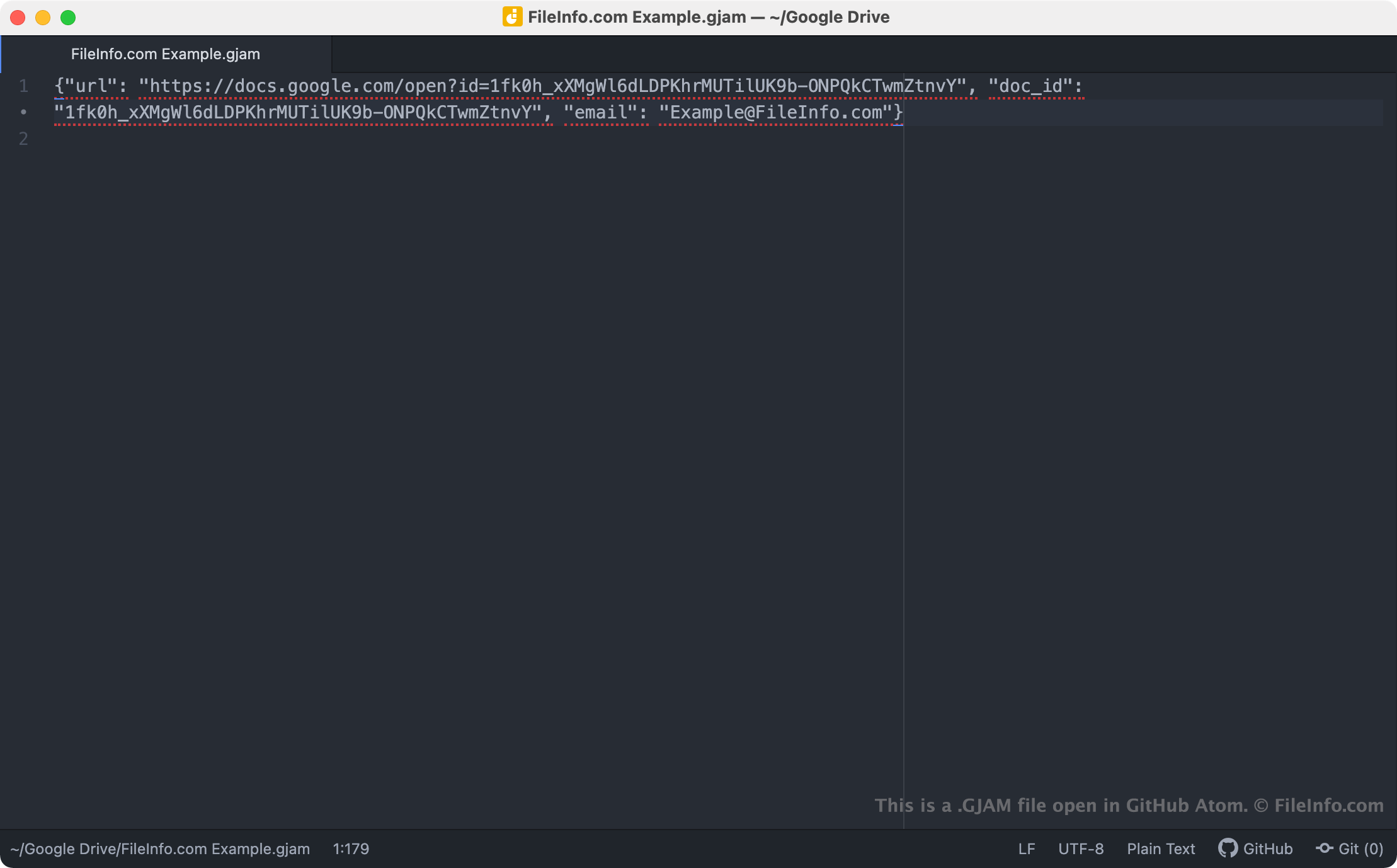
GJAMファイルは、Google Jamboardの描画を開くDrive for Desktopのショートカットです。Drive for DesktopユーザーがGJAMファイルをダブルクリックすると、その描画へのアクセスが許可されたGmailアカウントにユーザーがログインしている場合、関連するホワイトボードの描画がGoogle Jamboardで開きます。各GJAMファイルは、描画のURLとドキュメントID、および描画の作成に使用されたGmailアカウント名を含むJSONファイルです。
注: GJAMファイルは以前、GoogleのBackup and Syncによって作成されていました。Googleは2021年10月にBackup and SyncをDrive for Desktopに置き換えました。
GJAMファイルの開き方
PCにGoogle Drive for Desktopがインストールされている場合、またはChrome OSデバイスを使用している場合は、GJAMファイルをダブルクリックして、Google Jamboardで参照先の描画を開くことができます。開くには、Gmailアカウントへのログインまたは描画へのアクセス権のリクエストが必要になる場合があります。
必要に応じて、任意のテキストエディターでGJAMファイルを開き、含まれているURL、ドキュメントID、Gmailアカウント情報を表示することもできます。たとえば、GJAMファイルを使用してGoogle Jamboardで描画を開く際に問題がある場合に、この操作を行うとよいでしょう。GJAMファイルをダブルクリックしても描画が開かない場合は、ファイルのURLをコピーしてウェブブラウザーに貼り付け、描画にアクセスしてみてください。