

.XD Extension de fichier
Document Adobe XD
| Développeur | Adobe Systems |
| Popularité |
4,0 | 30 Votes |
Qu'est-ce qu'un fichier XD ?
Un fichier XD est une maquette de site web ou d'application mobile créée avec Adobe XD, un outil de conception d'interface utilisateur (UI) et d'expérience utilisateur (UX). Il contient un ou plusieurs plans de travail, qui contiennent eux-mêmes des éléments de conception graphique organisés en calques, tels que des images, des formes et du texte. Les fichiers XD servent à créer un prototype de l'apparence, du fonctionnement et des flux de travail de sites web et d'applications mobiles, avant que les développeurs ne commencent à développer ces sites ou applications.
Plus d'informations
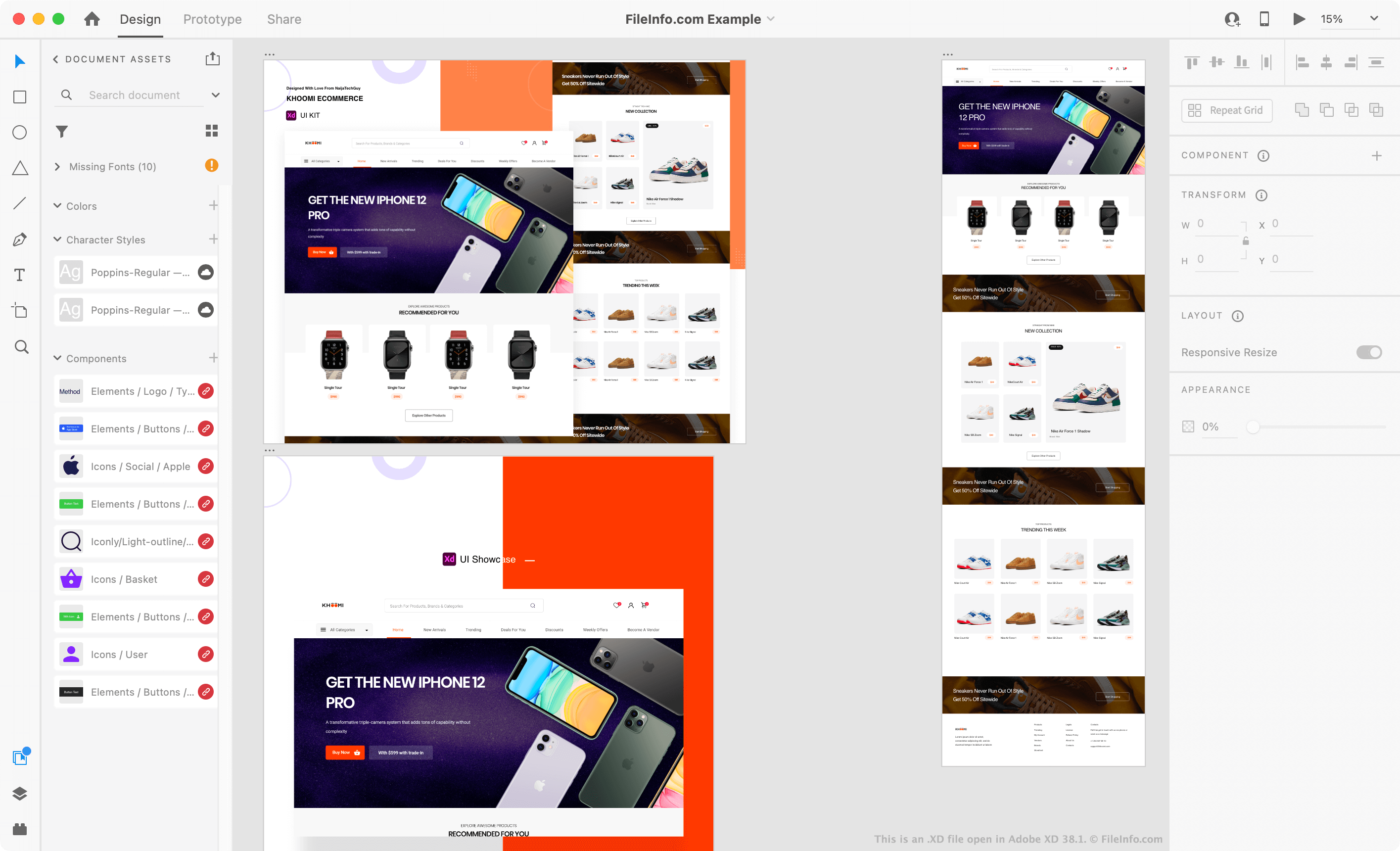
Adobe XD est une application de conception que les concepteurs d'interfaces et d'expériences utilisateur utilisent pour créer des prototypes de frontends de sites web et d'applications mobiles. XD permet aux concepteurs de créer des structures filaires simples ainsi que des maquettes plus abouties, qui simulent les pages d'un site web ou les écrans d'une application mobile. Chaque page ou écran est généralement placé sur son propre plan de travail XD.
Les concepteurs peuvent utiliser différents outils pour animer leurs plans de travail et les relier entre eux. Cela leur permet de simuler les interactions que les utilisateurs auront avec un site web ou une application. Par exemple, un concepteur peut placer un bouton sur un plan de travail et relier ce bouton à un plan de travail présentant le prototype de l'écran de connexion de son application. Ensuite, lorsque le concepteur ouvre son prototype en mode Aperçu dans XD, il peut cliquer sur le bouton pour accéder à l'écran de connexion.
Les fichiers XD servent le plus souvent à affiner l'interface utilisateur d'un site web ou d'une application mobile avant que les développeurs ne commencent à développer le site ou l'application. Par exemple, un concepteur d'interfaces peut utiliser un fichier XD pour présenter une proposition de conception et de flux de travail de site web à son équipe de développement web. Les développeurs utilisent souvent les ressources (images, polices et autres éléments) incluses dans les fichiers XD pendant le processus de développement, afin de s'assurer que le site web ou l'application qu'ils créent correspond au prototype de leur concepteur d'interface utilisateur.
Comment ouvrir un fichier XD
Vous pouvez ouvrir un fichier XD dans Adobe XD (multiplateforme). Pour ce faire, sélectionnez dans la barre de menus du programme. Accédez ensuite à votre fichier XD et ouvrez-le.
Les personnes qui n'ont pas accès à Adobe XD peuvent ouvrir des fichiers XD dans PSDETCH (web), Photopea (web) ou Bohemian Coding Sketch (Mac) pour afficher les plans de travail et les éléments contenus dans leur fichier XD.
Comment convertir un fichier XD en fichier PNG, SVG, PDF ou JPG ?
Pour convertir un fichier XD en fichier .PNG, .SVG, .PDF ou .JPG, vous pouvez :
- Ouvrez votre fichier XD dans Adobe XD.
- Sélectionnez dans la barre de menus du programme.
- Sélectionnez le format dans lequel vous souhaitez exporter vos plans de travail. Sélectionnez ensuite .