

.MCF Extension de fichier
Projet Monocurl
| Développeur | Monocurl |
| Popularité |
3,4 | 5 Votes |
Un fichier MCF est un projet de diaporama créé par Monocurl, une application de bureau permettant de créer des vidéos et des diaporamas sur les sciences, la technologie, l'ingénierie et les mathématiques (STEM). Il contient des informations sur chaque diapositive d'un diaporama, notamment son nom, sa description et ses propriétés d'animation. Les fichiers MCF peuvent également contenir des fichiers multimédias importés, comme des images .JPG ou .PNG, si l'utilisateur les a importés dans le projet.
Plus d'informations
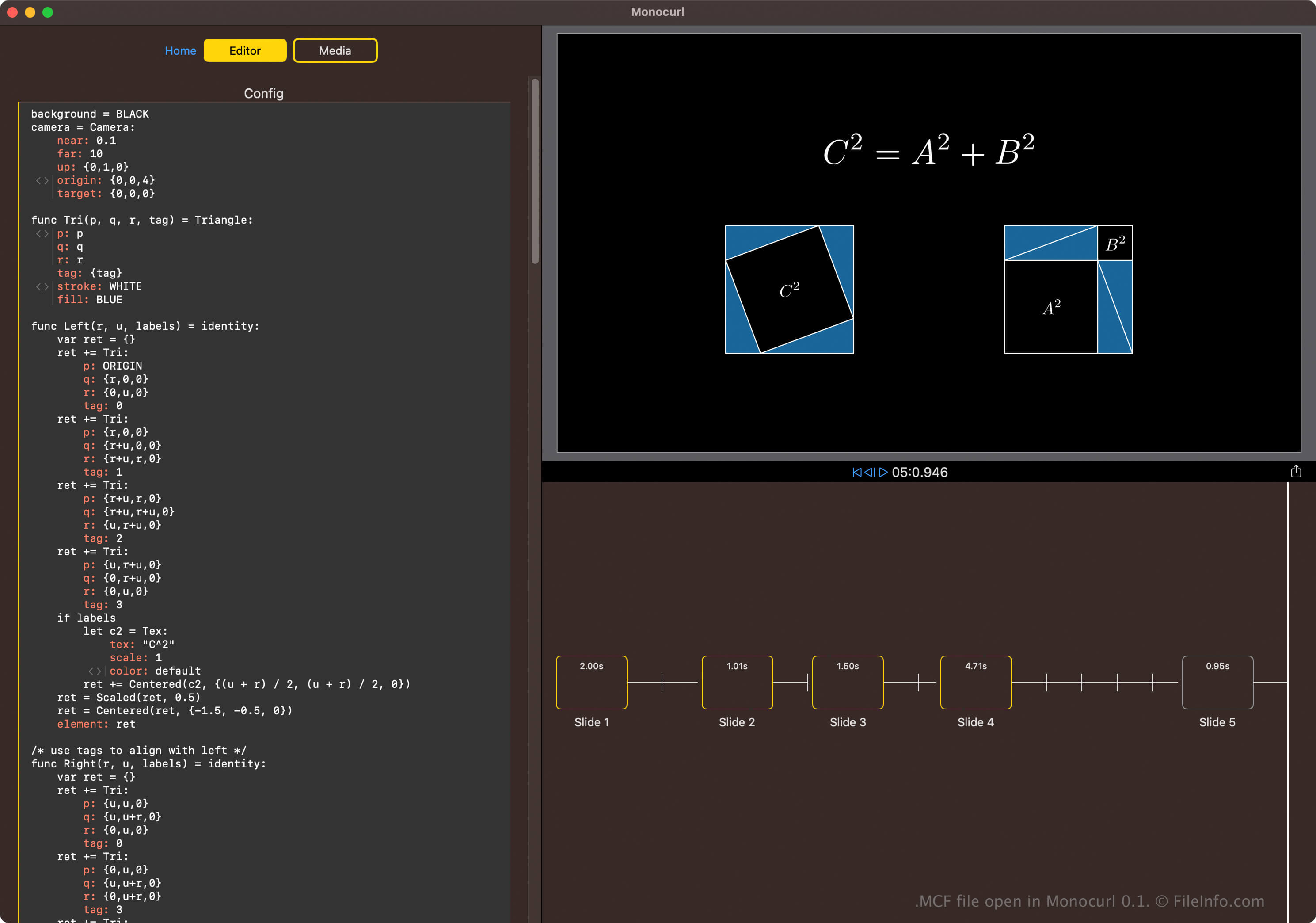
Monocurl est un langage de script (basé sur la bibliothèque Python Manim) et une application de bureau. Son objectif principal est de permettre aux passionnés de sciences, de technologie, d'ingénierie et de mathématiques (STEM) de créer des diapositives contenant des animations programmatiques comme s'ils utilisaient un éditeur vidéo.
Pour créer un fichier MCF, sélectionnez depuis l'écran d'accueil de Monocurl. Vous pouvez ensuite configurer chaque diapositive du diaporama dans l'éditeur ou importer des fichiers multimédias.
Comment ouvrir un fichier MCF
Vous pouvez ouvrir les fichiers MCF avec Monocurl sous Windows, macOS et Linux. Pour ouvrir un fichier MCF avec Monocurl, sélectionnez .
Ouverture d'un fichier MCF avec un éditeur de texte
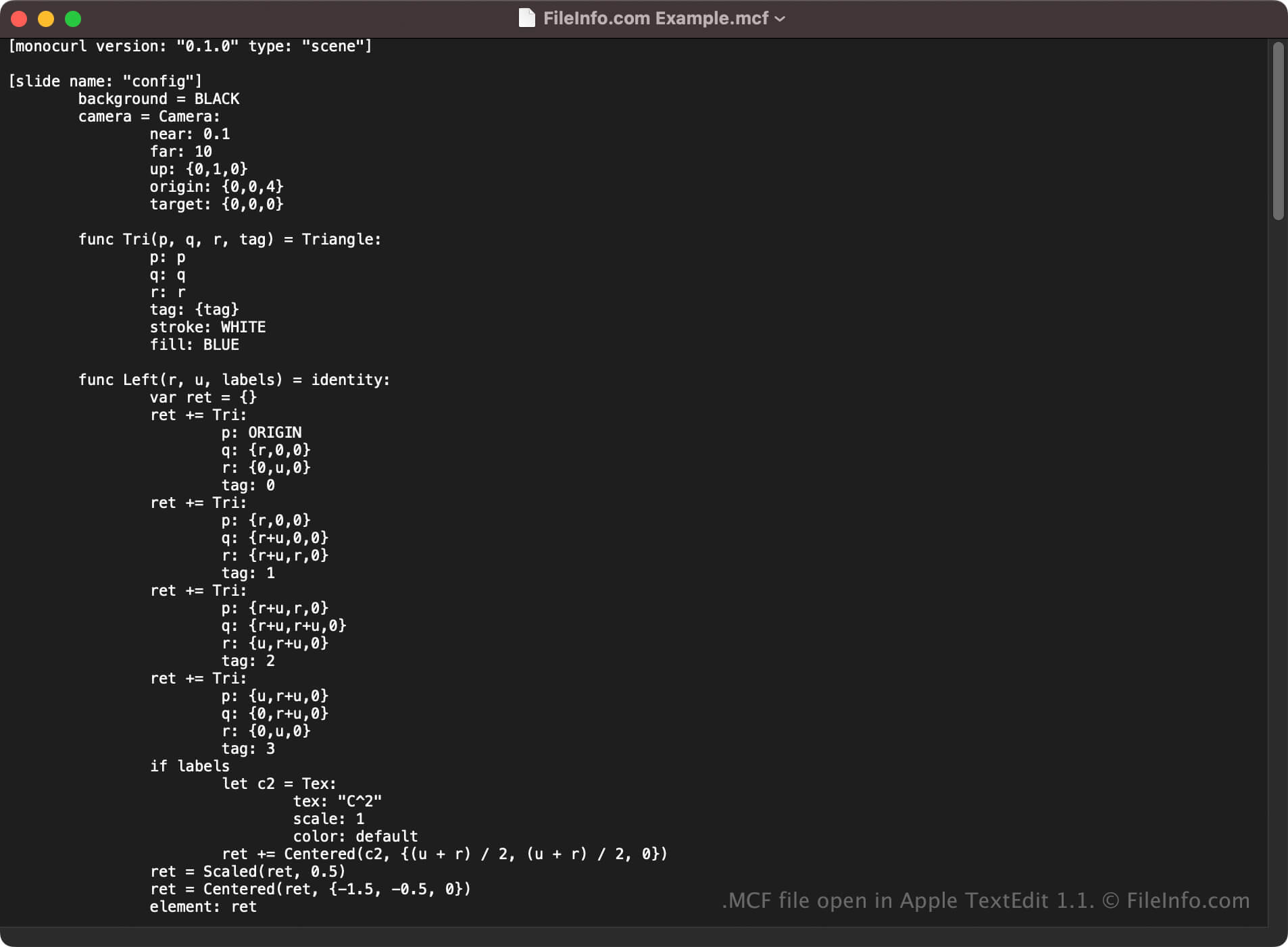
Vous pouvez également ouvrir les fichiers MCF avec un éditeur de texte, car ils stockent du texte brut. Vous pouvez notamment utiliser Microsoft Notepad (Windows), Apple TextEdit (macOS) ou gedit (Linux).
Cependant, l'ouverture de fichiers MCF avec un éditeur de texte ne les affichera pas comme dans Monocurl. De plus, si vous modifiez le fichier de manière incorrecte, vous risquez de corrompre accidentellement le projet de diaporama.
Programmes qui ouvrent les fichiers MCF
Modèle d’encodage vidéo TMPGEnc
| Développeur | PEGASYS |
| Popularité |
2,0 | 4 Votes |
Un fichier MCF est un fichier modèle utilisé par PEGASYS TMPGEnc, une application abandonnée de conversion vidéo. Il contient des paramètres que TMPGEnc utilise pour convertir des vidéos d’un format à un autre. TMPGEnc comprend un ensemble de fichiers MCF par défaut, et les utilisateurs peuvent créer leurs propres fichiers MCF.
Plus d'informations

PEGASYS TMPGEnc était un outil d’encodage vidéo qui permettait de convertir des vidéos aux formats MPEG-1 et MPEG-2. Le programme comprenait plusieurs préréglages d’encodage que les utilisateurs pouvaient sélectionner pour appliquer différents paramètres aux vidéos converties. Ces préréglages étaient enregistrés sous forme de fichiers MCF.
Les utilisateurs avancés de TMPGEnc pouvaient également créer leurs propres fichiers MCF et les utiliser comme préréglages personnalisés. Pour ajouter un fichier MCF personnalisé comme nouveau modèle, les utilisateurs plaçaient le fichier dans le répertoire Template de TMPGEnc, généralement situé à l’emplacement C:/Program Files/Pegasys Inc/TMPGEnc #.#/Template. Les utilisateurs pouvaient également créer directement des fichiers MCF personnalisés dans TMPGEnc, en ajustant un modèle par défaut et en cliquant sur le bouton qui apparaissait dans la partie inférieure droite du programme.
Comment ouvrir un fichier MCF
Si vous souhaitez utiliser un fichier MCF comme modèle TMPGEnc, placez-le dans le répertoire Template du programme. Le modèle contenu dans votre fichier MCF apparaîtra alors dans le menu de sélection des modèles de TMPGEnc, accessible depuis le bouton de l’application.
Si nécessaire, vous pouvez modifier les paramètres des modèles MCF personnalisés en dehors de TMPGEnc. (Les fichiers MCF par défaut de TMPGEnc sont en lecture seule.) Pour ce faire, ouvrez votre fichier MCF personnalisé dans n’importe quel éditeur de texte, tel que :
- Microsoft Notepad (Windows)
- Apple TextEdit (Mac)
- GitHub Atom (multiplateforme)
- GNU Emacs (multiplateforme)