

.NU File Extension
Nushell Script
| Developer | Nushell |
| Popularity |
3.0 | 1 Vote |
What is a NU file?
A NU file is a script used by Nushell, a modern command-line shell and scripting environment. It contains plain-text commands, functions, variables, pipelines, and automation tasks written in the Nushell scripting language, which is designed for structured data processing and shell automation.
More Information
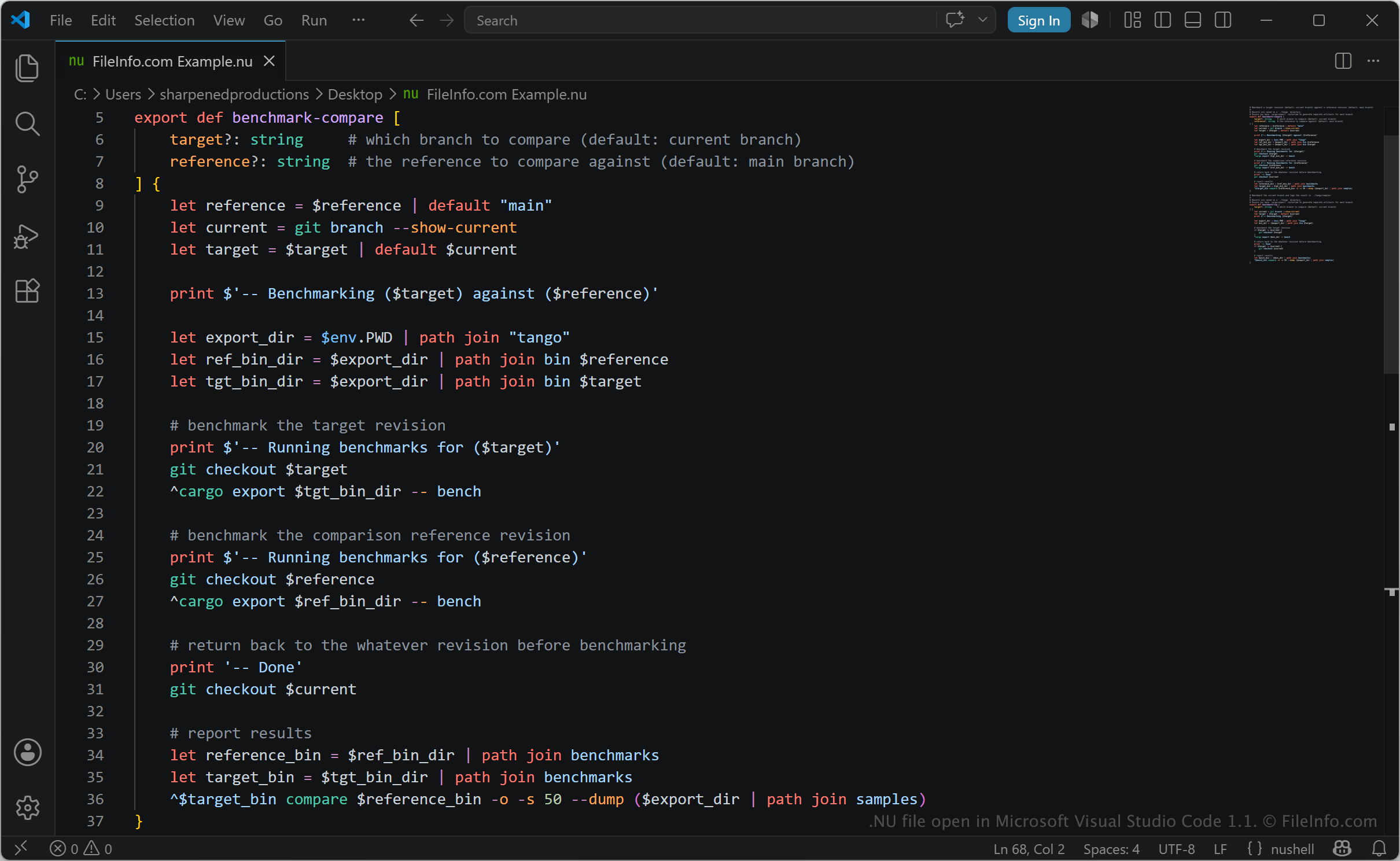
Unlike many traditional shells that mainly process plain text, Nushell works with structured data such as tables, lists, and records, allowing commands to pass organized data between processes. The scripts are commonly used to automate command-line workflows, manage files, process data, and perform system administration tasks. Nushell executes commands in the script directly within its shell environment, allowing users to automate command sequences and process structured data consistently across platforms.
Developers, system administrators, power users, and command-line enthusiasts may use NU files to create reusable scripts for daily tasks and data manipulation. Nushell supports structured output formats such as .JSON, .YAML, .TOML, and .CSV, which allows NU scripts to work with modern data formats more directly than many traditional shell environments. NU files may also include custom commands and reusable modules that extend Nushell functionality.
How to open a NU file
You can open NU files with any text editor or source code editor, including Microsoft Visual Studio Code, Sublime Text, and Notepad++. To run a NU script, you must install Nushell and execute the file from the command line or within the Nushell environment.