

.AF File Extension
Affinity Document
| Developer | Canva |
| Popularity |
4.0 | 2 Votes |
What is an AF file?
An AF file is a document created by Canva Affinity, a graphic design, photo editing, and page layout application. It contains vector graphics, page layouts, images, layers, text objects, effects, color settings, and other project information in a proprietary binary format. AF files are working documents used in graphic design, photo editing, illustration, and publishing workflows to save projects that can later be reopened and edited without losing layer structures or document settings.
More Information
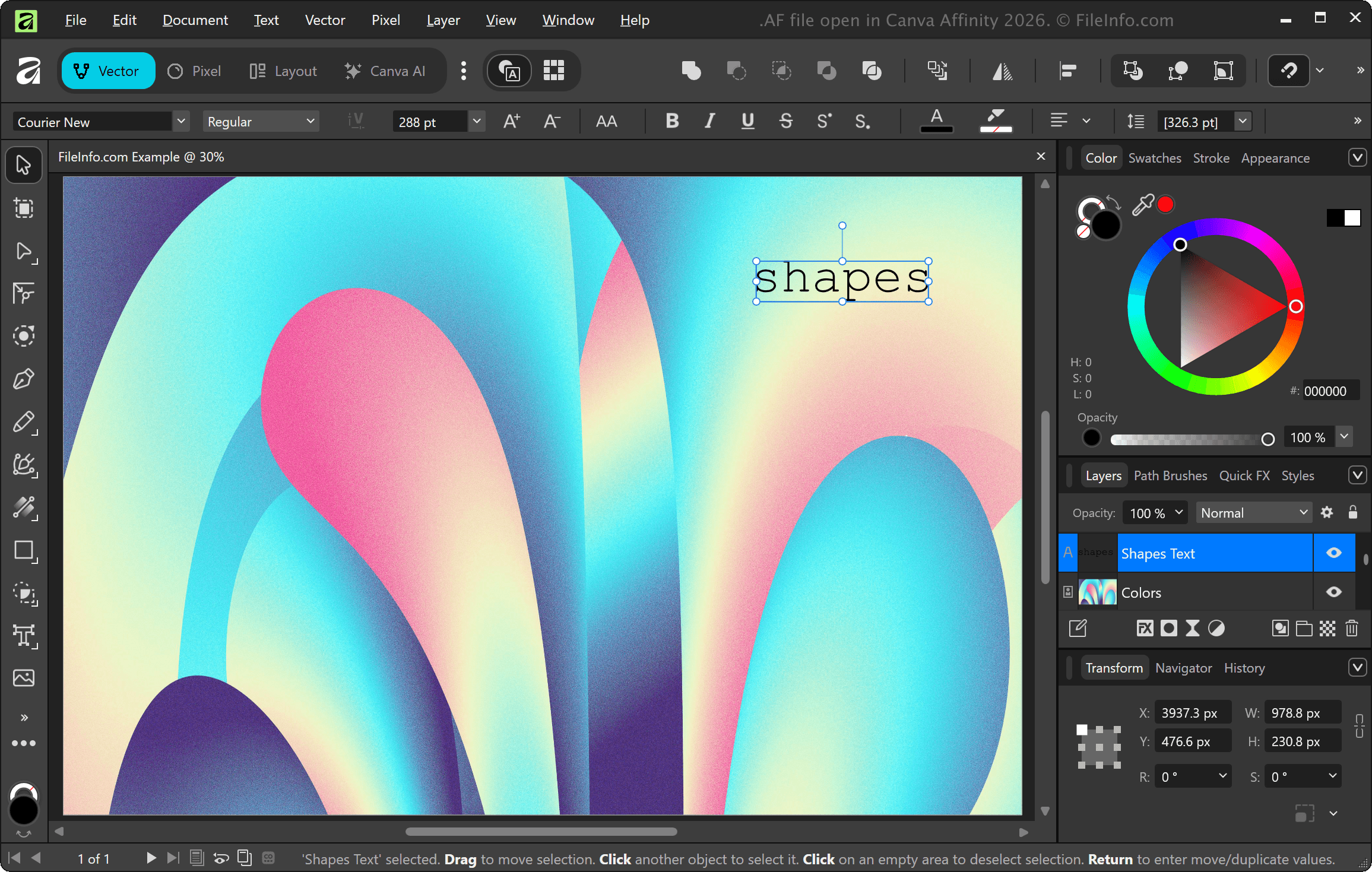
Designers, photographers, artists, publishers, and creative professionals use AF files to preserve editing features and project organization when working. When finished, they export the projects to more widely supported formats, such as .JPG, .PNG, .PDF, .PSD, or .SVG, for sharing or printing.
NOTE: Affinity offers graphic design, photo editing, and page layout capabilities that were previously provided by separate Affinity applications (Designer, Photo, and Publisher). Serif previously developed the applications, but Canva acquired Serif in 2024 and combined the capabilities of the three applications into a single Affinity application.
How to open an AF file
You can open AF files with Canva Affinity. To open an AF file with Affinity, select .