

.GSHEET Dateiendung
Google Sheets-Verknüpfung
| Entwickler | |
| Beliebtheit |
3,0 | 57 Stimmen |
Was ist eine GSHEET-Datei?
Eine GSHEET-Datei ist eine Verknüpfung, mit der eine in Google Drive gespeicherte Google Sheets-Tabelle geöffnet wird. Die Datei enthält einen Verweis auf die Tabelle, die sie öffnet, sowie das Gmail-Konto, mit dem die Tabelle erstellt wurde. GSHEET-Dateien werden von Google Drive für Desktop erstellt.
Weitere Informationen
Google Drive für Desktop ist ein Programm, mit dem Google-Drive-Nutzer ihre Google-Drive-Dateien auf Windows- und Mac-PCs sichern und öffnen können. Während Drive für Desktop tatsächliche Sicherungskopien bestimmter Dateitypen (z. B. .JPG- und .DOCX-Dateien) auf den Computern der Nutzer speichert, speichert es keine Kopien von Dateien, die mit Google Docs, Sheets, Sites und anderen Google-Workspace-Anwendungen erstellt wurden. Stattdessen speichert Drive für Desktop Verknüpfungsdateien, die beim Doppelklicken die zugehörige Datei in der Webversion der richtigen Google-Workspace-Anwendung öffnen.
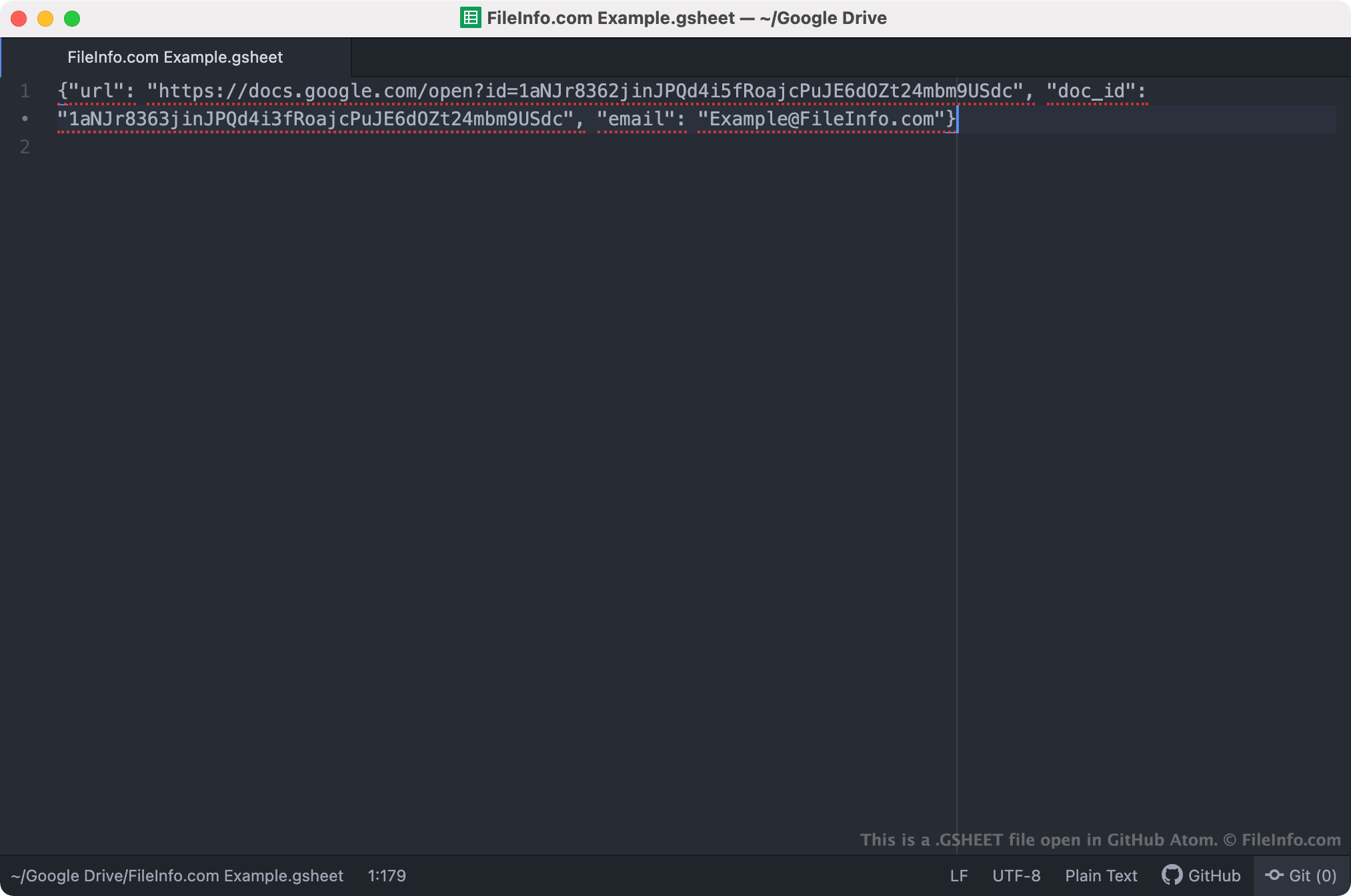
GSHEET-Dateien sind Verknüpfungen von Drive für Desktop, die Google-Sheets-Tabellen öffnen. Wenn ein Nutzer von Drive für Desktop auf eine GSHEET-Datei doppelklickt, wird die zugehörige Tabelle in Google Sheets geöffnet, sofern der Nutzer bei einem Gmail-Konto angemeldet ist, das zum Zugriff auf die Tabelle berechtigt ist. Jede GSHEET-Datei ist eine JSON-Datei, die die URL und die Dokument-ID einer Tabelle sowie den Namen des Gmail-Kontos enthält, mit dem die Tabelle erstellt wurde.
HINWEIS: GSHEET-Dateien wurden zuvor von Backup and Sync von Google erstellt. Google ersetzte Backup and Sync im Oktober 2021 durch Drive für Desktop.
So öffnen Sie eine GSHEET-Datei
Wenn Google Drive für Desktop auf Ihrem PC installiert ist oder Sie ein Chrome-OS-Gerät verwenden, können Sie auf eine GSHEET-Datei doppelklicken, um die Tabelle, auf die sie verweist, in Google Sheets zu öffnen. Möglicherweise müssen Sie sich bei Ihrem Gmail-Konto anmelden oder Zugriff auf die Tabelle anfordern, um sie zu öffnen.
Bei Bedarf können Sie eine GSHEET-Datei auch in einem beliebigen Texteditor öffnen, um die darin enthaltene URL, Dokument-ID und Gmail-Kontoinformationen anzuzeigen. Dies kann beispielsweise hilfreich sein, wenn Sie Probleme haben, Ihre GSHEET-Datei zum Öffnen einer Tabelle in Google Sheets zu verwenden. Wenn durch einen Doppelklick auf Ihre GSHEET-Datei keine Tabelle geöffnet wird, können Sie versuchen, die URL Ihrer Datei zu kopieren und in Ihren Webbrowser einzufügen, um auf Ihre Tabelle zuzugreifen.