.SAGE Přípona souboru

SageMath Program

Vývojář SageMath
Popularita
4.0  |  2 Hlasů
 

Co je soubor SAGE?

A SAGE file is a program written in the SageMath programming language. It contains SageMath source code. Developers create SAGE files in source code editors and execute them with SageMath.

Další informace

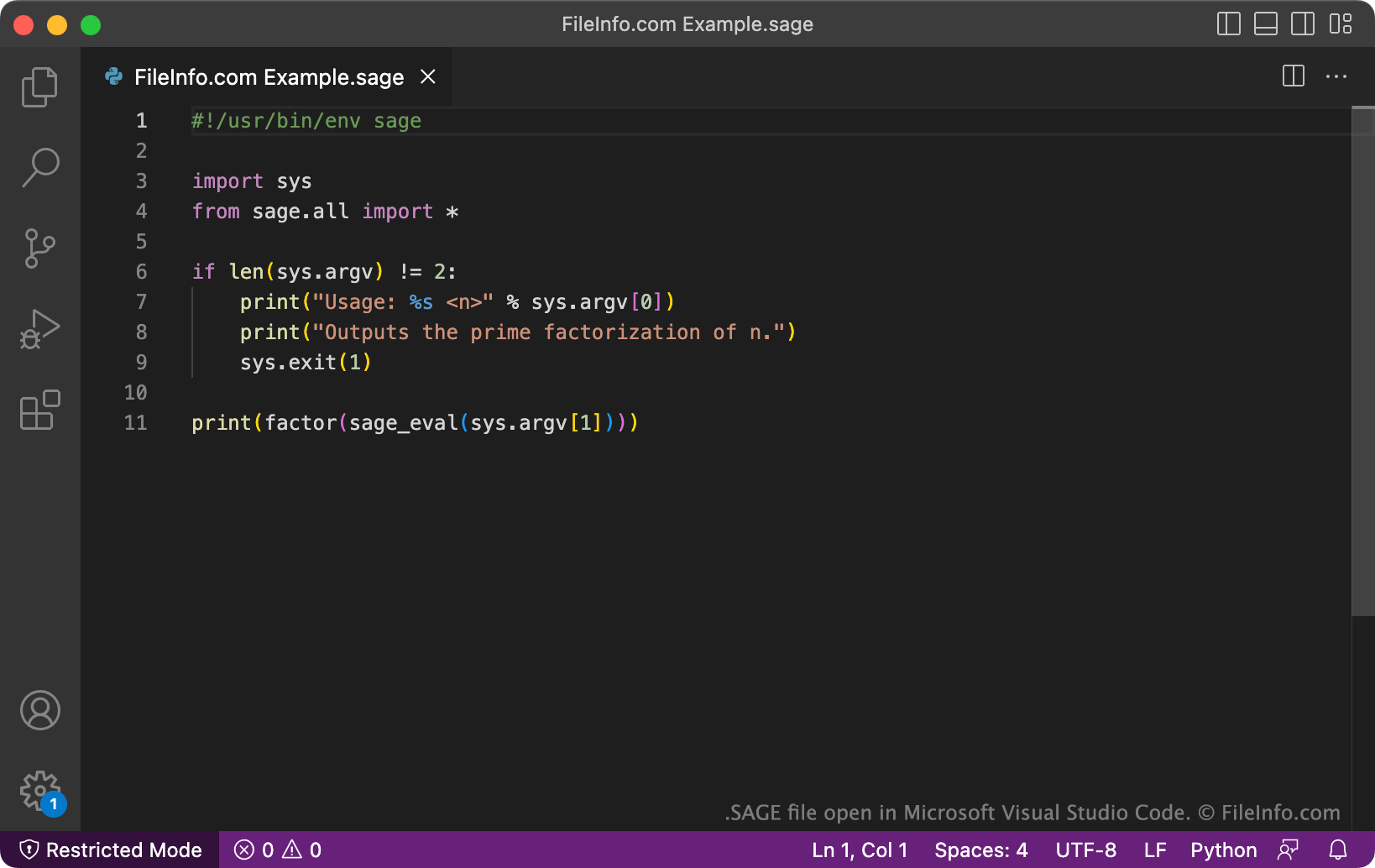
Snímek obrazovky souboru .sage v Microsoft Visual Studio Code
Soubor SAGE otevřený v Microsoft Visual Studio Code

SageMath is an open-source mathematics software system used to create programs that perform mathematical functions. The system uses its own programming language, also called SageMath, which is Python-like but includes support for specialized mathematical operations.

Developers creating SageMath programs save those programs' source code in SAGE files. After a developer finishes developing their program, they can execute it by using SageMath's load command to load their SAGE file.

POZNÁMKA: SageMath has previously been known as Sage and SAGE. Sage stands for System for Algebra and Geometry Experimentation.

Jak otevřít soubor SAGE

You can open a SAGE file with Microsoft Visual Studio Code (multiplatform), GitHub Atom (multiplatform), or any other text or source code editor. Doing so allows you to view and edit the source code your SAGE file contains.

You can execute the program a SAGE file contains with SageMath (multiplatform).

Otevřete více než 400 formátů souborů pomocí File Viewer Plus.Stáhnout zdarma

Programy, které otevírají soubory SAGE

Sage Ransomware Encrypted File

Vývojář Neuvedeno
Popularita
2.0  |  1 Hlas
 

A file with the .sage extension has been renamed and encrypted by Sage or Sage 2.0 ransomware. It could be an encrypted image, video, document, or other type of file. Because the file is encrypted, you cannot open it. The .sage extension is added to the file's normal extension, producing an extension like .docx.sage.

Další informace

In December 2016, users began reporting the existence of Sage ransomware. In January 2017, a new variant of Sage, named Sage 2.0, began infecting users' computers.

Both versions of Sage encrypt a targeted set of a user's files, including documents, images, videos, and databases. The ransomware then appends the .sage extension to all encrypted files, deletes the user's Windows Shadow Volume Copies (to prevent users from recovering their files using a System Restore), and pops up a ransom note. Sage also adds the ransom note's text to the user's Windows desktop background. (FileInfo recommends you never pay a ransom to decrypt your files.)

How did my computer get infected by Sage ransomware?

Sage ransomware is most often distributed via spam emails that do not contain a subject but do contain a .ZIP attachment. This attachment contains another ZIP file, which in turn contains a .JS, .DOC, or .DOCX file. If you open the JS, DOC, or DOCX file and run the script or macro it contains, Sage infects your computer.

Jak otevřít soubor SAGE

Currently, there is no way to decrypt SAGE files or restore them to their original state. The best option to retrieve your files (and remove Sage ransomware from your computer) is to restore your data from a backup created before your PC became infected by Sage ransomware. (Because Sage attempts to delete your PC's backup data, you may have to restore from a backup stored on an external hard drive or cloud server.)

Upozornění

FileInfo.com recommends you never pay a ransom to decrypt files encrypted by ransomware. Paying a ransom encourages ransomware distributors to continue their efforts, and there is no guarantee that paying a ransom will give you access to your files. Instead, you should restore your data from a recent backup created before the ransomware infected your computer.

Programy, které otevírají soubory SAGE

Windows
System Restore

Ověřil FileInfo.com

Tým FileInfo.com nezávisle prozkoumal všechny formáty souborů a programy uvedené na této stránce. Naším cílem je 100% přesnost a zveřejňujeme pouze informace o typech souborů, které jsme ověřili.

Pokud chcete navrhnout doplnění nebo aktualizaci této stránky, dejte nám vědět.