

.LSS Přípona souboru
Úseky LiveSplitu
| Vývojář | LiveSplit |
| Popularita |
3,8 | 6 hlasů |
Co je soubor LSS?
Soubor LSS je soubor úseků vytvořený pro použití s programem LiveSplit, časovačem používaným speedrunery videoher. Obsahuje text ve formátu XML, který definuje řadu úseků neboli podčástí videohry, jejichž dokončení se speedrunery snaží zvládnout v rekordním čase. Soubory LSS mohou obsahovat prázdné úseky bez dříve zaznamenaných časů, rozpracované úseky nebo dokončené úseky.
Další informace
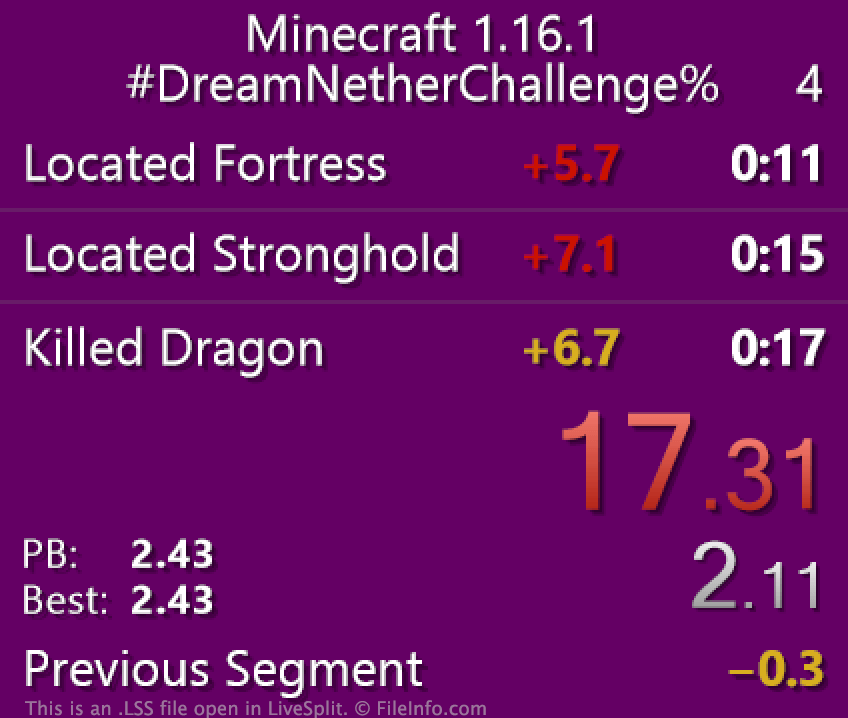
LiveSplit umožňuje speedrunnerům videoher měřit svůj postup hrou, částí videohry nebo herní výzvou. Speedrunery mohou svůj postup rozdělit na podčásti označované jako úseky, které představují konkrétní úrovně nebo cíle. Hráč, který se například snaží dokončit hru Terraria v rekordním čase, může hru rozdělit na podčásti podle toho, jak dlouho mu trvalo porazit jednotlivé bossy. Každý úsek založený na poražení bosse se pak v programu LiveSplit zobrazí a měří samostatně (spolu s celkovým časem speedrunera).
Pokud chce speedrunner načíst do programu LiveSplit předem nastavenou sadu úseků, může tak učinit pomocí souboru LSS. Soubory LSS jsou soubory XML, které definují úseky pro konkrétní hru nebo výzvu. Když se například speedrunner účastní online výzvy, může si muset stáhnout soubor LSS dané výzvy, načíst ho do programu LiveSplit a použít ho k měření svého speedrunu.
Jak otevřít soubor LSS
Chcete-li otevřít soubor LSS v programu LiveSplit, klikněte v programu pravým tlačítkem myši a vyberte . Poté vyhledejte a vyberte svůj soubor LSS. LiveSplit následně načte úseky obsažené v souboru LSS.
Soubor LSS můžete otevřít a upravit také v libovolném textovém editoru, například v programech Microsoft Notepad (Windows), Apple TextEdit (Mac) nebo GitHub Atom (pro více platforem), ale úseky je nejlepší upravovat přímo v programu LiveSplit. Chcete-li tak učinit, klikněte v programu LiveSplit pravým tlačítkem myši a vyberte .
Jak uložím soubor LSS?
Každý uživatel programu LiveSplit může své aktuální úseky uložit jako soubor LSS. Po dokončení speedrunu můžete například chtít uložit úseky jako nový soubor LSS, abyste měli záznam svého času. Chcete-li své aktuální úseky uložit jako nový soubor LSS, klikněte v programu LiveSplit pravým tlačítkem myši a vyberte .
Jak mohu sdílet soubor LSS?
LiveSplit umožňuje uživatelům sdílet soubory s úseky přímo na některých sociálních platformách. Chcete-li svůj soubor LSS sdílet s ostatními, vyberte v nabídce po kliknutí pravým tlačítkem myši v programu LiveSplit možnost , vyberte platformu, na které chcete své úseky sdílet, a poté zaškrtněte políčko Attach Splits. Upozorňujeme, že políčko Attach Splits není dostupné pro každou sociální platformu.