.VSRX 文件扩展名

VSRegex Document

开发者 Lonestar Softworx
受欢迎程度
2.0  |  1 
 

什么是 VSRX 文件?

A VSRX file is a regular expression document created by the VSRegex extension for Microsoft Visual Studio. It contains JSON-formatted plain text that specifies the settings used to create an expression. It may also specify input text and replacement text used to test the expression.

更多信息

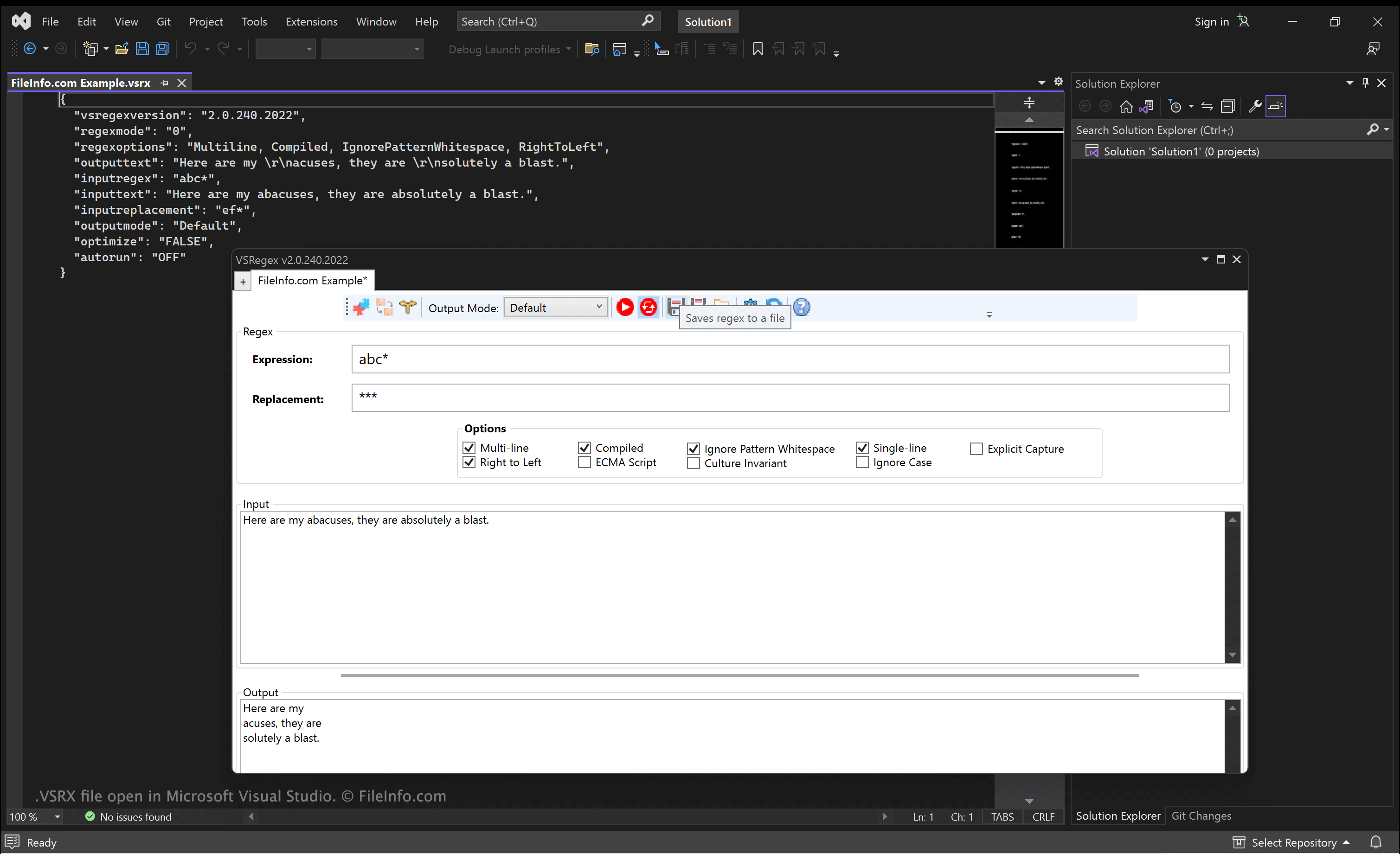
在 Microsoft Visual Studio 中打开的 .vsrx 文件截图
在 Microsoft Visual Studio 中打开的 VSRX 文件

VSRegex is a Visual Studio extension that allows developers to create and test regular expressions. It is developed by Lonestar Softworx.

After installing and opening VSRegex, developers can create expressions, adjust VSRegex's settings (using the extension's Options menu), and test their expressions. Developers can then save the expression they've created and the options they've specified in a VSRX file. This allows them to quickly load, edit, and use the expression at a later time.

如何打开 VSRX 文件

You can open and edit a VSRX file with Microsoft Visual Studio (Windows), Microsoft Visual Studio Code (multiplatform), or any other text or source code editor.

To use a VSRX file with VSRegex, install the extension in Microsoft Visual Studio and then select Tools → VSRegex →New Regex. In the VSRegex window that appears, click the folder icon to navigate to and open your VSRX file.

使用File Viewer Plus打开 400 多种文件格式。免费下载

可打开 VSRX 文件的程序

分类: 开发者
更新时间: 2022-12-13

验证者 FileInfo.com

FileInfo.com 团队 独立研究了本页面列出的 VSRegex Document 文件格式和 Mac, Windows, and Linux 应用。 我们的目标是达到 100% 的准确率,并且仅发布我们已验证过的文件类型信息。

如果您想为此页面提出新增或更新建议,请告诉我们