.PTEX 文件扩展名
Ptex Texture File
| 开发者 | Walt Disney Animation Studios |
| 受欢迎程度 |
4.2 | 5 票 |
什么是 PTEX 文件?
A PTEX file is a texture file used by Ptex, a texture mapping system for the rendering of production-quality animation in movies and shorts. It contains one or more texture images including channels and metadata that can be accessed through the memory-managed cache.
更多信息
Ptex was developed by Walt Disney Animation Studios in the late 2000s. It was developed to eliminate UV assignment, provide seamless filtering, and allow thousands of textures to be stored in one file, which is the PTEX file.
The Ptex mapping system was first used in the animated short Giago's Guest in 2008 but has also been used in the full-length feature Bolt. It is now the main texture mapping method used in all productions at Walt Disney Animation Studios.
可打开 PTEX 文件的程序
Material Maker Procedural Texture
| 开发者 | Rodz Labs |
| 受欢迎程度 |
3.5 | 2 票 |
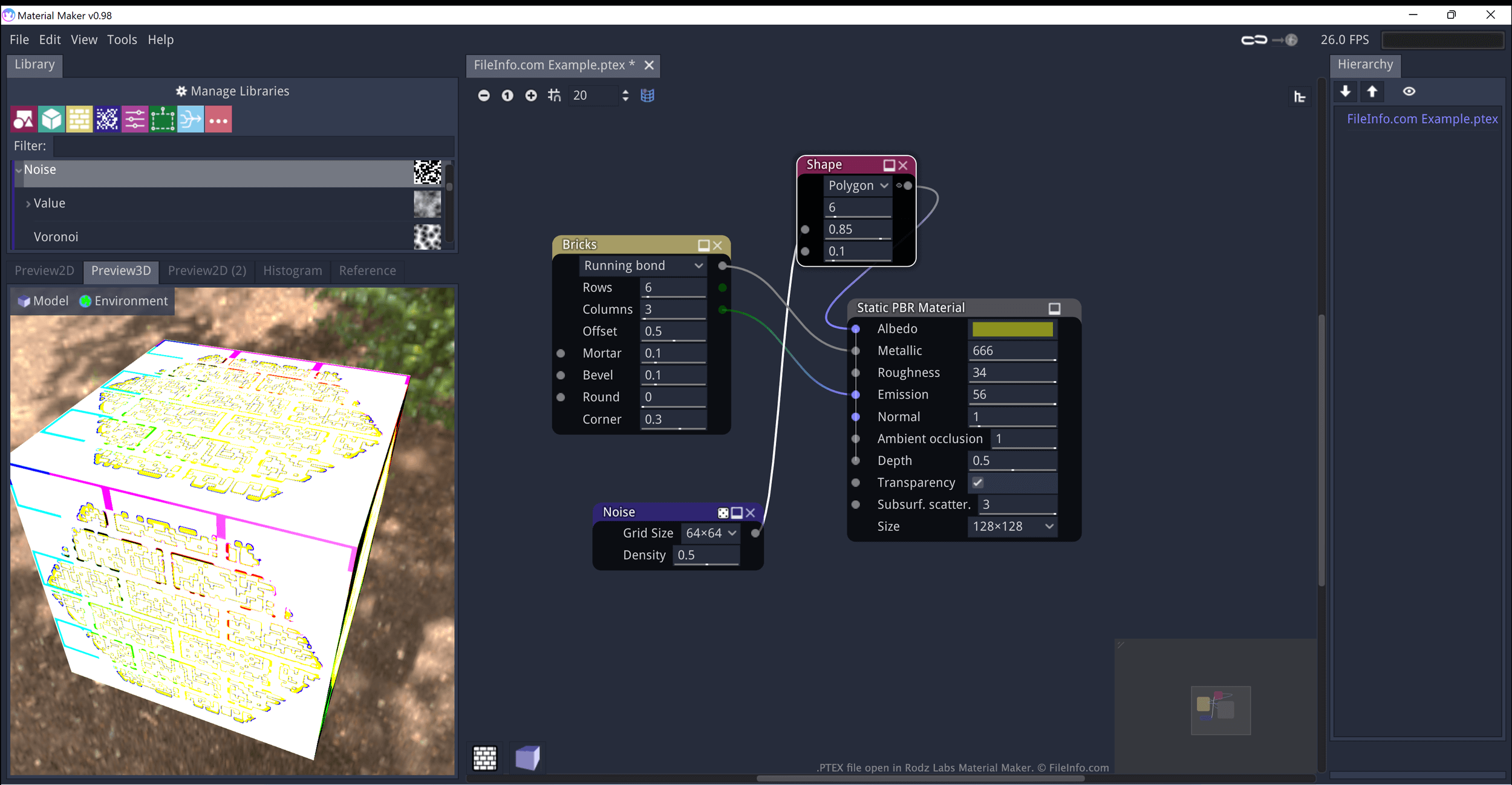
A PTEX file is a texture created by Material Maker, a procedural material creation program. It contains JSON-formatted data that defines how Material Maker generates and applies the texture to an object. When opened in Material Maker, PTEX files appear as a series of interconnected nodes.
更多信息
Rodz Labs Material Maker allows you to procedurally generate materials (textures) and paint 3D models. These assets are meant to be imported into video games developed using the Godot, Unity, and Unreal game engines.
Textures created in Material Maker are saved as PTEX files. Each PTEX file consists of one or more nodes, which can be connected and modified to refine how the texture appears. In Material Maker, these nodes appear as visual elements you can reposition, modify, and connect to other nodes. However, PTEX files are actually plain text files, which contain JSON-formatted data that defines the nodes' connections and settings.
如何打开 PTEX 文件
You can open a PTEX file in Material Maker (multiplatform):
- Open Material Maker and select File → Load.
- When the Open File(s) window appears, navigate to and open your PTEX file.
You can also open a PTEX file in any text editor, to view the JSON data it contains.