.PTEX ファイル拡張子

Ptex Texture File

開発元 Walt Disney Animation Studios
人気度
4.2  |  5 
 

PTEXファイルとは?

A PTEX file is a texture file used by Ptex, a texture mapping system for the rendering of production-quality animation in movies and shorts. It contains one or more texture images including channels and metadata that can be accessed through the memory-managed cache.

詳細情報

Ptex was developed by Walt Disney Animation Studios in the late 2000s. It was developed to eliminate UV assignment, provide seamless filtering, and allow thousands of textures to be stored in one file, which is the PTEX file.

The Ptex mapping system was first used in the animated short Giago's Guest in 2008 but has also been used in the full-length feature Bolt. It is now the main texture mapping method used in all productions at Walt Disney Animation Studios.

File Viewer Plusで400種類以上のファイル形式を開けます。無料ダウンロード

PTEXファイルを開くプログラム

Windows
無料

Material Maker Procedural Texture

開発元 Rodz Labs
人気度
3.5  |  2 
 

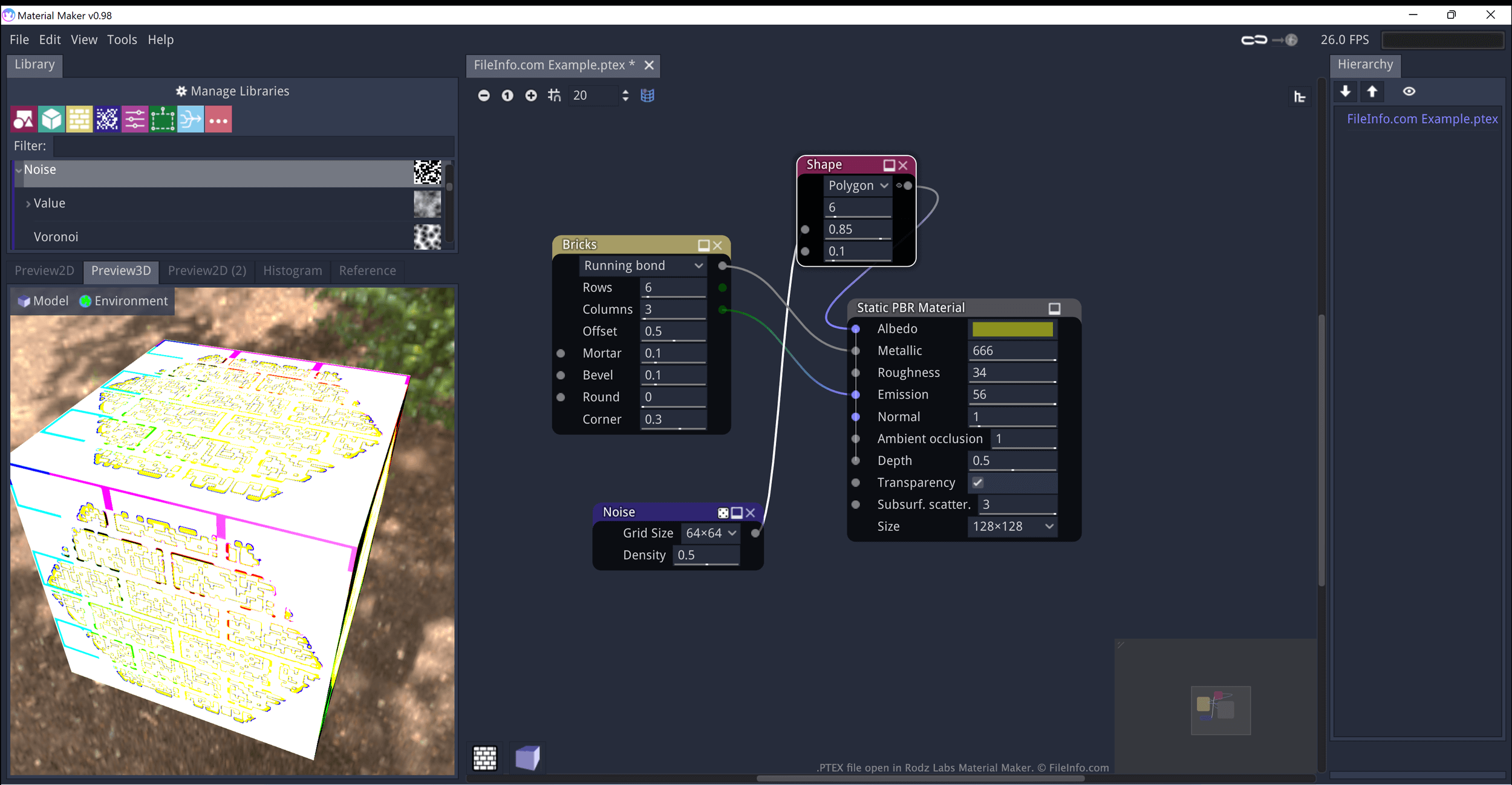
A PTEX file is a texture created by Material Maker, a procedural material creation program. It contains JSON-formatted data that defines how Material Maker generates and applies the texture to an object. When opened in Material Maker, PTEX files appear as a series of interconnected nodes.

詳細情報

Rodz Labsで開いた.ptexファイルのスクリーンショット
Rodz Labsで開いたPTEXファイル

Rodz Labs Material Maker allows you to procedurally generate materials (textures) and paint 3D models. These assets are meant to be imported into video games developed using the Godot, Unity, and Unreal game engines.

Textures created in Material Maker are saved as PTEX files. Each PTEX file consists of one or more nodes, which can be connected and modified to refine how the texture appears. In Material Maker, these nodes appear as visual elements you can reposition, modify, and connect to other nodes. However, PTEX files are actually plain text files, which contain JSON-formatted data that defines the nodes' connections and settings.

PTEXファイルの開き方

You can open a PTEX file in Material Maker (multiplatform):

  1. Open Material Maker and select File → Load.
  2. When the Open File(s) window appears, navigate to and open your PTEX file.

You can also open a PTEX file in any text editor, to view the JSON data it contains.

PTEXファイルを開くプログラム

カテゴリ: ゲーム
更新日: 2022-06-17

検証者 FileInfo.com

FileInfo.comチーム は、このページに掲載されているすべてのファイル形式とソフトウェアについて独自に調査しました。 私たちの目標は100%の正確性であり、検証済みのファイルタイプに関する情報のみを公開しています。

このページへの追加や更新をご提案いただける場合は、お知らせください。