.GPC 文件扩展名

Gamepad Programming Code Script

开发者 Collective Minds
受欢迎程度
3.0  |  2 
 

什么是 GPC 文件?

A GPC file is a script written in the Gamepad Programming Code (GPC) language, which extends the capabilities of a gaming controller via an adapter. It stores plain text in the GPC syntax (based on the C programming language) that customizes input behavior, remaps buttons, configures macros, or adds advanced features like rapid-fire or anti-recoil. Users compile and execute GPC scripts on compatible controller adapters to modify the controller's capabilities.

更多信息

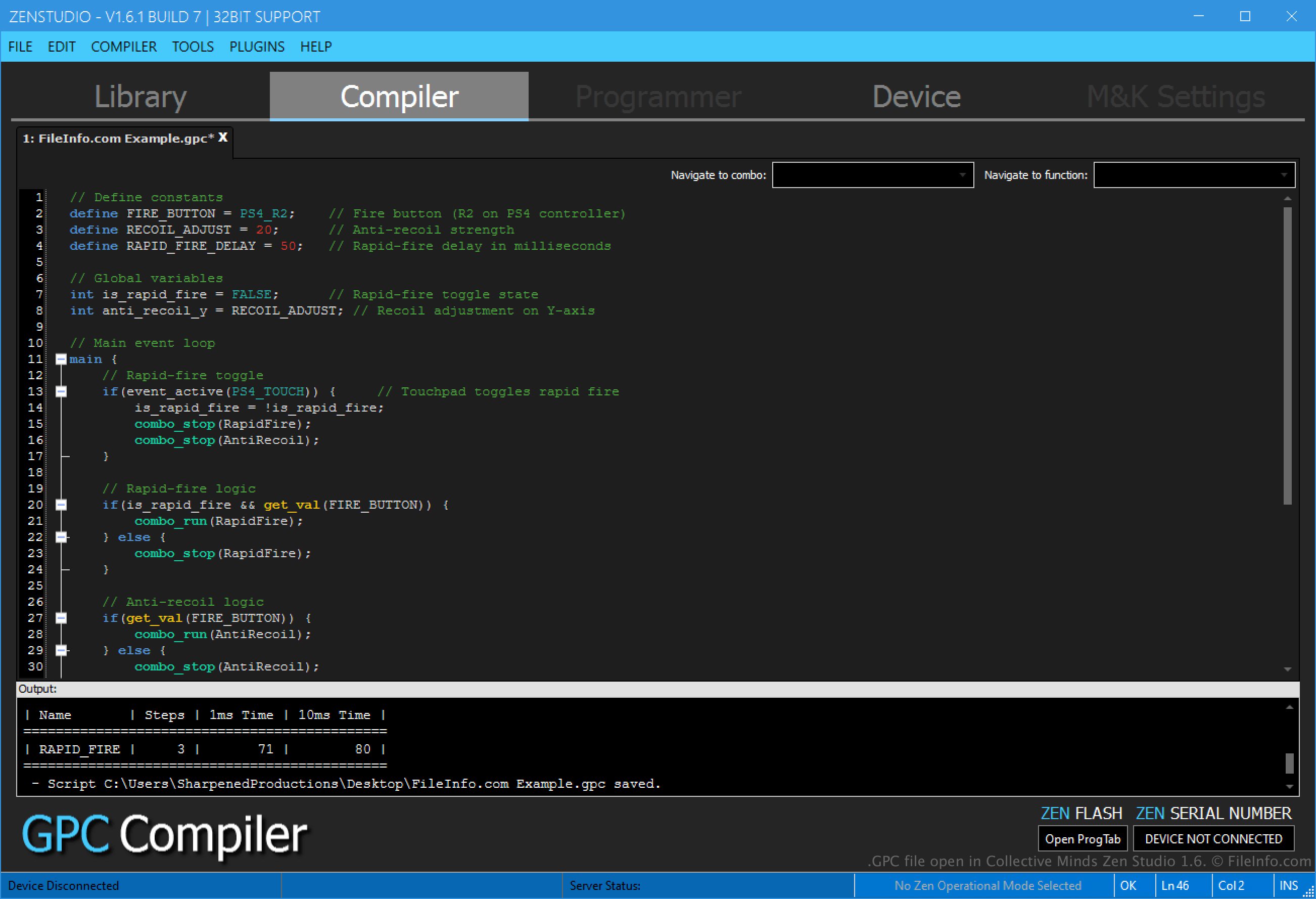
在 Collective Minds Zen Studio 1.6 中打开的 .gpc 文件截图
在 Collective Minds Zen Studio 1.6 中打开的 GPC 文件

Users can create GPC files and compile them with Zen Studio or GTuner IV IDEs. Once compiled without errors, they add their script to a compatible gaming controller adapter, such as a Cronus Zen or Titan 2 device, and connect it to their controller, such as a PlayStation or Xbox controller, via Bluetooth or a port. The gaming controller adapter acts as a bridge, translating the input signals (defined in the GPC script) from the controller into a format that the connected system (e.g., a gaming console or computer) understands.

注: The CronusMAX and Titan device teams developed the GPC language specifically for use with their gaming controller adapters and software platforms. These teams are part of Collective Minds, a company specializing in gaming peripherals and customization tools.

如何打开 GPC 文件

You can open GPC files with Collective Minds Zen Studio and ConsoleTuner GTuner IV. For example, you can open a GPC file with Zen Studio by selecting File → Open.

Since GPC files store plain text, you can also open them with a source code editor or simple text editor. However, these options do not provide the same editing and compiling features as Zen Studio and GTuner IV.

使用File Viewer Plus打开 400 多种文件格式。免费下载

可打开 GPC 文件的程序

分类: 开发者
更新时间: 2025-01-16

验证者 FileInfo.com

FileInfo.com 团队 独立研究了本页面列出的 Gamepad Programming Code Script 文件格式和 Mac, Windows, and Linux 应用。 我们的目标是达到 100% 的准确率,并且仅发布我们已验证过的文件类型信息。

如果您想为此页面提出新增或更新建议,请告诉我们